
Llatto17 - Minecraft Skins & Skin History
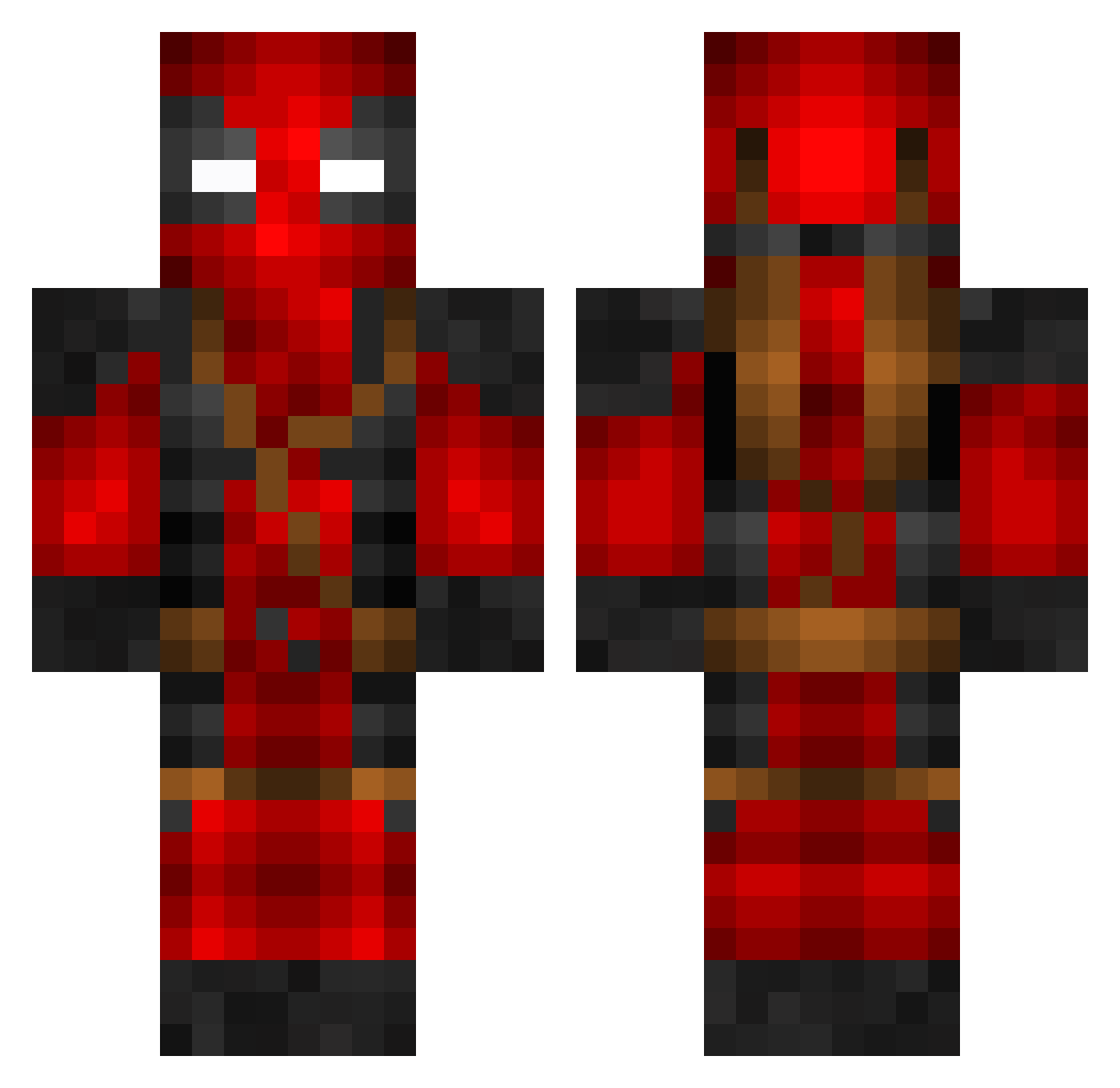
Current Minecraft skin of the player Llatto17, loaded from the official Mojang API. Rotate the 3D model with your mouse or finger, then download the skin as a PNG file and use it in Minecraft: Bedrock Edition or Java Edition for free. When Llatto17 changes their skin, this page updates automatically and the old skin stays in the history below.
Other players with this skin (799)
Llatto17 was the 656th player we have seen with this skin, first spotted on 21.10.2026. The same skin was seen on these players. Open a nickname to see their current skin and skin history.
 Arojj PVERAp Its_Micha3l_B0i SlaSHX34 DaddaJoe Haunchiss Trailerpark18 SkillzUser19 liJAVil watermelon083 mrtdkmci zbr9x DOUSON KKautz Flexcow MetaOF Sandro1006 HoodedDragonfly DADDE_01 TheOGDraz Fetan10 Bonzai____ Bailz0097 FeliciF tazfire Lucky_Ham MMCrew Kebabrulz CMACE demonlord14 moey1910 _Misphit_ choc0panda Winmen666 Marcinius_2002 prox73ney tuketus1 haeley redferno978 Hinspi Martinsim54 Cssamuelson27 ChubbyDubby6478 PhaoenixFire NightOfTheFred ninjawilliam2004 __PLATINUM__ Sk3tchM9 xXHentzeXx nandicre AlaskanAssassin9 Kubitt Tr00per1000 Wolff007 PsychoBiggie yascunner Jojo145 ONE_A _BuffBaby_ TwiistedP
More Deadpool Minecraft skins
How to install the Llatto17 skin
- Press the Download button above to save the skin as a PNG file.
- Minecraft: Bedrock Edition (PE): open the Dressing Room from the main menu (or tap your character → Edit Character), go to Classic Skins → Owned, press the + (new skin) button, choose the downloaded PNG and pick the Classic (Steve) model. Works on PC and mobile; consoles cannot import custom skins.
- Minecraft: Java Edition: open the Minecraft Launcher, go to the Skins tab, click New Skin, load the PNG, pick the Classic (Steve) model and press Save & Use. You can also upload it at minecraft.net → Profile → Change Skin.
The skin does not show up after import - what should I do?
Restart Minecraft and open the Dressing Room again - imported skins sometimes appear only after a restart. Also make sure you selected the imported skin and picked the Classic (Steve) model.
Which model should I choose, Classic or Slim?
This skin is designed for the Classic (Steve) model. If you pick the wrong model, the arms of the skin will look stretched or squeezed.
Is the skin of Llatto17 free to download?
Yes. Press Download, save the PNG file and use it in Minecraft: Bedrock Edition or Java Edition - no payment or registration needed. The skin also works on multiplayer servers and Realms.
More skins
Looking for more? Go back to all Minecraft skins and check the top skins of the week, month and all time, or find any player's skin by nickname.