
LiuKING - Minecraft Skins & Skin History
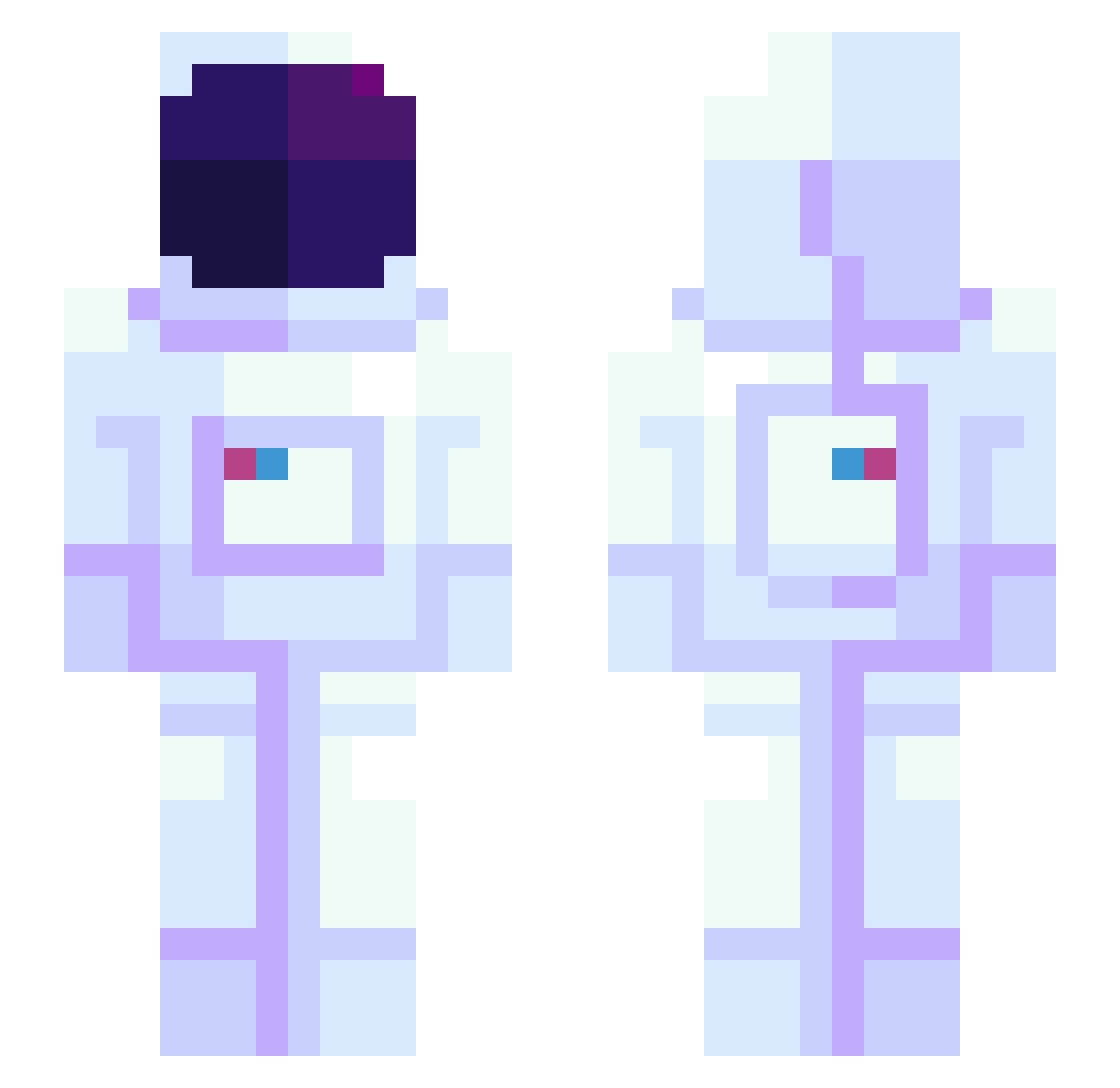
Current Minecraft skin of the player LiuKING, loaded from the official Mojang API. Rotate the 3D model with your mouse or finger, then download the skin as a PNG file and use it in Minecraft: Bedrock Edition or Java Edition for free. When LiuKING changes their skin, this page updates automatically and the old skin stays in the history below.
Other players with this skin (946)
LiuKING was the 264th player we have seen with this skin, first spotted on 27.08.2026. The same skin was seen on these players. Open a nickname to see their current skin and skin history.
 hendrix411 Kaoutiz Twined07 Omgitsangy05 Spyr4l shirismith Chonye Diaspace hunkocheese Raadows 246Matti Kakugen0123 DJmaya xXLegnDXx Aureastro 116isme t0x1n13 Rolltop SuperiorLamb SkyVetols DaytimeCravings SSAGUM PhiEdit Kyran_Ash Alesit0 Teddy_eye irosiki Ercus082 EckoDelta craftinZAK Itakoji Hoody1008 MrBones420 NaneLimon Fracvi Beetle46703 HunterTL530 supernmkr Anorak314 jmcornejo22 Michael_QiMing Ayachin_Elite Ishi0423 BowlingBL Cosmolawls CallMeLiam ZOMBIEPINYATA AngriFlamingo YoungSinatra789 slowave YassBey akcentowany kdh0104 Xero_Gravity ksagom DoomGuy6768 RayanSRL AreS_DayZo Sivasito AromaBoy
More Astronaut Minecraft skins
How to install the LiuKING skin
- Press the Download button above to save the skin as a PNG file.
- Minecraft: Bedrock Edition (PE): open the Dressing Room from the main menu (or tap your character → Edit Character), go to Classic Skins → Owned, press the + (new skin) button, choose the downloaded PNG and pick the Slim (Alex) model. Works on PC and mobile; consoles cannot import custom skins.
- Minecraft: Java Edition: open the Minecraft Launcher, go to the Skins tab, click New Skin, load the PNG, pick the Slim (Alex) model and press Save & Use. You can also upload it at minecraft.net → Profile → Change Skin.
The skin does not show up after import - what should I do?
Restart Minecraft and open the Dressing Room again - imported skins sometimes appear only after a restart. Also make sure you selected the imported skin and picked the Slim (Alex) model.
Which model should I choose, Classic or Slim?
This skin is designed for the Slim (Alex) model. If you pick the wrong model, the arms of the skin will look stretched or squeezed.
Is the skin of LiuKING free to download?
Yes. Press Download, save the PNG file and use it in Minecraft: Bedrock Edition or Java Edition - no payment or registration needed. The skin also works on multiplayer servers and Realms.
More skins
Looking for more? Go back to all Minecraft skins and check the top skins of the week, month and all time, or find any player's skin by nickname.