
LittleWomen - Minecraft Skins & Skin History
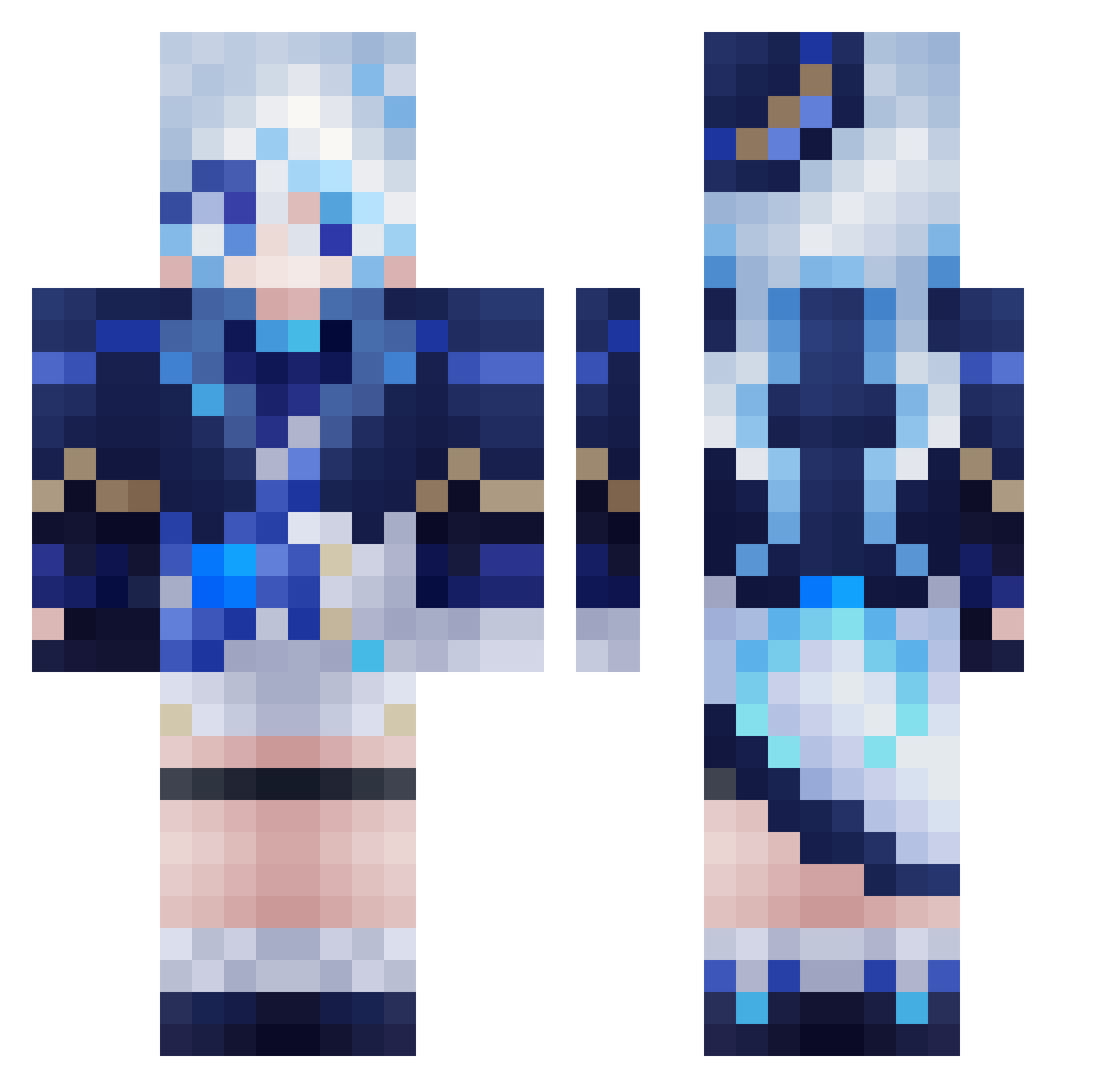
Current Minecraft skin of the player LittleWomen, loaded from the official Mojang API. Rotate the 3D model with your mouse or finger, then download the skin as a PNG file and use it in Minecraft: Bedrock Edition or Java Edition for free. When LittleWomen changes their skin, this page updates automatically and the old skin stays in the history below.
Other players with this skin (678)
LittleWomen was the 628th player we have seen with this skin, first spotted on 12.11.2026. The same skin was seen on these players. Open a nickname to see their current skin and skin history.
 Primavera_noche xiaomuji Celestina318 OKHOTSK12 DenchikP_YT MarcoUriel Chopeal cxldb1te Hizako LadyNocturne186 MayoX11 Zaction89 zxzyz Toryu321 Sapphire050802 iFu1314 Scholaristica Yota_002 Neuvil TWH12 ShyGuyGhost HereMuse fidishr Funina_cutest 1Demons Nam_Doil sofirina LeandroEFD RedHawK04280 DSKcin fe204 N1ghterror Dora180 xwj816 KGJ2 niilotzu_ SSSmokerghost xinxler TIANAYU ScreeMee PantaQ X_Guo FurinaDev dsute konoleoda9 TogawaSak1 KentangOri Furina4171 Zeifyra 77Furina77 lyx8048 InfyniteHeap Rem1st Hastey341 Cadenza1740 Peppermint_Pearl Hong0821TW Ultramicros CY0822YL itsKurved
More Furina Minecraft skins
How to install the LittleWomen skin
- Press the Download button above to save the skin as a PNG file.
- Minecraft: Bedrock Edition (PE): open the Dressing Room from the main menu (or tap your character → Edit Character), go to Classic Skins → Owned, press the + (new skin) button, choose the downloaded PNG and pick the Classic (Steve) model. Works on PC and mobile; consoles cannot import custom skins.
- Minecraft: Java Edition: open the Minecraft Launcher, go to the Skins tab, click New Skin, load the PNG, pick the Classic (Steve) model and press Save & Use. You can also upload it at minecraft.net → Profile → Change Skin.
The skin does not show up after import - what should I do?
Restart Minecraft and open the Dressing Room again - imported skins sometimes appear only after a restart. Also make sure you selected the imported skin and picked the Classic (Steve) model.
Which model should I choose, Classic or Slim?
This skin is designed for the Classic (Steve) model. If you pick the wrong model, the arms of the skin will look stretched or squeezed.
Is the skin of LittleWomen free to download?
Yes. Press Download, save the PNG file and use it in Minecraft: Bedrock Edition or Java Edition - no payment or registration needed. The skin also works on multiplayer servers and Realms.
More skins
Looking for more? Go back to all Minecraft skins and check the top skins of the week, month and all time, or find any player's skin by nickname.