
LittleWill2014 - Minecraft Skins & Skin History
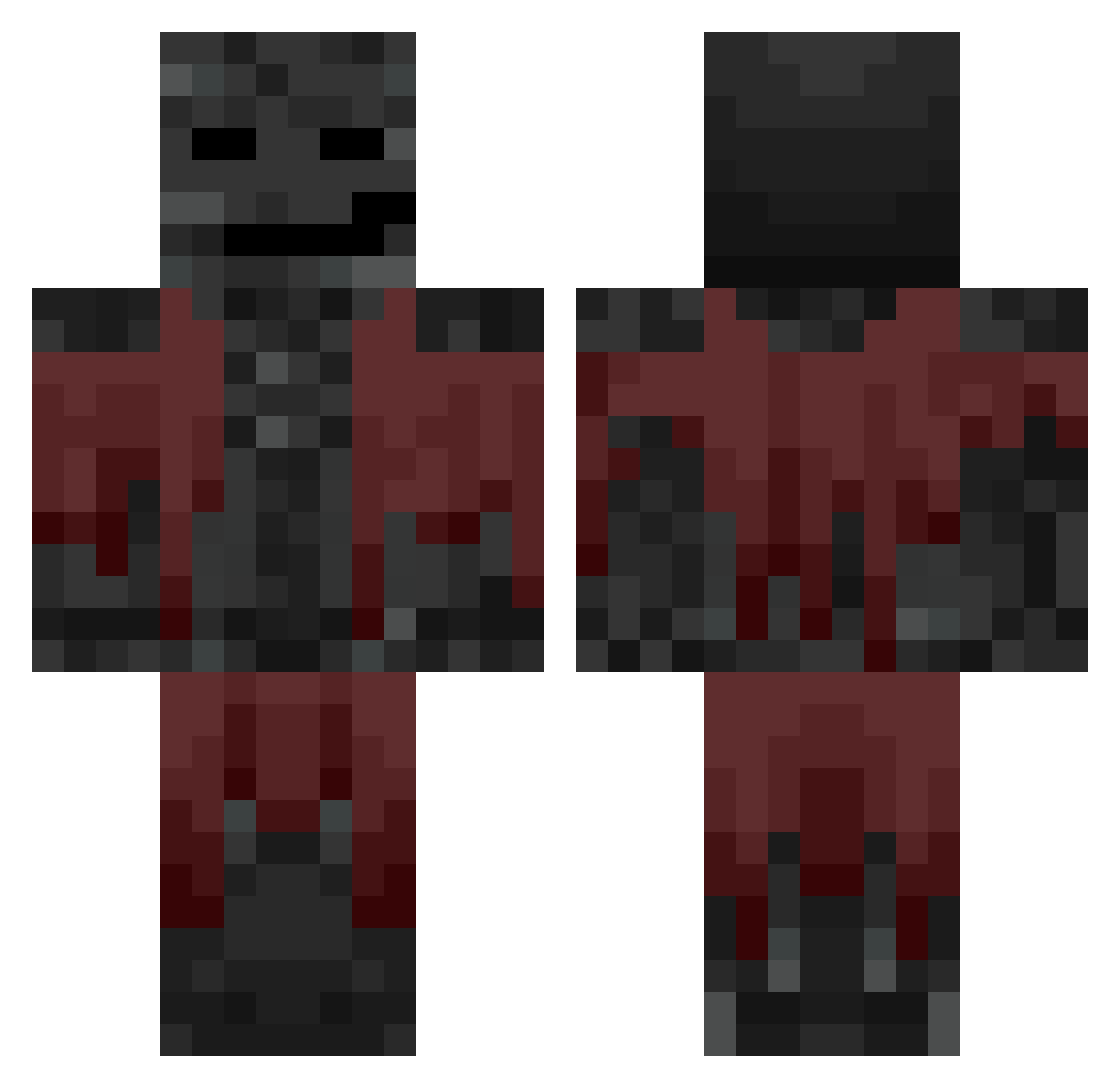
Current Minecraft skin of the player LittleWill2014, loaded from the official Mojang API. Rotate the 3D model with your mouse or finger, then download the skin as a PNG file and use it in Minecraft: Bedrock Edition or Java Edition for free. When LittleWill2014 changes their skin, this page updates automatically and the old skin stays in the history below.
Other players with this skin (718)
LittleWill2014 was the 527th player we have seen with this skin, first spotted on 08.10.2026. The same skin was seen on these players. Open a nickname to see their current skin and skin history.
 Novaka1ne brid5636 myrrh119 ChubbyMonkey48 GreyFiveN9ne chillbrah Jace2k StrongRellos mtz64 rooneytoons2007 qqvrii omegaghost Zombatar88 _Dancer__ Dumbasfcat NiceCorn17 Panlulu hotfied Laurent1211 Di4m0ndDummy FlynnXI Kira223 octaval ezg_haswell TehProM yeatstonka RalphReichts spookyboi727 hai874736 Glandalflegrand JRRArkon Munchy11 teni01 wojanek efan69420 pogemordhau KillerLeo6 CoopDawg1987 yon2596 Debth Ferretbob_drip69 cianguild ChrizWasTaken Zenaha Valmat0711 snoobzao Neoncow75 DeadFace08 McCsaucy Bananas6439 Ghostboy6789 K4Gaming2013 MrFro20 Yoyosif632 Taltadin AwesomeDude345 _bedrock0_ BNGR_Eric __wx__ fhnyj
More Wither Minecraft skins
How to install the LittleWill2014 skin
- Press the Download button above to save the skin as a PNG file.
- Minecraft: Bedrock Edition (PE): open the Dressing Room from the main menu (or tap your character → Edit Character), go to Classic Skins → Owned, press the + (new skin) button, choose the downloaded PNG and pick the Classic (Steve) model. Works on PC and mobile; consoles cannot import custom skins.
- Minecraft: Java Edition: open the Minecraft Launcher, go to the Skins tab, click New Skin, load the PNG, pick the Classic (Steve) model and press Save & Use. You can also upload it at minecraft.net → Profile → Change Skin.
The skin does not show up after import - what should I do?
Restart Minecraft and open the Dressing Room again - imported skins sometimes appear only after a restart. Also make sure you selected the imported skin and picked the Classic (Steve) model.
Which model should I choose, Classic or Slim?
This skin is designed for the Classic (Steve) model. If you pick the wrong model, the arms of the skin will look stretched or squeezed.
Is the skin of LittleWill2014 free to download?
Yes. Press Download, save the PNG file and use it in Minecraft: Bedrock Edition or Java Edition - no payment or registration needed. The skin also works on multiplayer servers and Realms.
More skins
Looking for more? Go back to all Minecraft skins and check the top skins of the week, month and all time, or find any player's skin by nickname.