
LittleCreepyNerd - Minecraft Skins & Skin History
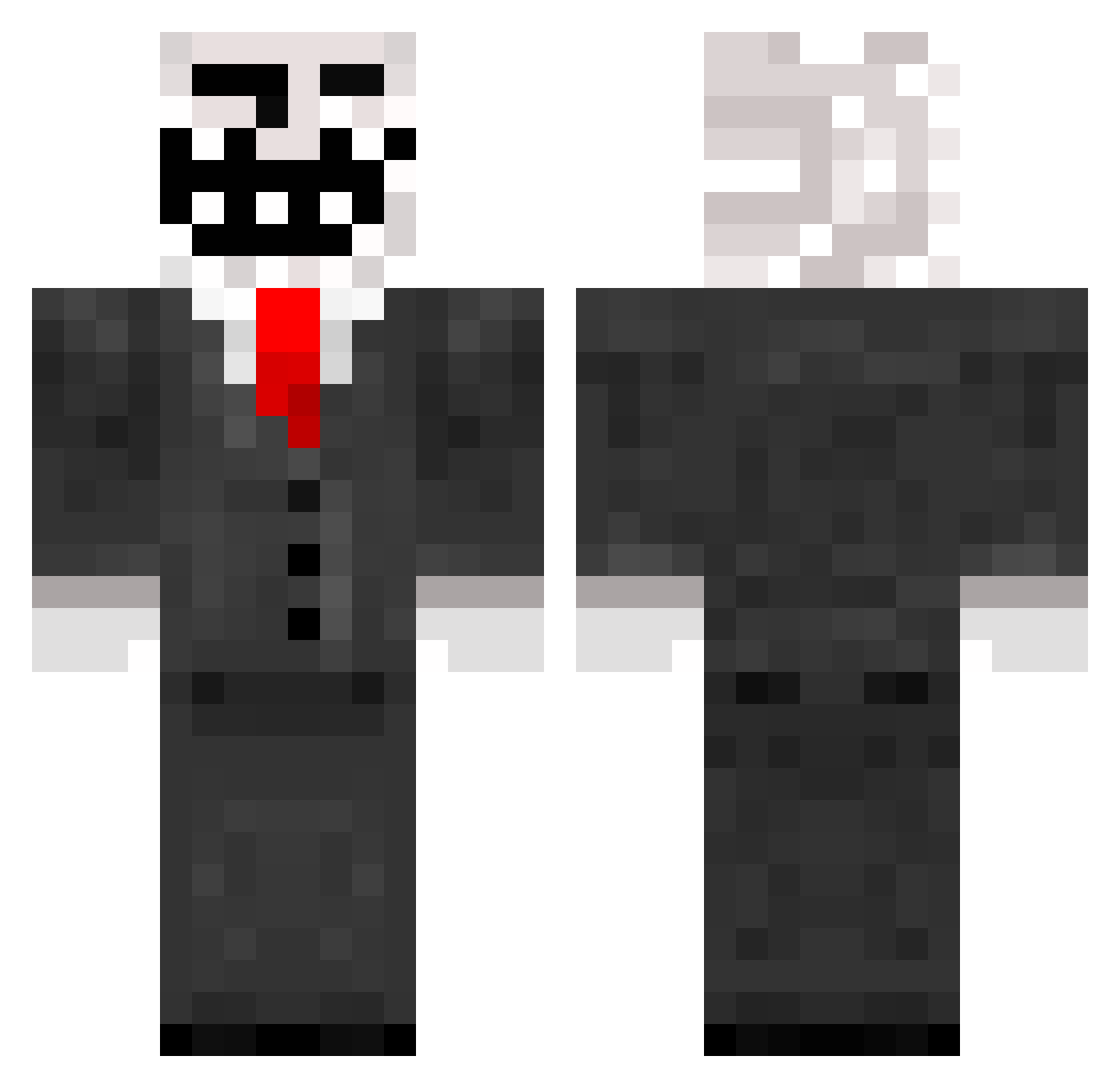
Current Minecraft skin of the player LittleCreepyNerd, loaded from the official Mojang API. Rotate the 3D model with your mouse or finger, then download the skin as a PNG file and use it in Minecraft: Bedrock Edition or Java Edition for free. When LittleCreepyNerd changes their skin, this page updates automatically and the old skin stays in the history below.
Other players with this skin (788)
LittleCreepyNerd was the 443rd player we have seen with this skin, first spotted on 23.09.2026. The same skin was seen on these players. Open a nickname to see their current skin and skin history.
 PaskyCo Grifficus17 Tenasji FeelsBatMan Kirbster03 King_32 Middle_Koen DrPangloss Arod16 shadowman0123456 Kvelertak04 gragart6 Terrepensee86 jennabug45 TheLekiam WWWWWWWWWWWWWWV lucyobie Knubbisboy23 jonasdekleine Minerastic littleferg RF_Legacy LonePickaxe jakebaison jordancol Muellert12 gamerdude72 ImSoGenius BuriedAliveWoT NuclearCyclone codykins_2 zleton thelucas100 Joseroll Idontneedit jujuride monkeybomber26 AwesomeHunter227 nicostocki Ebafi Godibob123 Domthedangerous Barnheezy Ezreal1337 Lucapaix Dimbuch River_6 gentex08 Dr_Bhang Sidneyy01 Motsick142 fastcomputer innerpuppy iNuff stiveo98 michr11 Pie_Man_the_2nd neddy12runescape celendril Hitl3rJR
More Trollface Minecraft skins
How to install the LittleCreepyNerd skin
- Press the Download button above to save the skin as a PNG file.
- Minecraft: Bedrock Edition (PE): open the Dressing Room from the main menu (or tap your character → Edit Character), go to Classic Skins → Owned, press the + (new skin) button, choose the downloaded PNG and pick the Classic (Steve) model. Works on PC and mobile; consoles cannot import custom skins.
- Minecraft: Java Edition: open the Minecraft Launcher, go to the Skins tab, click New Skin, load the PNG, pick the Classic (Steve) model and press Save & Use. You can also upload it at minecraft.net → Profile → Change Skin.
The skin does not show up after import - what should I do?
Restart Minecraft and open the Dressing Room again - imported skins sometimes appear only after a restart. Also make sure you selected the imported skin and picked the Classic (Steve) model.
Which model should I choose, Classic or Slim?
This skin is designed for the Classic (Steve) model. If you pick the wrong model, the arms of the skin will look stretched or squeezed.
Is the skin of LittleCreepyNerd free to download?
Yes. Press Download, save the PNG file and use it in Minecraft: Bedrock Edition or Java Edition - no payment or registration needed. The skin also works on multiplayer servers and Realms.
More skins
Looking for more? Go back to all Minecraft skins and check the top skins of the week, month and all time, or find any player's skin by nickname.