
LittleBoy_1945 - Minecraft Skins & Skin History
Current Minecraft skin of the player LittleBoy_1945, loaded from the official Mojang API. Rotate the 3D model with your mouse or finger, then download the skin as a PNG file and use it in Minecraft: Bedrock Edition or Java Edition for free. When LittleBoy_1945 changes their skin, this page updates automatically and the old skin stays in the history below.
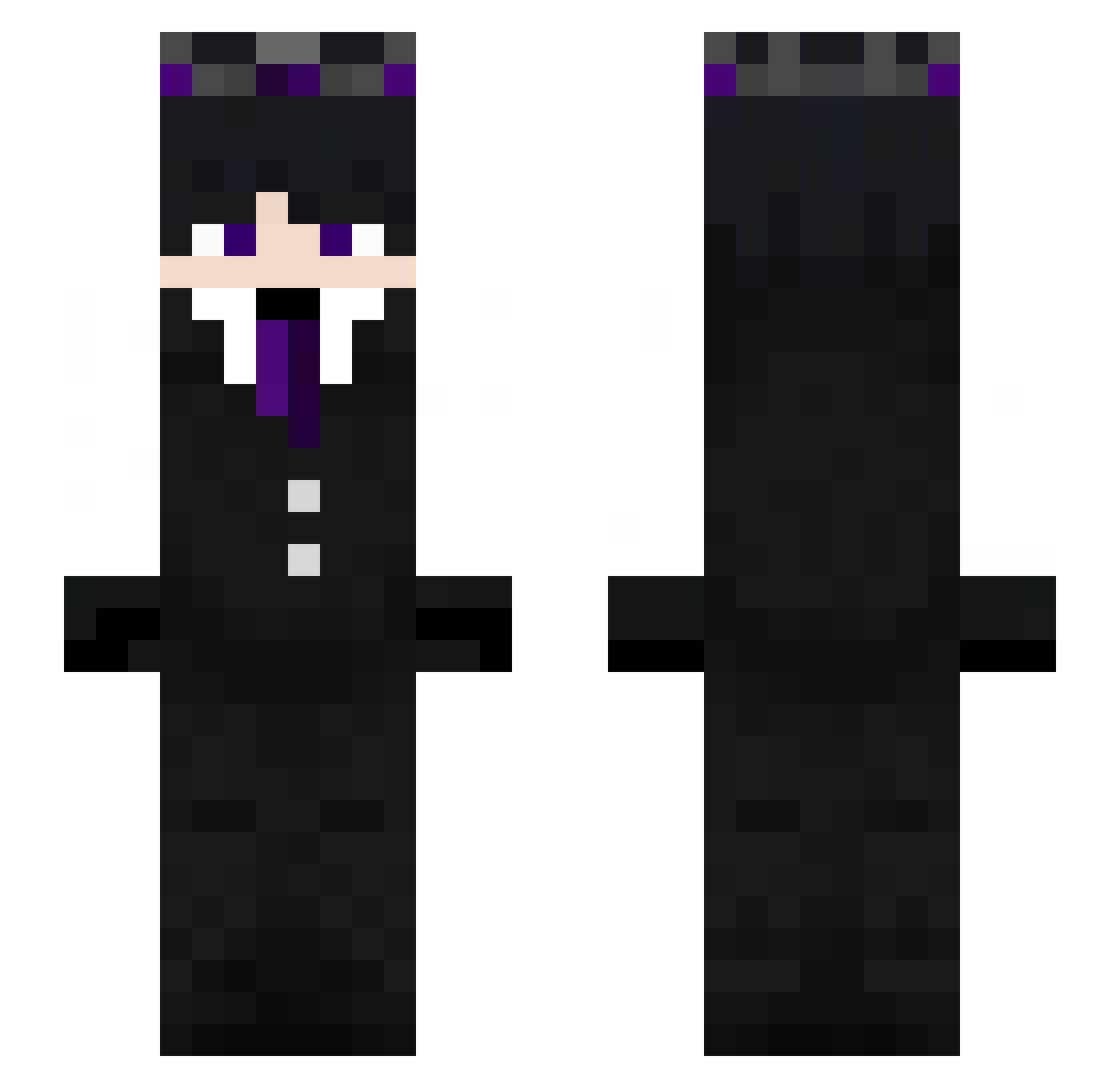
Other players with this skin (272)
LittleBoy_1945 was the 230th player we have seen with this skin, first spotted on 20.10.2026. The same skin was seen on these players. Open a nickname to see their current skin and skin history.
 Hedsei idkreallytbhh h1ghskYz wapilow Swight09 Rojitascr_01 Maxxpaxx Decocraking frovwv MineRaF59 IlParrottino4844 DantroxTh2y heavenlesss UniqueShiba OloSkuz DaRealWackOh Jose_10X nadBoltinb TheMankyGG Magmamuerte14 _sikorowy101 Fxgueira xXAlphaShadowXx Jordchan bartek32121 toosleepy11 Baloboboo Deinwolf Fortisaks ArtyYT7 jakob101c MrbeastUSA_168 kizauto_1 pouyanmehri1990 toylockazo Hilalxy Mr176 itsYourBatman LakesRks nathanAMG wolf_guy01 St4rlite_ xavior1729 gabidabidoo mus1985 AngelsOver Azszure hamits__ trky66693 ItzAltay Leozixx_ dogmeatt Fenyxyoutube callmeka XOOGamestv CrowExility Blaidd11 silver_night09 Oski77 bernardo_rosa
More Ender King Minecraft skins
How to install the LittleBoy_1945 skin
- Press the Download button above to save the skin as a PNG file.
- Minecraft: Bedrock Edition (PE): open the Dressing Room from the main menu (or tap your character → Edit Character), go to Classic Skins → Owned, press the + (new skin) button, choose the downloaded PNG and pick the Slim (Alex) model. Works on PC and mobile; consoles cannot import custom skins.
- Minecraft: Java Edition: open the Minecraft Launcher, go to the Skins tab, click New Skin, load the PNG, pick the Slim (Alex) model and press Save & Use. You can also upload it at minecraft.net → Profile → Change Skin.
The skin does not show up after import - what should I do?
Restart Minecraft and open the Dressing Room again - imported skins sometimes appear only after a restart. Also make sure you selected the imported skin and picked the Slim (Alex) model.
Which model should I choose, Classic or Slim?
This skin is designed for the Slim (Alex) model. If you pick the wrong model, the arms of the skin will look stretched or squeezed.
Is the skin of LittleBoy_1945 free to download?
Yes. Press Download, save the PNG file and use it in Minecraft: Bedrock Edition or Java Edition - no payment or registration needed. The skin also works on multiplayer servers and Realms.
More skins
Looking for more? Go back to all Minecraft skins and check the top skins of the week, month and all time, or find any player's skin by nickname.