
Lisaza - Minecraft Skins & Skin History
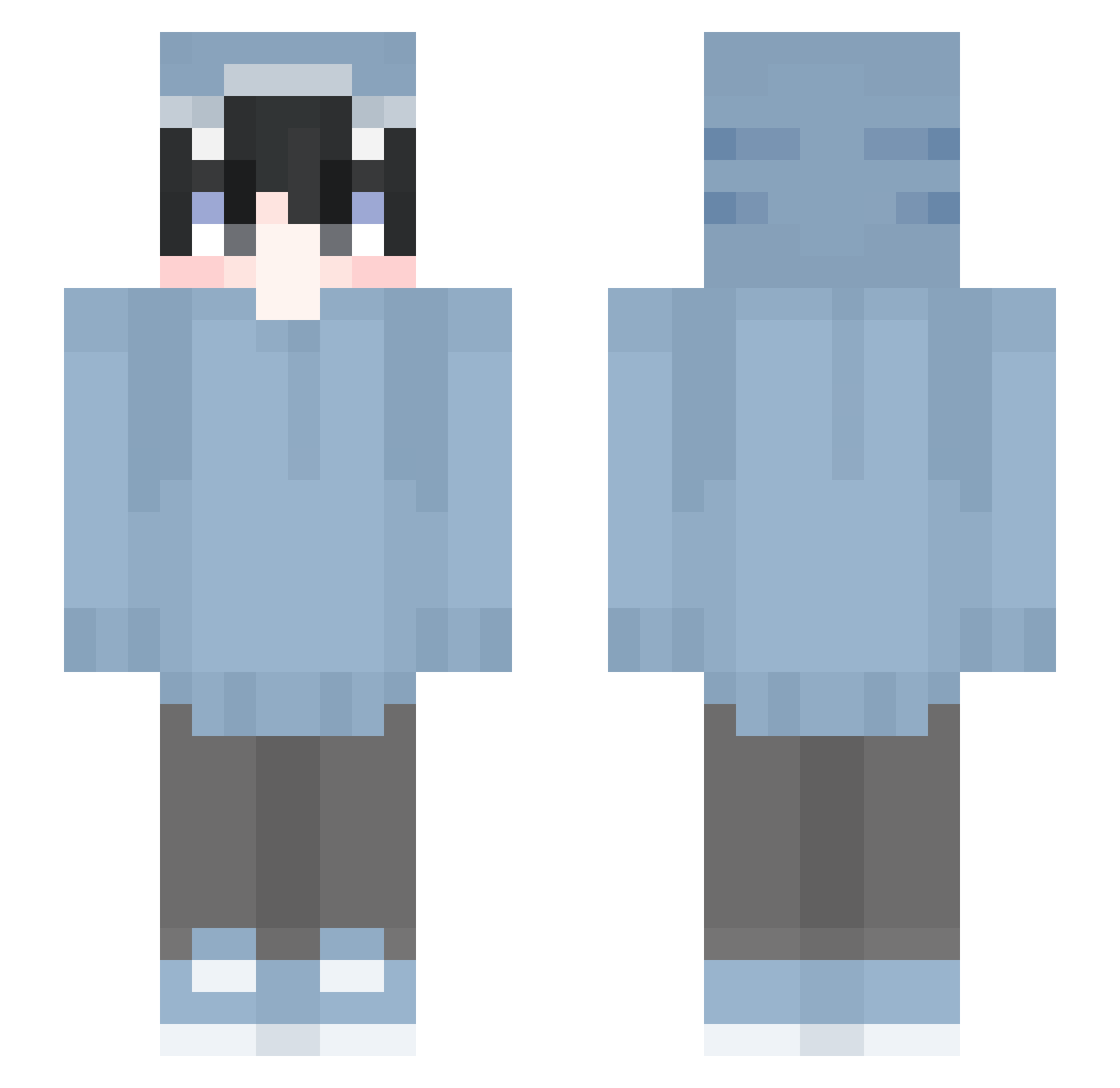
Current Minecraft skin of the player Lisaza, loaded from the official Mojang API. Rotate the 3D model with your mouse or finger, then download the skin as a PNG file and use it in Minecraft: Bedrock Edition or Java Edition for free. When Lisaza changes their skin, this page updates automatically and the old skin stays in the history below.
Other players with this skin (530)
Lisaza was the 140th player we have seen with this skin, first spotted on 19.08.2026. The same skin was seen on these players. Open a nickname to see their current skin and skin history.
 Papitarica12 Bl33z3pow3r supremo1542 SnitchS_ kometbtb LANZE2890 OAO_1313 na777 History0 SebbeSkovby taitainobu0224 TL_SaGgY ERTOO16 Matador7x Mando27RO EZD_Nexo Nitzke1 Battle_Hymn szarkik duckkingpopo vviinnzz Plus_Thunder GhostKiller439 v4lak Aven_the_Fallen
 _Bl1tz__ Kanyaxxx Ori_Infinity rossastelle SoshimaTV Sankara___ FDan14 lewistonkiss MouuOuO MaxiCozie98 MaManUUU
 Krytexs shino_td RafoXfinalboss XXX__RED__XXX WEI0622 mlgkink gamesdav LamuAR_t magurosusa Cxllme_SunKung Magnolia258 Adaahetfield TheFlash747 ForgottenSorrows Mizuruuu mcbsc liuqi6 HunterOwO Tattsun330 _Fanku_ Lewbiit Niskikarzel fqrced xLuzaNN_
More Shark Onesie Minecraft skins
See all 163 Shark Onesie skins
How to install the Lisaza skin
- Press the Download button above to save the skin as a PNG file.
- Minecraft: Bedrock Edition (PE): open the Dressing Room from the main menu (or tap your character → Edit Character), go to Classic Skins → Owned, press the + (new skin) button, choose the downloaded PNG and pick the Slim (Alex) model. Works on PC and mobile; consoles cannot import custom skins.
- Minecraft: Java Edition: open the Minecraft Launcher, go to the Skins tab, click New Skin, load the PNG, pick the Slim (Alex) model and press Save & Use. You can also upload it at minecraft.net → Profile → Change Skin.
The skin does not show up after import - what should I do?
Restart Minecraft and open the Dressing Room again - imported skins sometimes appear only after a restart. Also make sure you selected the imported skin and picked the Slim (Alex) model.
Which model should I choose, Classic or Slim?
This skin is designed for the Slim (Alex) model. If you pick the wrong model, the arms of the skin will look stretched or squeezed.
Is the skin of Lisaza free to download?
Yes. Press Download, save the PNG file and use it in Minecraft: Bedrock Edition or Java Edition - no payment or registration needed. The skin also works on multiplayer servers and Realms.
More skins
Looking for more? Go back to all Minecraft skins and check the top skins of the week, month and all time, or find any player's skin by nickname.