
Linkzy1 - Minecraft Skins & Skin History
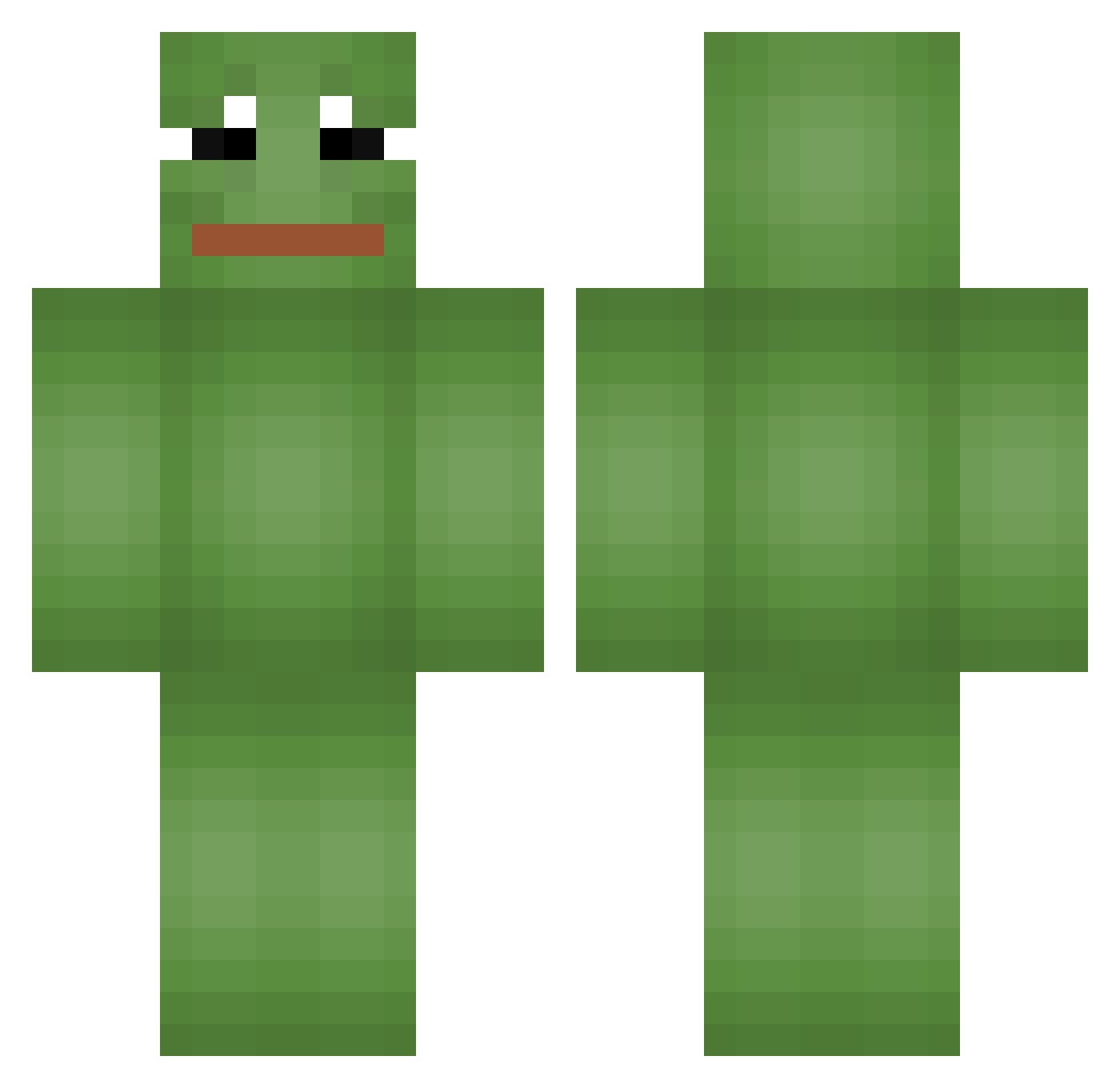
Current Minecraft skin of the player Linkzy1, loaded from the official Mojang API. Rotate the 3D model with your mouse or finger, then download the skin as a PNG file and use it in Minecraft: Bedrock Edition or Java Edition for free. When Linkzy1 changes their skin, this page updates automatically and the old skin stays in the history below.
Other players with this skin (549)
Linkzy1 was the 328th player we have seen with this skin, first spotted on 21.09.2026. The same skin was seen on these players. Open a nickname to see their current skin and skin history.
 Kuroo8 TomikingX Cube_ROT Max0421 Hoaxs coinbird10 ysm0802 paruweczkazimna _PePe_Man2333 NETREC calvito66 wooyabuong sniperf340 Gosezzz JIRUX5228 Rraptorr Barijho monofeo3 Nerzzo Asuyozo 14Sikenz_Alex kamu_bau biggASScookie mre202 Grzesiuniuniuniu areoandmilk ksm040412 JeuneVoyou667 stockarosisback banana_men05 JeongJuk2 Jappy_Birthday AiSU07 Timo315 Tigazz joetayjr Pharrio777 MaGEEMark goldnJVLIVS Colin2Grand MagicGnome22 Amiriteaf _DOOOKIE_ RynPar StapelScheine pakistock cheeeeeeeeeez umachanJK HailErizo PEPEPORRAS ZIZON_H Piro161 ironravenXL SuperCel51 Szczurek000 HknCore kewy Monkleton RisoMiilfeee Stackeed
More Pepe Minecraft skins
How to install the Linkzy1 skin
- Press the Download button above to save the skin as a PNG file.
- Minecraft: Bedrock Edition (PE): open the Dressing Room from the main menu (or tap your character → Edit Character), go to Classic Skins → Owned, press the + (new skin) button, choose the downloaded PNG and pick the Classic (Steve) model. Works on PC and mobile; consoles cannot import custom skins.
- Minecraft: Java Edition: open the Minecraft Launcher, go to the Skins tab, click New Skin, load the PNG, pick the Classic (Steve) model and press Save & Use. You can also upload it at minecraft.net → Profile → Change Skin.
The skin does not show up after import - what should I do?
Restart Minecraft and open the Dressing Room again - imported skins sometimes appear only after a restart. Also make sure you selected the imported skin and picked the Classic (Steve) model.
Which model should I choose, Classic or Slim?
This skin is designed for the Classic (Steve) model. If you pick the wrong model, the arms of the skin will look stretched or squeezed.
Is the skin of Linkzy1 free to download?
Yes. Press Download, save the PNG file and use it in Minecraft: Bedrock Edition or Java Edition - no payment or registration needed. The skin also works on multiplayer servers and Realms.
More skins
Looking for more? Go back to all Minecraft skins and check the top skins of the week, month and all time, or find any player's skin by nickname.