
Limpbiskitz - Minecraft Skins & Skin History
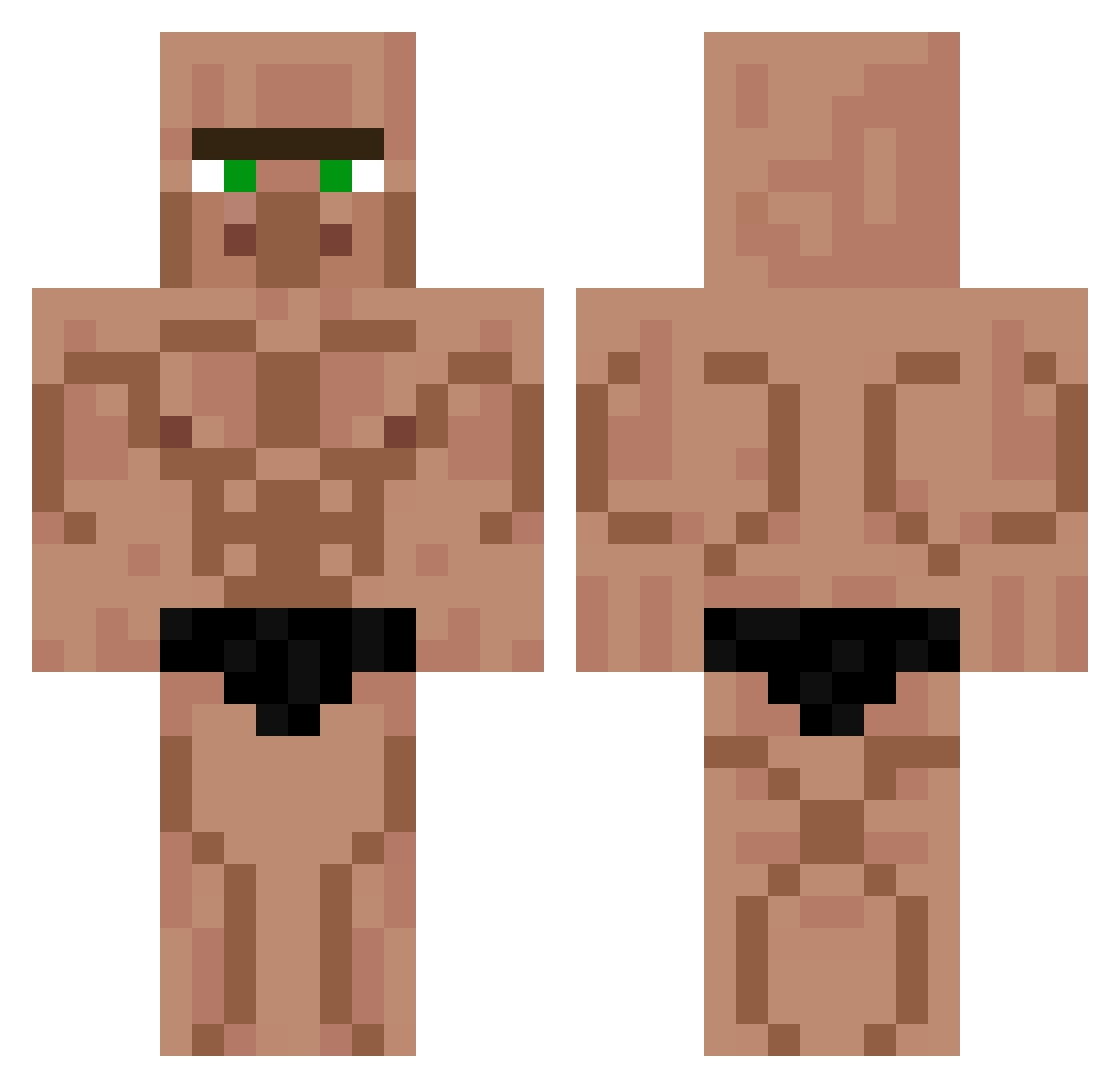
Current Minecraft skin of the player Limpbiskitz, loaded from the official Mojang API. Rotate the 3D model with your mouse or finger, then download the skin as a PNG file and use it in Minecraft: Bedrock Edition or Java Edition for free. When Limpbiskitz changes their skin, this page updates automatically and the old skin stays in the history below.
Other players with this skin (521)
Limpbiskitz was the 459th player we have seen with this skin, first spotted on 07.11.2026. The same skin was seen on these players. Open a nickname to see their current skin and skin history.
 Sp1ke0804 StrEwE yH3nr1queX KSHM7 AllHateIsaac _MAGRON_ Choripanazo Mariu_P GlergyWizard Azail6699 _antik LucioWm Jack_le_moineau zezmarock baba2316 MaikCortes masako12 Tyristanao7 Gpdly lilstevee timetime2077 O_PACA LeMoN_LiMeZ7308 Luuzin Ga4aMen Pallekuk _713_ _Grak_ Alby251 ThinxTH Tijeriel LeLe8409 Cocodrilodante lh__14 SoM_JonG DDoni0924 Mikoolos Neb3051x _nitax Kenj__ Augustin12346 Chiporc Yomore gamegamer1213 lLyt0n alvinchen951 HBB13 santi20134 Zyxify1x Thomas_Stalder Marble_oz Hell_Gaming madbom66 Meeger jamalwida9 Gromitron OoDYLAN PethTnT mega_stamaniak daito0425
More Muscle Minecraft skins
How to install the Limpbiskitz skin
- Press the Download button above to save the skin as a PNG file.
- Minecraft: Bedrock Edition (PE): open the Dressing Room from the main menu (or tap your character → Edit Character), go to Classic Skins → Owned, press the + (new skin) button, choose the downloaded PNG and pick the Classic (Steve) model. Works on PC and mobile; consoles cannot import custom skins.
- Minecraft: Java Edition: open the Minecraft Launcher, go to the Skins tab, click New Skin, load the PNG, pick the Classic (Steve) model and press Save & Use. You can also upload it at minecraft.net → Profile → Change Skin.
The skin does not show up after import - what should I do?
Restart Minecraft and open the Dressing Room again - imported skins sometimes appear only after a restart. Also make sure you selected the imported skin and picked the Classic (Steve) model.
Which model should I choose, Classic or Slim?
This skin is designed for the Classic (Steve) model. If you pick the wrong model, the arms of the skin will look stretched or squeezed.
Is the skin of Limpbiskitz free to download?
Yes. Press Download, save the PNG file and use it in Minecraft: Bedrock Edition or Java Edition - no payment or registration needed. The skin also works on multiplayer servers and Realms.
More skins
Looking for more? Go back to all Minecraft skins and check the top skins of the week, month and all time, or find any player's skin by nickname.