
LilToastyAsh - Minecraft Skins & Skin History
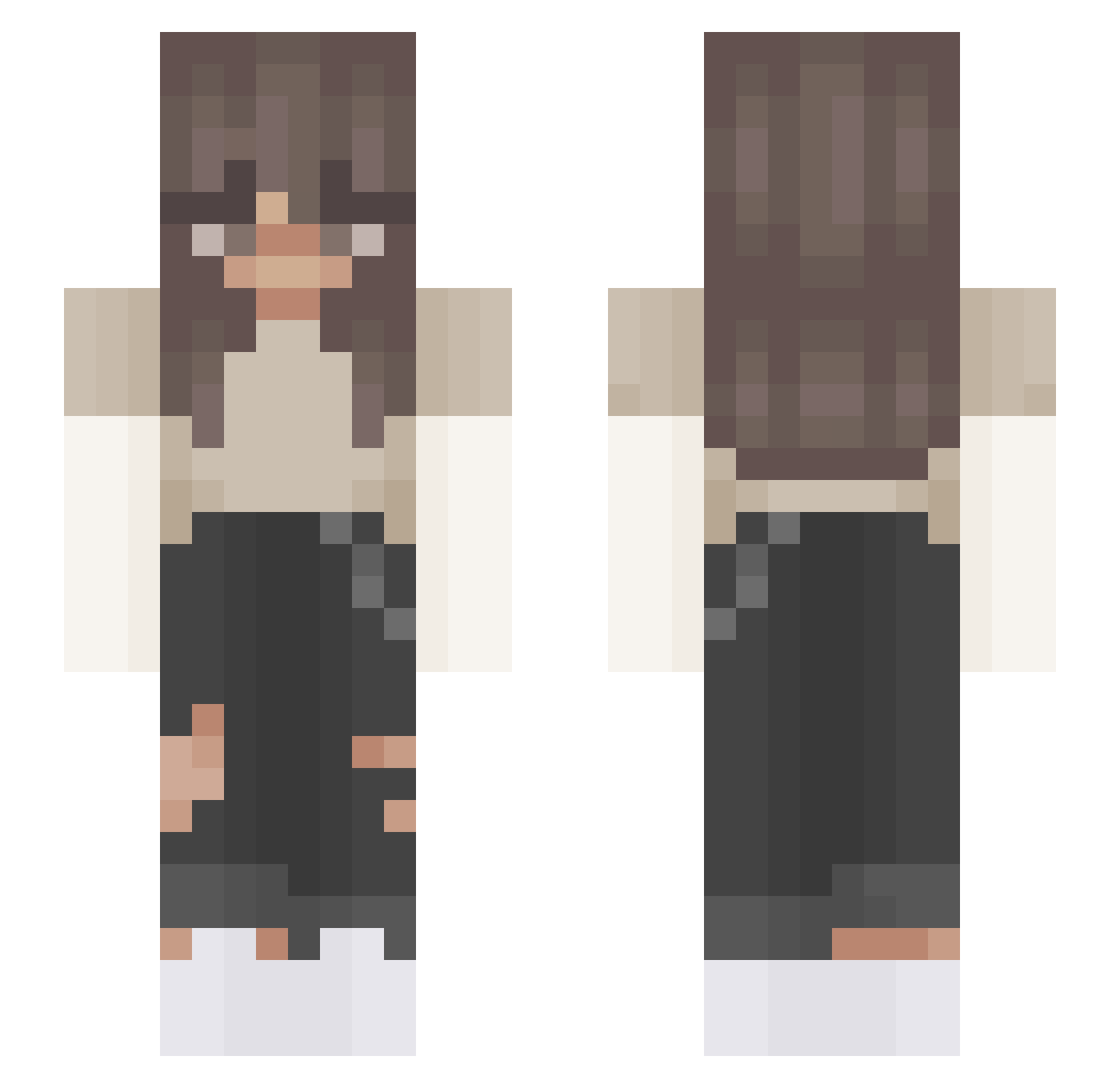
Current Minecraft skin of the player LilToastyAsh, loaded from the official Mojang API. Rotate the 3D model with your mouse or finger, then download the skin as a PNG file and use it in Minecraft: Bedrock Edition or Java Edition for free. When LilToastyAsh changes their skin, this page updates automatically and the old skin stays in the history below.
Other players with this skin (503)
LilToastyAsh was the 464th player we have seen with this skin, first spotted on 12.11.2026. The same skin was seen on these players. Open a nickname to see their current skin and skin history.
 hazelqx _iiCloudii_ jassyrmm Ugne2010 Emiliana_ Dwyn_ aliceetta xHxiley JustmeEm ItsMilou2002 gamingwolfgigi1 Bear_Bear03 mmbxs ilovestella10 TheFrogPrince20 NemBori woody_118 LeighRyin Affe1 Mikelina360 Pitr3 peachy8077 VerpennteLeonie marit854 Voltriic4Media Chrissi_1245 123oscar456 T861 Geometried _lea_xz xSiljee AlyseeVDB saldiranfare TheSewageMan Brixk_ xchloejohnson Kinz323 Stormfeather08 silviakp13 VenusLive_ Cocqnut YuceAlpha savannam07 amelieplank _sunnie__ MrFlimsy13 Galaxycookie819 MaritSanne2punt0 kodaa19 Darco5364 blockbuz russ1e sjwolf02 alphafreezy Samantaxox lisi1496 Gurke125 Cwher Abblygate GlowinqSea
More Grunge Minecraft skins
How to install the LilToastyAsh skin
- Press the Download button above to save the skin as a PNG file.
- Minecraft: Bedrock Edition (PE): open the Dressing Room from the main menu (or tap your character → Edit Character), go to Classic Skins → Owned, press the + (new skin) button, choose the downloaded PNG and pick the Slim (Alex) model. Works on PC and mobile; consoles cannot import custom skins.
- Minecraft: Java Edition: open the Minecraft Launcher, go to the Skins tab, click New Skin, load the PNG, pick the Slim (Alex) model and press Save & Use. You can also upload it at minecraft.net → Profile → Change Skin.
The skin does not show up after import - what should I do?
Restart Minecraft and open the Dressing Room again - imported skins sometimes appear only after a restart. Also make sure you selected the imported skin and picked the Slim (Alex) model.
Which model should I choose, Classic or Slim?
This skin is designed for the Slim (Alex) model. If you pick the wrong model, the arms of the skin will look stretched or squeezed.
Is the skin of LilToastyAsh free to download?
Yes. Press Download, save the PNG file and use it in Minecraft: Bedrock Edition or Java Edition - no payment or registration needed. The skin also works on multiplayer servers and Realms.
More skins
Looking for more? Go back to all Minecraft skins and check the top skins of the week, month and all time, or find any player's skin by nickname.