
LilPigglett - Minecraft Skins & Skin History
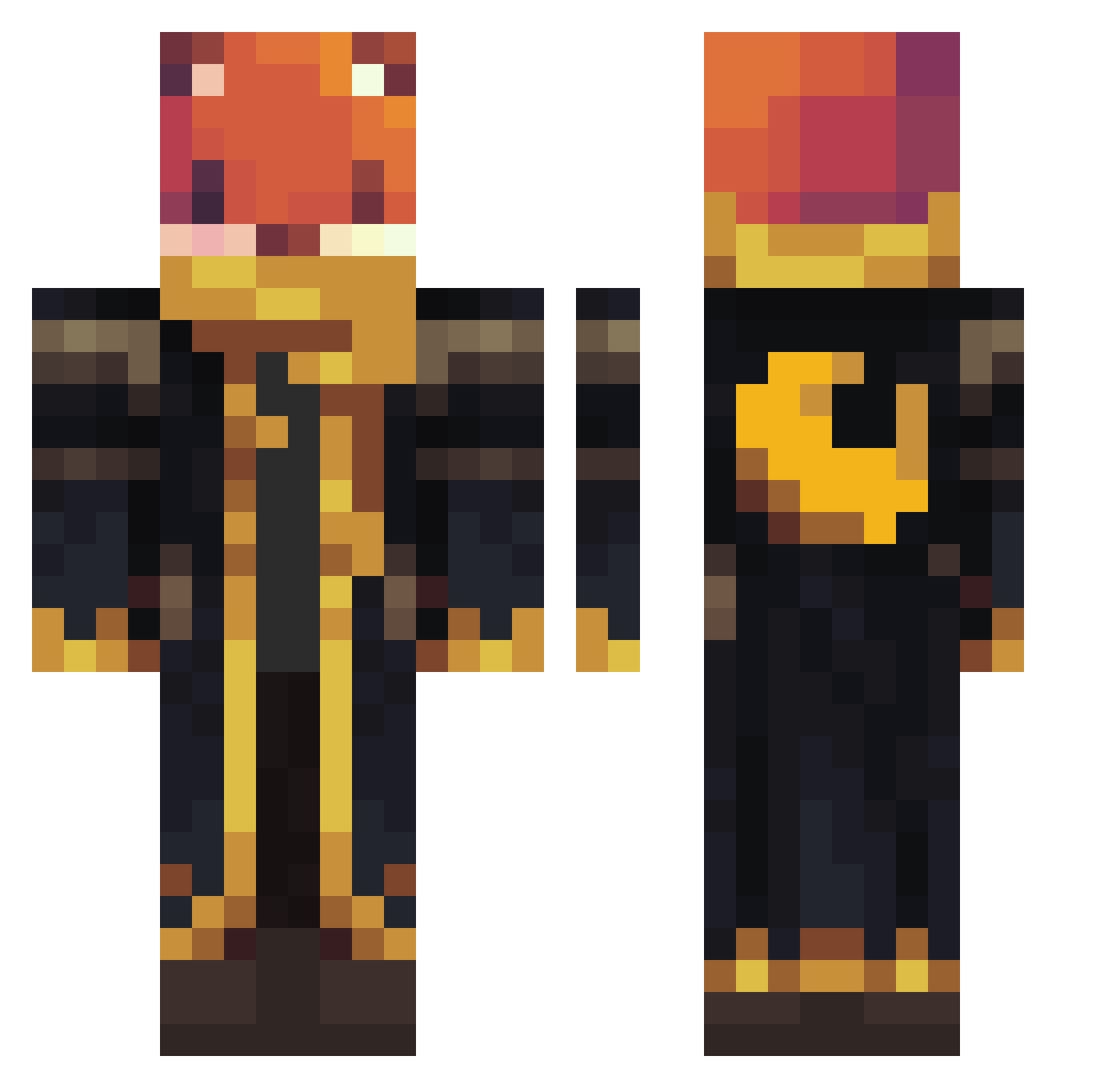
Current Minecraft skin of the player LilPigglett, loaded from the official Mojang API. Rotate the 3D model with your mouse or finger, then download the skin as a PNG file and use it in Minecraft: Bedrock Edition or Java Edition for free. When LilPigglett changes their skin, this page updates automatically and the old skin stays in the history below.
Other players with this skin (905)
LilPigglett was the 451st player we have seen with this skin, first spotted on 08.09.2026. The same skin was seen on these players. Open a nickname to see their current skin and skin history.
 juanC23 Nessie80
 mattling101 FROGGY1610 NXTlvlGaming creepy166 detonador1520 tasyaa ASRW17 VirusLeiche
 kimo12 yC4_ Trizzd Sgrixo GZDFH Sirkyran Csokor
 Wolfare_ Con_rus
 ntbx4303 anbrozio Lovelysunset zombiekiller2324 tota2222 qqZer0 Gcape_700 FRS_PreDa
 sonicistweich VolodiaSxb Super_Nuno ItsJustMeSteve Tess3 ENDERMAN_21 tropholixius Aidenxixi jacobuswolf
 Toni3xa loganrox23 Vercalys MinerMarcus16 Babacekdar GhostieeMirage Leuxy Ajjushi Scoffy96 PelatCraft Tigerhai09 Halo1478 Tonyinthavong Coryi_17
 leonardo75099 FNAFKid244 chesters25 Lucky_Luke_3101 AF_Vort3x Hapman203 gastersans765 Wojciech77 Orioflo7
 rafistef
More Crescent Moon Minecraft skins
See all 249 Crescent Moon skins
How to install the LilPigglett skin
- Press the Download button above to save the skin as a PNG file.
- Minecraft: Bedrock Edition (PE): open the Dressing Room from the main menu (or tap your character → Edit Character), go to Classic Skins → Owned, press the + (new skin) button, choose the downloaded PNG and pick the Classic (Steve) model. Works on PC and mobile; consoles cannot import custom skins.
- Minecraft: Java Edition: open the Minecraft Launcher, go to the Skins tab, click New Skin, load the PNG, pick the Classic (Steve) model and press Save & Use. You can also upload it at minecraft.net → Profile → Change Skin.
The skin does not show up after import - what should I do?
Restart Minecraft and open the Dressing Room again - imported skins sometimes appear only after a restart. Also make sure you selected the imported skin and picked the Classic (Steve) model.
Which model should I choose, Classic or Slim?
This skin is designed for the Classic (Steve) model. If you pick the wrong model, the arms of the skin will look stretched or squeezed.
Is the skin of LilPigglett free to download?
Yes. Press Download, save the PNG file and use it in Minecraft: Bedrock Edition or Java Edition - no payment or registration needed. The skin also works on multiplayer servers and Realms.
More skins
Looking for more? Go back to all Minecraft skins and check the top skins of the week, month and all time, or find any player's skin by nickname.