
LightDaRizzler - Minecraft Skins & Skin History
Current Minecraft skin of the player LightDaRizzler, loaded from the official Mojang API. Rotate the 3D model with your mouse or finger, then download the skin as a PNG file and use it in Minecraft: Bedrock Edition or Java Edition for free. When LightDaRizzler changes their skin, this page updates automatically and the old skin stays in the history below.
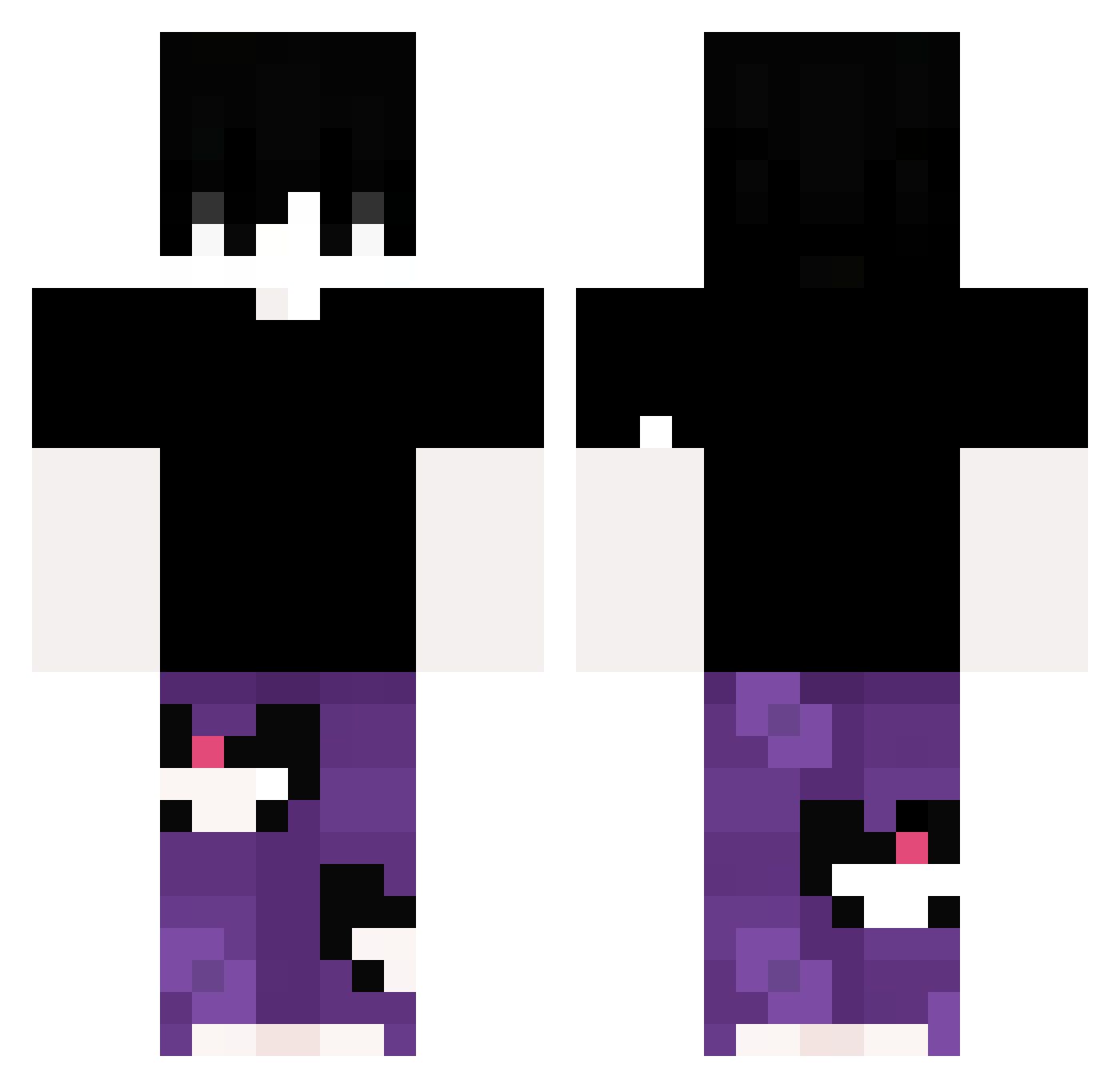
Other players with this skin (326)
LightDaRizzler was the 213th player we have seen with this skin, first spotted on 02.10.2026. The same skin was seen on these players. Open a nickname to see their current skin and skin history.
 AlmeidaXxX7 Lavrexu Giulio_Radu nksatanic sonin_kkk notkaneee GamerLord6601 SALINOSKY Equeae Daw3qqx Entradadela8 NaoFuiEu valeeeixx curviz Sakura0777 ENCKK NaumKKJ manuentrenese meolli0913 PACKGODCHILLVRO WSNBTYNN Realthemoon __MATYX__ rriicce DrakeEnthusiast kitt_hector Crash4x4 Aminozin ILBROGNA123 LanHuo Ozzyboy16 L4FITE zvxqr Tozika _Kwa alejowsk P4UMM lKyoze surgeon_aim LeHommeBien PerunoAres Reginald11 Paulenator2012 JSJSJSJ12 Itz_Borisb_ RedFire3033 OphMKT xingbao123 undscovered BeerBongBr HK_TaiMaiTo TobiiiO_o Boniin elzr nightvisssion Cade_Ntz Katizxzx IchMiguel jaozin308 Boseth1422
How to install the LightDaRizzler skin
- Press the Download button above to save the skin as a PNG file.
- Minecraft: Bedrock Edition (PE): open the Dressing Room from the main menu (or tap your character → Edit Character), go to Classic Skins → Owned, press the + (new skin) button, choose the downloaded PNG and pick the Classic (Steve) model. Works on PC and mobile; consoles cannot import custom skins.
- Minecraft: Java Edition: open the Minecraft Launcher, go to the Skins tab, click New Skin, load the PNG, pick the Classic (Steve) model and press Save & Use. You can also upload it at minecraft.net → Profile → Change Skin.
The skin does not show up after import - what should I do?
Restart Minecraft and open the Dressing Room again - imported skins sometimes appear only after a restart. Also make sure you selected the imported skin and picked the Classic (Steve) model.
Which model should I choose, Classic or Slim?
This skin is designed for the Classic (Steve) model. If you pick the wrong model, the arms of the skin will look stretched or squeezed.
Is the skin of LightDaRizzler free to download?
Yes. Press Download, save the PNG file and use it in Minecraft: Bedrock Edition or Java Edition - no payment or registration needed. The skin also works on multiplayer servers and Realms.
More skins
Looking for more? Go back to all Minecraft skins and check the top skins of the week, month and all time, or find any player's skin by nickname.