
Lieue - Minecraft Skins & Skin History
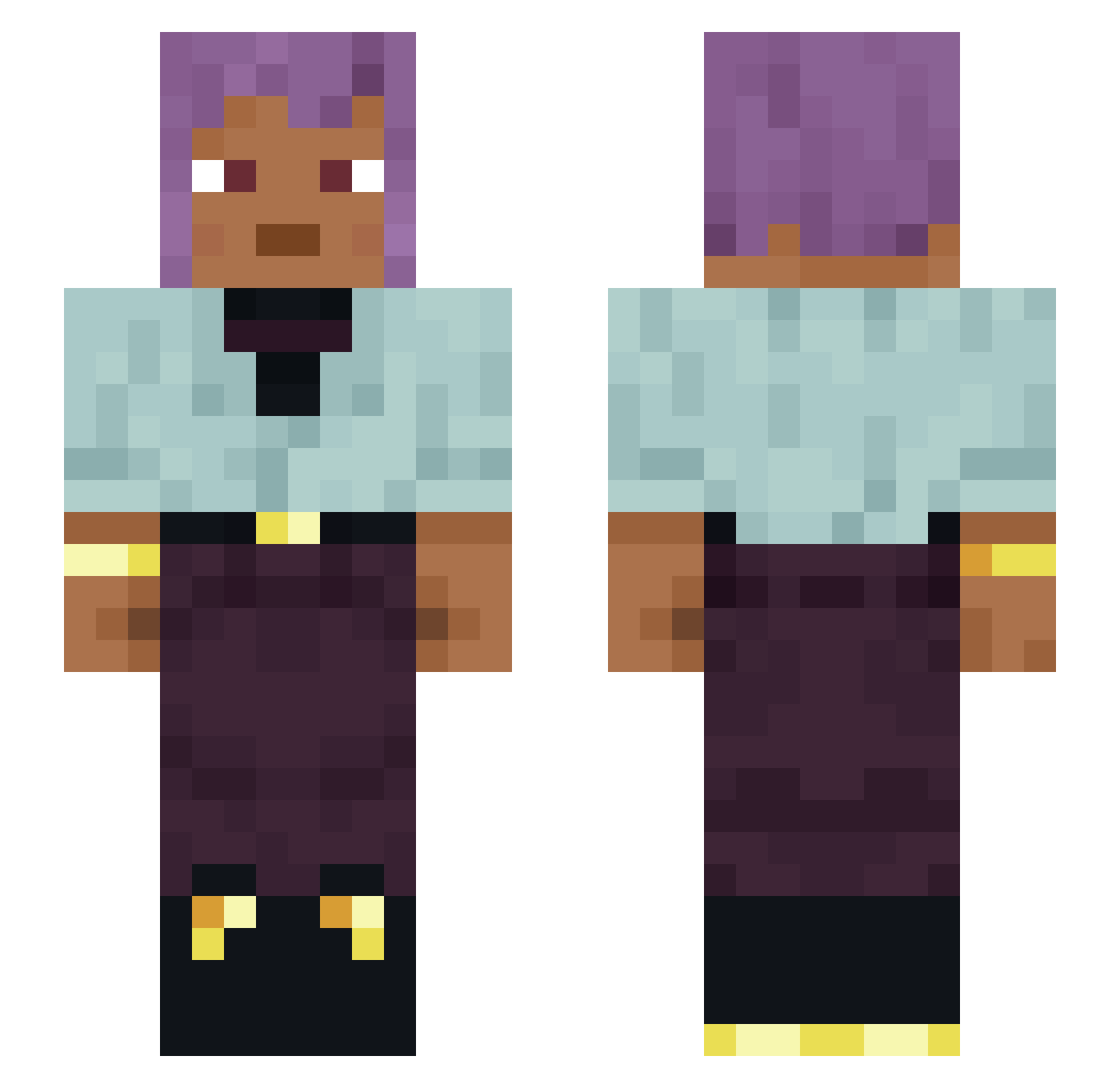
Current Minecraft skin of the player Lieue, loaded from the official Mojang API. Rotate the 3D model with your mouse or finger, then download the skin as a PNG file and use it in Minecraft: Bedrock Edition or Java Edition for free. When Lieue changes their skin, this page updates automatically and the old skin stays in the history below.
Other players with this skin (1483)
Lieue was the 1288th player we have seen with this skin, first spotted on 30.10.2026. The same skin was seen on these players. Open a nickname to see their current skin and skin history.
 Szychuxbomba DEADPOOL041ZE gi2503 Mikofon cheesy Ravenish Boberekk FryChickenCZE gruelling Potatis112 Elinwelen YouNeedDeodorant Knoppi12 BigHearted fr_laur13 levite declination UniqueBro Chordata Eastland Kemf_ay Jb46237 npfx sideling Remenant Nyxeavia Krovvy F0reverCh335y distaves vallis Liloisherenrf9 000GANGMEMBER FluffyShelter Kiiouex albizzias GardPard mxllerphxllxp Hochanit sksn18 Aiallmy Xehana RasmusW100 oliy Novum andich Cank Mummers Yonnie symbiotfish Dark_Shadow2000 Oxytones BoppinBussy O_Eluded PyroTechnically Emeraldine Shizuo_Russo MrSaam29 Liquefacient Hubiq HBotes
How to install the Lieue skin
- Press the Download button above to save the skin as a PNG file.
- Minecraft: Bedrock Edition (PE): open the Dressing Room from the main menu (or tap your character → Edit Character), go to Classic Skins → Owned, press the + (new skin) button, choose the downloaded PNG and pick the Slim (Alex) model. Works on PC and mobile; consoles cannot import custom skins.
- Minecraft: Java Edition: open the Minecraft Launcher, go to the Skins tab, click New Skin, load the PNG, pick the Slim (Alex) model and press Save & Use. You can also upload it at minecraft.net → Profile → Change Skin.
The skin does not show up after import - what should I do?
Restart Minecraft and open the Dressing Room again - imported skins sometimes appear only after a restart. Also make sure you selected the imported skin and picked the Slim (Alex) model.
Which model should I choose, Classic or Slim?
This skin is designed for the Slim (Alex) model. If you pick the wrong model, the arms of the skin will look stretched or squeezed.
Is the skin of Lieue free to download?
Yes. Press Download, save the PNG file and use it in Minecraft: Bedrock Edition or Java Edition - no payment or registration needed. The skin also works on multiplayer servers and Realms.
More skins
Looking for more? Go back to all Minecraft skins and check the top skins of the week, month and all time, or find any player's skin by nickname.