
Cank - Minecraft Skins & Skin History
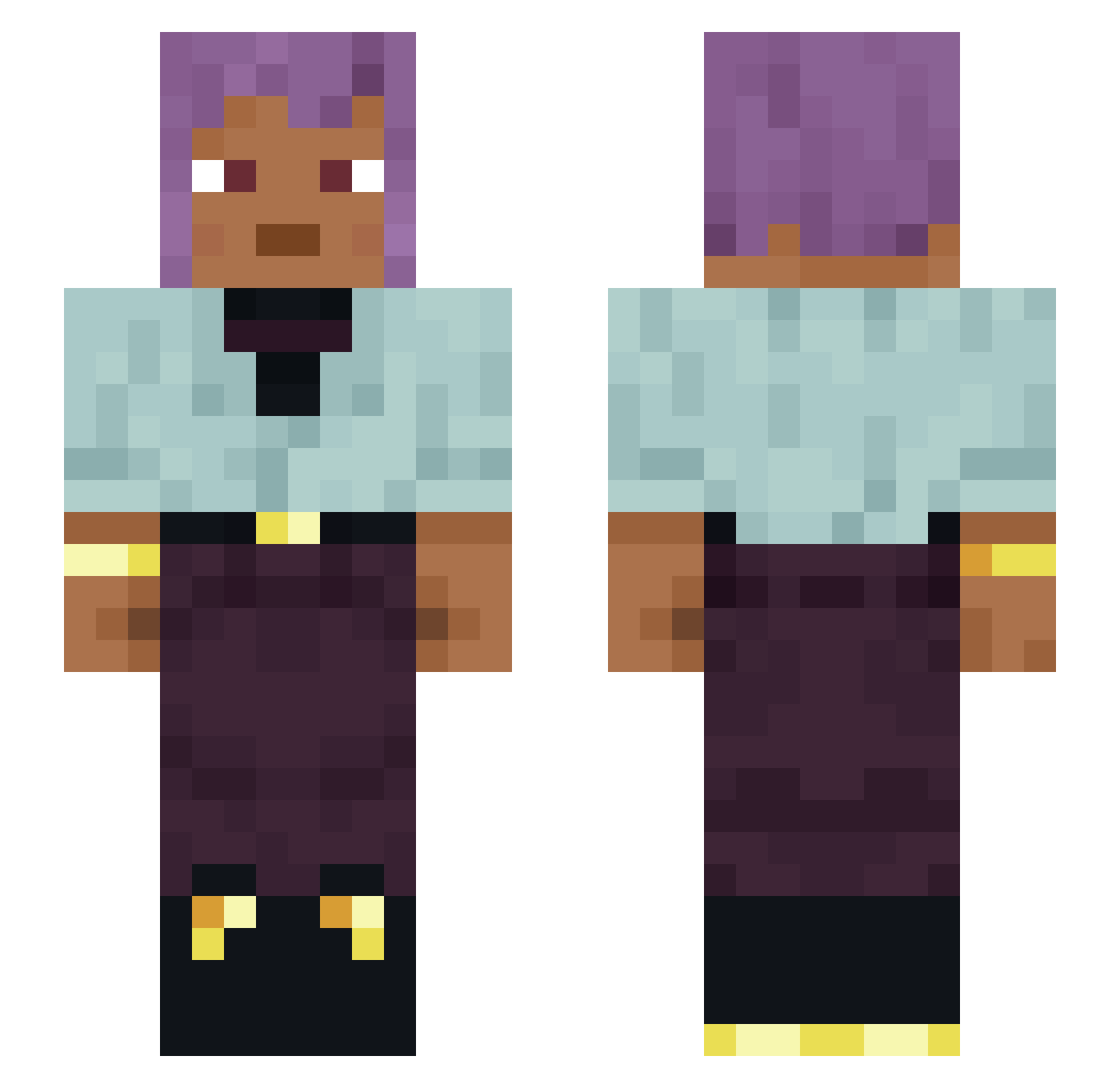
Current Minecraft skin of the player Cank, loaded from the official Mojang API. Rotate the 3D model with your mouse or finger, then download the skin as a PNG file and use it in Minecraft: Bedrock Edition or Java Edition for free. When Cank changes their skin, this page updates automatically and the old skin stays in the history below.
Other players with this skin (1483)
Cank was the 1262nd player we have seen with this skin, first spotted on 29.10.2026. The same skin was seen on these players. Open a nickname to see their current skin and skin history.
 andich Aiallmy Yonnie sksn18 Dark_Shadow2000 Hochanit albizzias Kiiouex FluffyShelter Liloisherenrf9 vallis O_Eluded distaves Krovvy PyroTechnically Nyxeavia Remenant sideling MrSaam29 Kemf_ay Hubiq Chordata UniqueBro levite vapourizable BigHearted Tako_off cheapos Elinwelen teh_bull_headed1 mimly Potatis112 Fabinator918 Boberekk P_Diddy6996 Brushback cheesy LowerTheBoom Person927 6AN6STA ddddzsdc boVinely forGOES StrayxX gi2503 Overchase Szychuxbomba Lieue DEADPOOL041ZE MCAPO23 Transilience Mikofon skyun_ __lagartija__ YT_GiaMinhMC1878 Ravenish hehehehehheeheh Princesses 07maciejd FryChickenCZE
How to install the Cank skin
- Press the Download button above to save the skin as a PNG file.
- Minecraft: Bedrock Edition (PE): open the Dressing Room from the main menu (or tap your character → Edit Character), go to Classic Skins → Owned, press the + (new skin) button, choose the downloaded PNG and pick the Slim (Alex) model. Works on PC and mobile; consoles cannot import custom skins.
- Minecraft: Java Edition: open the Minecraft Launcher, go to the Skins tab, click New Skin, load the PNG, pick the Slim (Alex) model and press Save & Use. You can also upload it at minecraft.net → Profile → Change Skin.
The skin does not show up after import - what should I do?
Restart Minecraft and open the Dressing Room again - imported skins sometimes appear only after a restart. Also make sure you selected the imported skin and picked the Slim (Alex) model.
Which model should I choose, Classic or Slim?
This skin is designed for the Slim (Alex) model. If you pick the wrong model, the arms of the skin will look stretched or squeezed.
Is the skin of Cank free to download?
Yes. Press Download, save the PNG file and use it in Minecraft: Bedrock Edition or Java Edition - no payment or registration needed. The skin also works on multiplayer servers and Realms.
More skins
Looking for more? Go back to all Minecraft skins and check the top skins of the week, month and all time, or find any player's skin by nickname.