
Li9pm - Minecraft Skins & Skin History
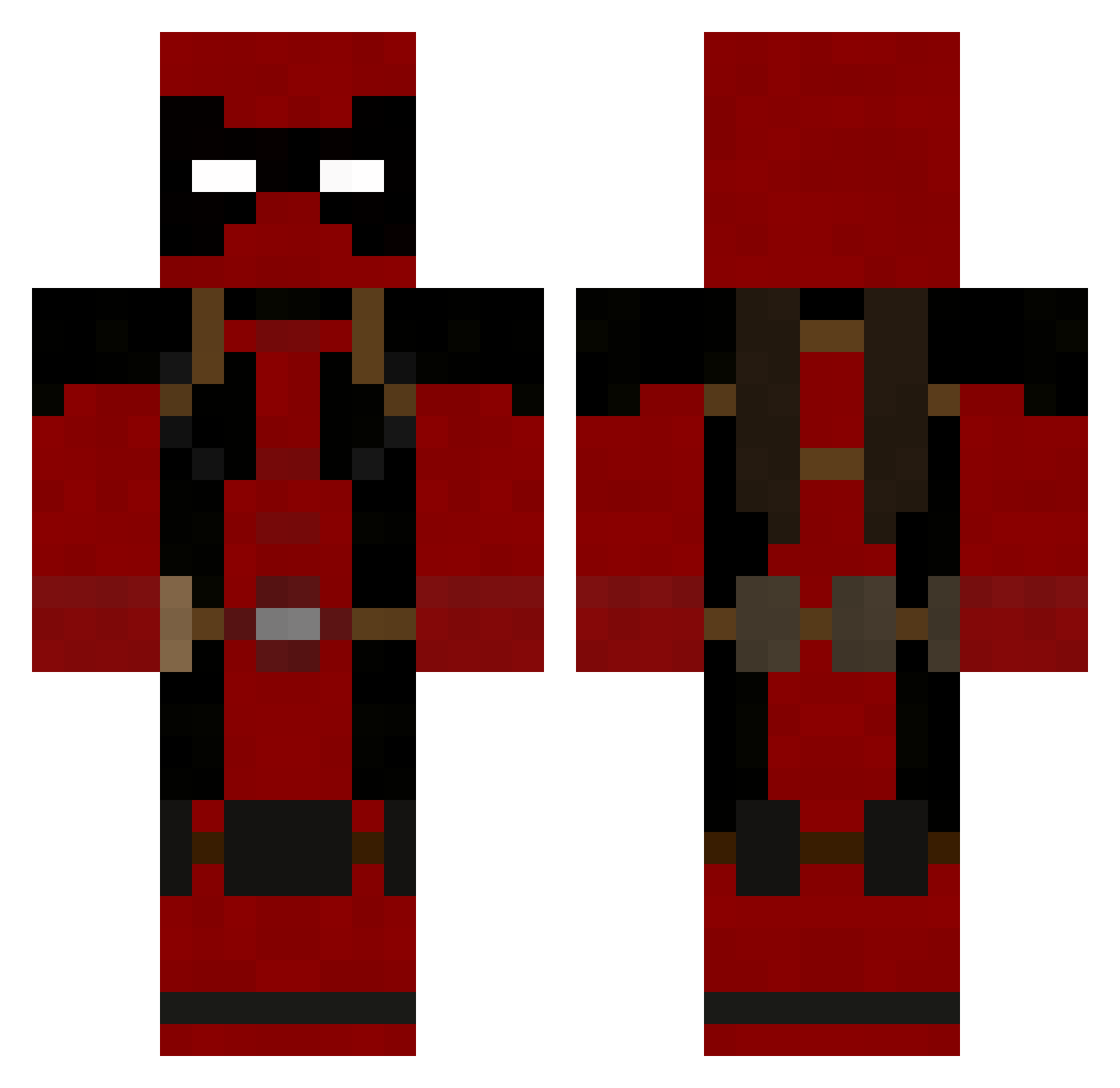
Current Minecraft skin of the player Li9pm, loaded from the official Mojang API. Rotate the 3D model with your mouse or finger, then download the skin as a PNG file and use it in Minecraft: Bedrock Edition or Java Edition for free. When Li9pm changes their skin, this page updates automatically and the old skin stays in the history below.
Other players with this skin (986)
Li9pm was the 802nd player we have seen with this skin, first spotted on 26.10.2026. The same skin was seen on these players. Open a nickname to see their current skin and skin history.
 sj1057 Tchanly AlertDuck Monday_Exe Docbrown1312 Shawnnn Lord_Redonkulous Kardrak Klimmm jotsmota KuruptNightmare Jump3r87 jeffreyso6020 ToxicLime66 Beaner29 nathan_92 dercstarr yellowbanana100 TheKornbergler Yshyru Even37 SamuraiEdge808 GibbyGrimes Grixle Mrgoodmans Filiptheescapist Baladeva xBoemi dho Squarian57 xClemens PsYkOozZ CRAW3F1SH Crazy_Abe TheDavies117 TedHuggins Diduknow The_Spartan1 Lycros vroomerify MuSic48 eddiemj89 deancalvin Shovelfight morteshooter jakekillz2 Craggerlaval yiddo247 n_samurai HDawg3 MortarMan TorrentDay Jay_Huncho deadpoolathome 101sdrawkcab Astonfti 6Jack_Rabbit9 idkwhatiamdoing wavetrain I_Showoff_I
More Deadpool Minecraft skins
How to install the Li9pm skin
- Press the Download button above to save the skin as a PNG file.
- Minecraft: Bedrock Edition (PE): open the Dressing Room from the main menu (or tap your character → Edit Character), go to Classic Skins → Owned, press the + (new skin) button, choose the downloaded PNG and pick the Classic (Steve) model. Works on PC and mobile; consoles cannot import custom skins.
- Minecraft: Java Edition: open the Minecraft Launcher, go to the Skins tab, click New Skin, load the PNG, pick the Classic (Steve) model and press Save & Use. You can also upload it at minecraft.net → Profile → Change Skin.
The skin does not show up after import - what should I do?
Restart Minecraft and open the Dressing Room again - imported skins sometimes appear only after a restart. Also make sure you selected the imported skin and picked the Classic (Steve) model.
Which model should I choose, Classic or Slim?
This skin is designed for the Classic (Steve) model. If you pick the wrong model, the arms of the skin will look stretched or squeezed.
Is the skin of Li9pm free to download?
Yes. Press Download, save the PNG file and use it in Minecraft: Bedrock Edition or Java Edition - no payment or registration needed. The skin also works on multiplayer servers and Realms.
More skins
Looking for more? Go back to all Minecraft skins and check the top skins of the week, month and all time, or find any player's skin by nickname.