
Lexzos - Minecraft Skins & Skin History
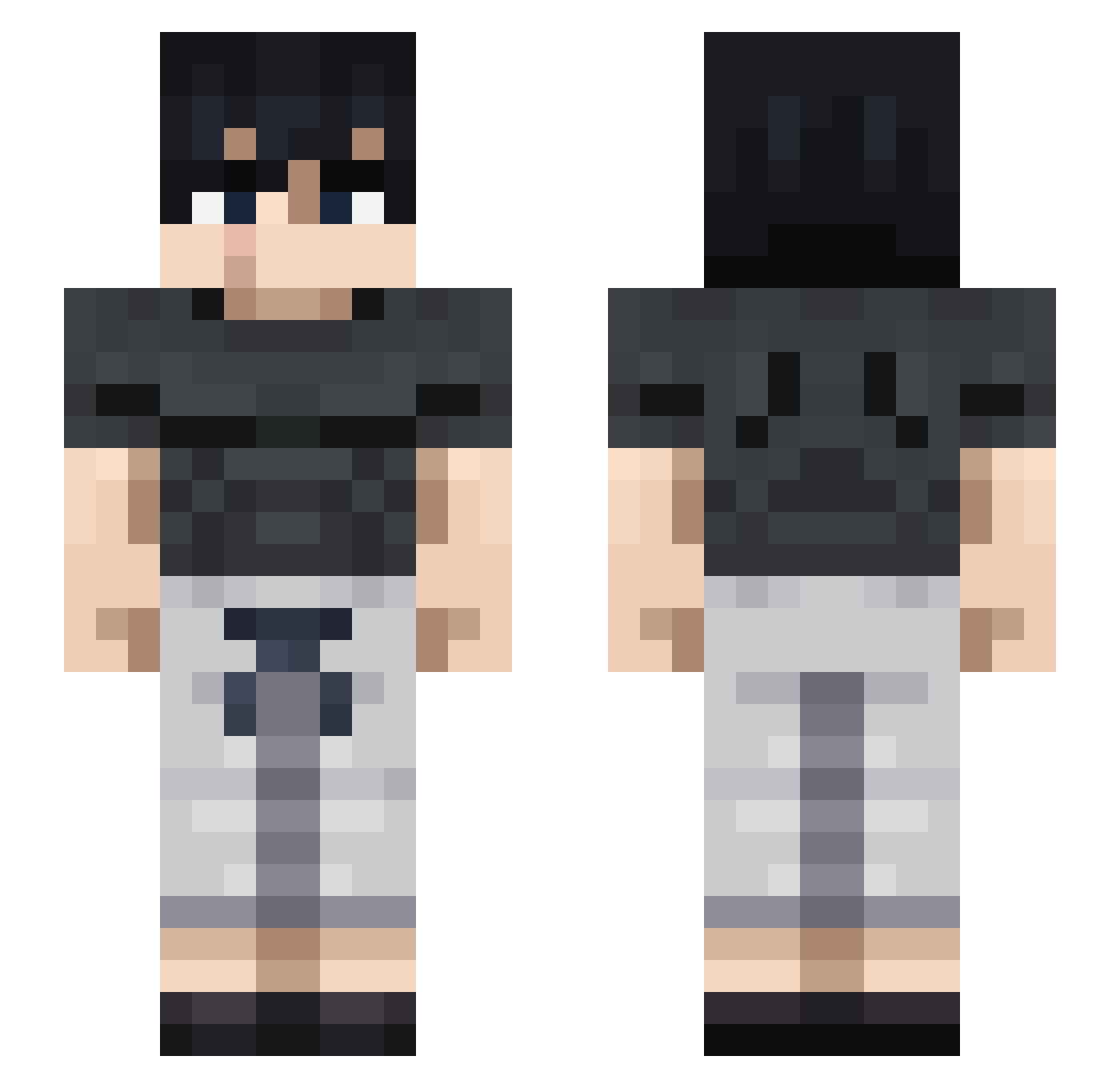
Current Minecraft skin of the player Lexzos, loaded from the official Mojang API. Rotate the 3D model with your mouse or finger, then download the skin as a PNG file and use it in Minecraft: Bedrock Edition or Java Edition for free. When Lexzos changes their skin, this page updates automatically and the old skin stays in the history below.
Other players with this skin (711)
Lexzos was the 59th player we have seen with this skin, first spotted on 31.07.2026. The same skin was seen on these players. Open a nickname to see their current skin and skin history.
 Pbrophet mclockedd Descartes17 tadiyan Elloni
 PoisonLmaonade Szeba21 foxy4567 jewoolee DiereButafarrico __Smiling__ Glolector
 MightGuy8G Adri_Fdez Redstoneboi7614 quanb1433 lilDenky i_GLiTCH mikesosa LEBISTECK Agustecu DarthTurt1e G4Gamezz Zalox19 ytrklriakylr NereusKurza Ntshav UpperPark Goldsta06 SUNG_7 ichini1337 kmc0210 Pipars6669 xpro2250 xendo24 xMaladex Ender_Dragon23 Onsetter bentoesbox jorgeig
 ezfizzy dekaikamakiri MagnusT789 WrldNaxi ObsrateTrenky GhostyBelowSea Bokaqe utkubeyefendi Gazpacho_Zenin ssohyu
 xDidarkx SebTbn IFeRRI12 isma535 Eugenhrm G0LD_kMbRv_02_07 UnD3adSoul23 RandyKatana Superior519 HOYSA1206
More Casual Minecraft skins
How to install the Lexzos skin
- Press the Download button above to save the skin as a PNG file.
- Minecraft: Bedrock Edition (PE): open the Dressing Room from the main menu (or tap your character → Edit Character), go to Classic Skins → Owned, press the + (new skin) button, choose the downloaded PNG and pick the Slim (Alex) model. Works on PC and mobile; consoles cannot import custom skins.
- Minecraft: Java Edition: open the Minecraft Launcher, go to the Skins tab, click New Skin, load the PNG, pick the Slim (Alex) model and press Save & Use. You can also upload it at minecraft.net → Profile → Change Skin.
The skin does not show up after import - what should I do?
Restart Minecraft and open the Dressing Room again - imported skins sometimes appear only after a restart. Also make sure you selected the imported skin and picked the Slim (Alex) model.
Which model should I choose, Classic or Slim?
This skin is designed for the Slim (Alex) model. If you pick the wrong model, the arms of the skin will look stretched or squeezed.
Is the skin of Lexzos free to download?
Yes. Press Download, save the PNG file and use it in Minecraft: Bedrock Edition or Java Edition - no payment or registration needed. The skin also works on multiplayer servers and Realms.
More skins
Looking for more? Go back to all Minecraft skins and check the top skins of the week, month and all time, or find any player's skin by nickname.