
Levi1108 - Minecraft Skins & Skin History
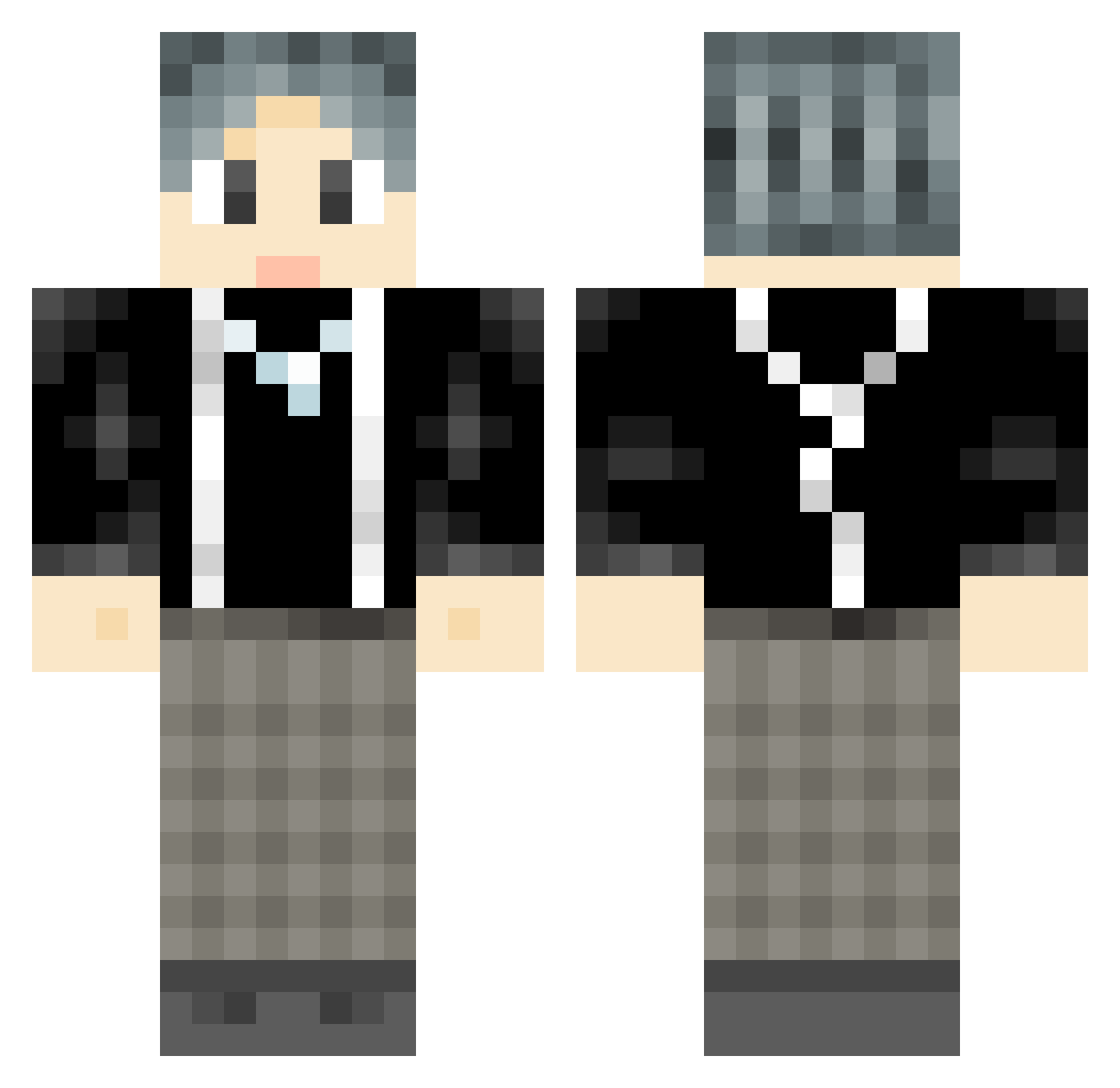
Current Minecraft skin of the player Levi1108, loaded from the official Mojang API. Rotate the 3D model with your mouse or finger, then download the skin as a PNG file and use it in Minecraft: Bedrock Edition or Java Edition for free. When Levi1108 changes their skin, this page updates automatically and the old skin stays in the history below.
Other players with this skin (738)
Levi1108 was the 311th player we have seen with this skin, first spotted on 01.09.2026. The same skin was seen on these players. Open a nickname to see their current skin and skin history.
 Permanent0423 HDHY110 iCXKun ZhangXiner alkdi BadBroHelo _KASHTIRA_ puxiaoming C_Xinxin DouDouDouDouzi luliu22 FAN0320 FNG1700 zer_ne Twistzz6 C_stars Yx_xiao MA_KA_SAMA heartmark666 kun_kun_kun_ Cookie_Ya OUG114514 YLong0318 lkalkalka Aonair jiaohai wdf1h IKUN_666_ AlexMerce Sssskr Zhuixing yuhuacs Wdnmd11 cyj666 wlsllhdg yy200917 Z7SH LANXC Yobboii Silenfeihan JeerryyP hanzhhao1999 Wi_Llian FreeloveL HAOYUECC Volta_X caixvxi xiaohuochaiHP MeguminMK hey2kk kunkun1117 wer_101 minty_air SuperCarryTM Zinza remaker233 gyhang wuqianCZ TirolerBua89 hdn789
How to install the Levi1108 skin
- Press the Download button above to save the skin as a PNG file.
- Minecraft: Bedrock Edition (PE): open the Dressing Room from the main menu (or tap your character → Edit Character), go to Classic Skins → Owned, press the + (new skin) button, choose the downloaded PNG and pick the Classic (Steve) model. Works on PC and mobile; consoles cannot import custom skins.
- Minecraft: Java Edition: open the Minecraft Launcher, go to the Skins tab, click New Skin, load the PNG, pick the Classic (Steve) model and press Save & Use. You can also upload it at minecraft.net → Profile → Change Skin.
The skin does not show up after import - what should I do?
Restart Minecraft and open the Dressing Room again - imported skins sometimes appear only after a restart. Also make sure you selected the imported skin and picked the Classic (Steve) model.
Which model should I choose, Classic or Slim?
This skin is designed for the Classic (Steve) model. If you pick the wrong model, the arms of the skin will look stretched or squeezed.
Is the skin of Levi1108 free to download?
Yes. Press Download, save the PNG file and use it in Minecraft: Bedrock Edition or Java Edition - no payment or registration needed. The skin also works on multiplayer servers and Realms.
More skins
Looking for more? Go back to all Minecraft skins and check the top skins of the week, month and all time, or find any player's skin by nickname.