
Leseth - Minecraft Skins & Skin History
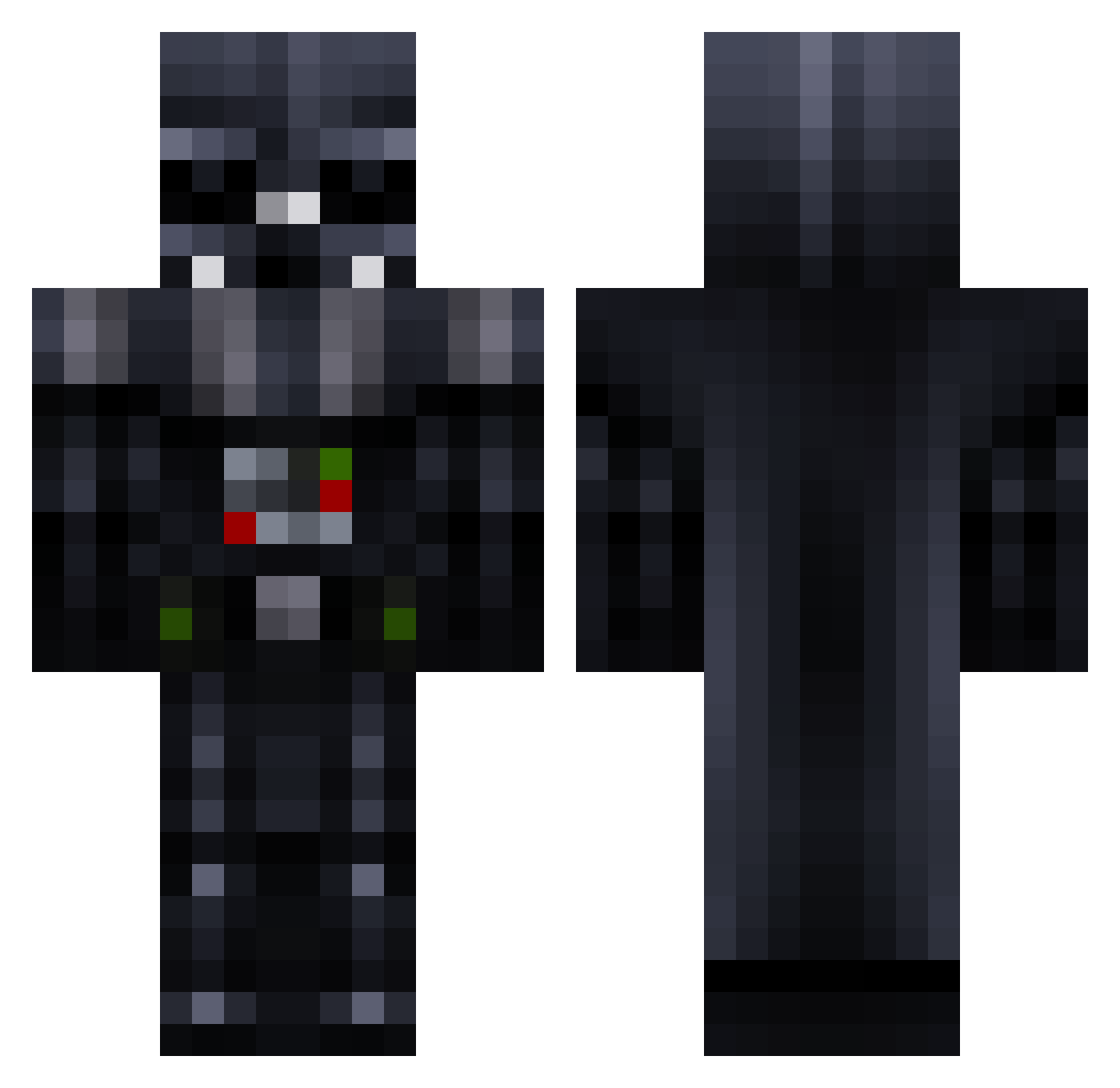
Current Minecraft skin of the player Leseth, loaded from the official Mojang API. Rotate the 3D model with your mouse or finger, then download the skin as a PNG file and use it in Minecraft: Bedrock Edition or Java Edition for free. When Leseth changes their skin, this page updates automatically and the old skin stays in the history below.
Other players with this skin (781)
Leseth was the 560th player we have seen with this skin, first spotted on 09.10.2026. The same skin was seen on these players. Open a nickname to see their current skin and skin history.
 Icy_Jackson cpatty33 Billy_E P1h3r1e3d13 WarDragon28 rockpedreira rorymc2 tralph Milan1_ Flankid SlenderTubby TheGuunge Soggen353 hannter2000 PixelKittenLover off680 DarkDartVeider js1976 rabsgood AresTyrus alexander_1000 NFZX ItsYourDie Maxoumax80 Jitske1 frederiksb3 Felipecv marzapower dododick88 Aegz Daltonhakan MaxBregler marrebarre_ clemcraft07 hoponhopoff xxTilly20 dragonshadow12 MUSICMAN02 frankLin310 MustangChris AppleButter180 darklord315 SAF_Fupp123 torqqiffy Posterchild9 StaticzGaming Skipjack1 tanto259 Andreas_s_p kosinator7 Fedotr TUBA_shark 007Piggy SilentNinjaLion ElephantSalad Samygonza frankyt0wn WPCrafter12 Ktrain110 MartinMD123
More Darth Vader Minecraft skins
How to install the Leseth skin
- Press the Download button above to save the skin as a PNG file.
- Minecraft: Bedrock Edition (PE): open the Dressing Room from the main menu (or tap your character → Edit Character), go to Classic Skins → Owned, press the + (new skin) button, choose the downloaded PNG and pick the Classic (Steve) model. Works on PC and mobile; consoles cannot import custom skins.
- Minecraft: Java Edition: open the Minecraft Launcher, go to the Skins tab, click New Skin, load the PNG, pick the Classic (Steve) model and press Save & Use. You can also upload it at minecraft.net → Profile → Change Skin.
The skin does not show up after import - what should I do?
Restart Minecraft and open the Dressing Room again - imported skins sometimes appear only after a restart. Also make sure you selected the imported skin and picked the Classic (Steve) model.
Which model should I choose, Classic or Slim?
This skin is designed for the Classic (Steve) model. If you pick the wrong model, the arms of the skin will look stretched or squeezed.
Is the skin of Leseth free to download?
Yes. Press Download, save the PNG file and use it in Minecraft: Bedrock Edition or Java Edition - no payment or registration needed. The skin also works on multiplayer servers and Realms.
More skins
Looking for more? Go back to all Minecraft skins and check the top skins of the week, month and all time, or find any player's skin by nickname.