
Leroyk0183 - Minecraft Skins & Skin History
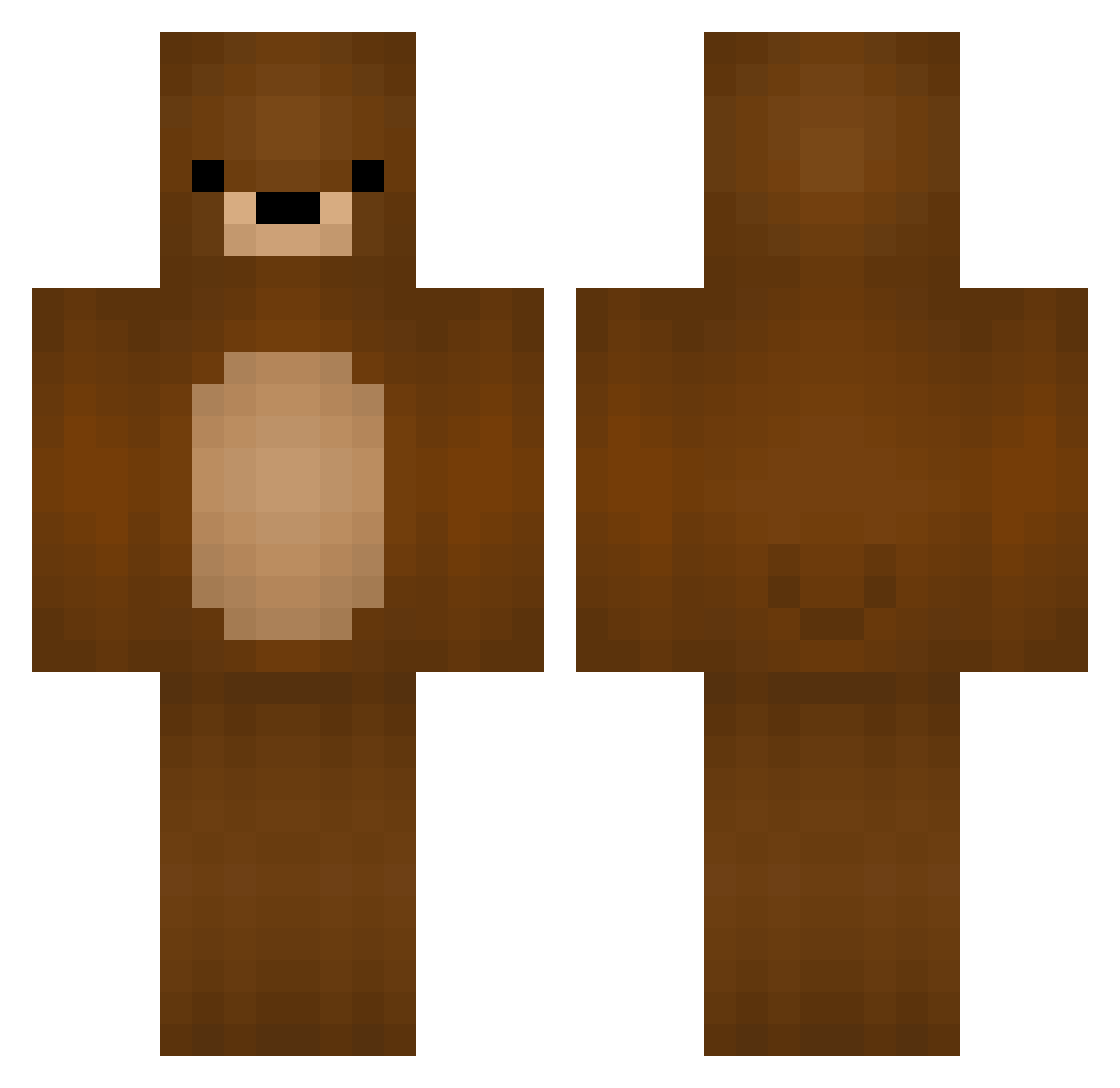
Current Minecraft skin of the player Leroyk0183, loaded from the official Mojang API. Rotate the 3D model with your mouse or finger, then download the skin as a PNG file and use it in Minecraft: Bedrock Edition or Java Edition for free. When Leroyk0183 changes their skin, this page updates automatically and the old skin stays in the history below.
Other players with this skin (329)
Leroyk0183 was the 83rd player we have seen with this skin, first spotted on 16.08.2026. The same skin was seen on these players. Open a nickname to see their current skin and skin history.
 Notaguest21494 CaptainCatfood molotalk Kepkender Alias1914 Sanwichi segmentica Lvkas69 xWiseFool_
 samuelparce Brook1597 dr1ppy_ Bienschi The_Bear_Gaming Jasminee714 hajimetora innuB Lxemon_ Hikki_0808 GummyBear1223 damdimdom azo60 Oliveeee123 Its_Rayden_02 Ivan_Hung1234 Tetro_VT JalapenoNinja14 NARO83 Owhisky nazaramulet TobiMaster1239 Timout2507 Kavenn_ DomPress Dragonmyballs88 Babadu1212 ZanedNotFound Pinguinananas06 ahkirey ryeeebread _ZAPOL_ grip_enthusiast Chqckmate LuigiStipa lavikassi Dogibey rockjay0425 WinterSolo666 EndlessClouds Cucurbitace64 Bifster Athring Bon3lessPizza antoniofm_04 BrycieBear01 kumaaaaaaaa1414 MrChouplo bear_324 xOLukaniuOx Dabicitoh
More Teddy Bear Minecraft skins
How to install the Leroyk0183 skin
- Press the Download button above to save the skin as a PNG file.
- Minecraft: Bedrock Edition (PE): open the Dressing Room from the main menu (or tap your character → Edit Character), go to Classic Skins → Owned, press the + (new skin) button, choose the downloaded PNG and pick the Classic (Steve) model. Works on PC and mobile; consoles cannot import custom skins.
- Minecraft: Java Edition: open the Minecraft Launcher, go to the Skins tab, click New Skin, load the PNG, pick the Classic (Steve) model and press Save & Use. You can also upload it at minecraft.net → Profile → Change Skin.
The skin does not show up after import - what should I do?
Restart Minecraft and open the Dressing Room again - imported skins sometimes appear only after a restart. Also make sure you selected the imported skin and picked the Classic (Steve) model.
Which model should I choose, Classic or Slim?
This skin is designed for the Classic (Steve) model. If you pick the wrong model, the arms of the skin will look stretched or squeezed.
Is the skin of Leroyk0183 free to download?
Yes. Press Download, save the PNG file and use it in Minecraft: Bedrock Edition or Java Edition - no payment or registration needed. The skin also works on multiplayer servers and Realms.
More skins
Looking for more? Go back to all Minecraft skins and check the top skins of the week, month and all time, or find any player's skin by nickname.