
Leptosome - Minecraft Skins & Skin History
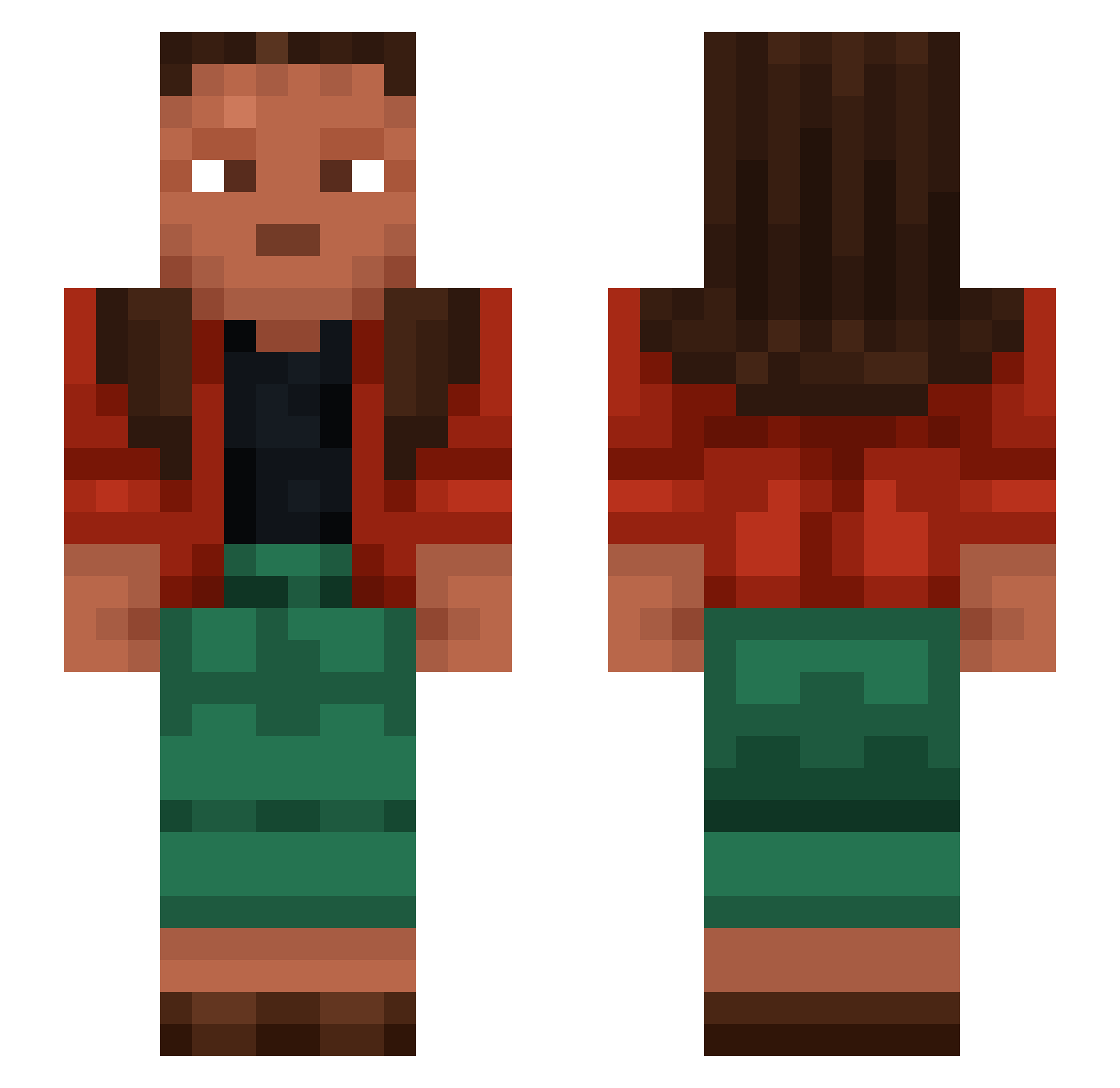
Current Minecraft skin of the player Leptosome, loaded from the official Mojang API. Rotate the 3D model with your mouse or finger, then download the skin as a PNG file and use it in Minecraft: Bedrock Edition or Java Edition for free. When Leptosome changes their skin, this page updates automatically and the old skin stays in the history below.
Other players with this skin (1455)
Leptosome was the 1398th player we have seen with this skin, first spotted on 16.11.2026. The same skin was seen on these players. Open a nickname to see their current skin and skin history.
 Rx300z Rogozhin YevrahWerdna sufnoshi Congealing PullOut fleebylol baljkorv Pedantics dinostar04 Dipl niyne ii_Anis_Dz Mese zabajone Miaousss61 defeasible Haunches Jadyn22 ha9o0 ninaWiLL GameViciu KubaB_ YildizFanGirl_XD EnePlay dra3throon Mateo2393 Ice_creaMo3o Sypo_ TheLengender IVUMAGIRUS Nitered gwdl64 Specillum Steolen Julianxxd Maturate LoNe_Ultima Clitter Ulukbek123 Submain Metages GryphonNuggets IHWilli MORDVIN Hadido1010 irllyamadog Mavixooo Grackle ilonardo Thorfin jesus Maiffraid ProDisplay Scramasaxe Payrock MarcelDE Heliors ZooyDine SahaniIshmene
How to install the Leptosome skin
- Press the Download button above to save the skin as a PNG file.
- Minecraft: Bedrock Edition (PE): open the Dressing Room from the main menu (or tap your character → Edit Character), go to Classic Skins → Owned, press the + (new skin) button, choose the downloaded PNG and pick the Slim (Alex) model. Works on PC and mobile; consoles cannot import custom skins.
- Minecraft: Java Edition: open the Minecraft Launcher, go to the Skins tab, click New Skin, load the PNG, pick the Slim (Alex) model and press Save & Use. You can also upload it at minecraft.net → Profile → Change Skin.
The skin does not show up after import - what should I do?
Restart Minecraft and open the Dressing Room again - imported skins sometimes appear only after a restart. Also make sure you selected the imported skin and picked the Slim (Alex) model.
Which model should I choose, Classic or Slim?
This skin is designed for the Slim (Alex) model. If you pick the wrong model, the arms of the skin will look stretched or squeezed.
Is the skin of Leptosome free to download?
Yes. Press Download, save the PNG file and use it in Minecraft: Bedrock Edition or Java Edition - no payment or registration needed. The skin also works on multiplayer servers and Realms.
More skins
Looking for more? Go back to all Minecraft skins and check the top skins of the week, month and all time, or find any player's skin by nickname.