
Leonidassz - Minecraft Skins & Skin History
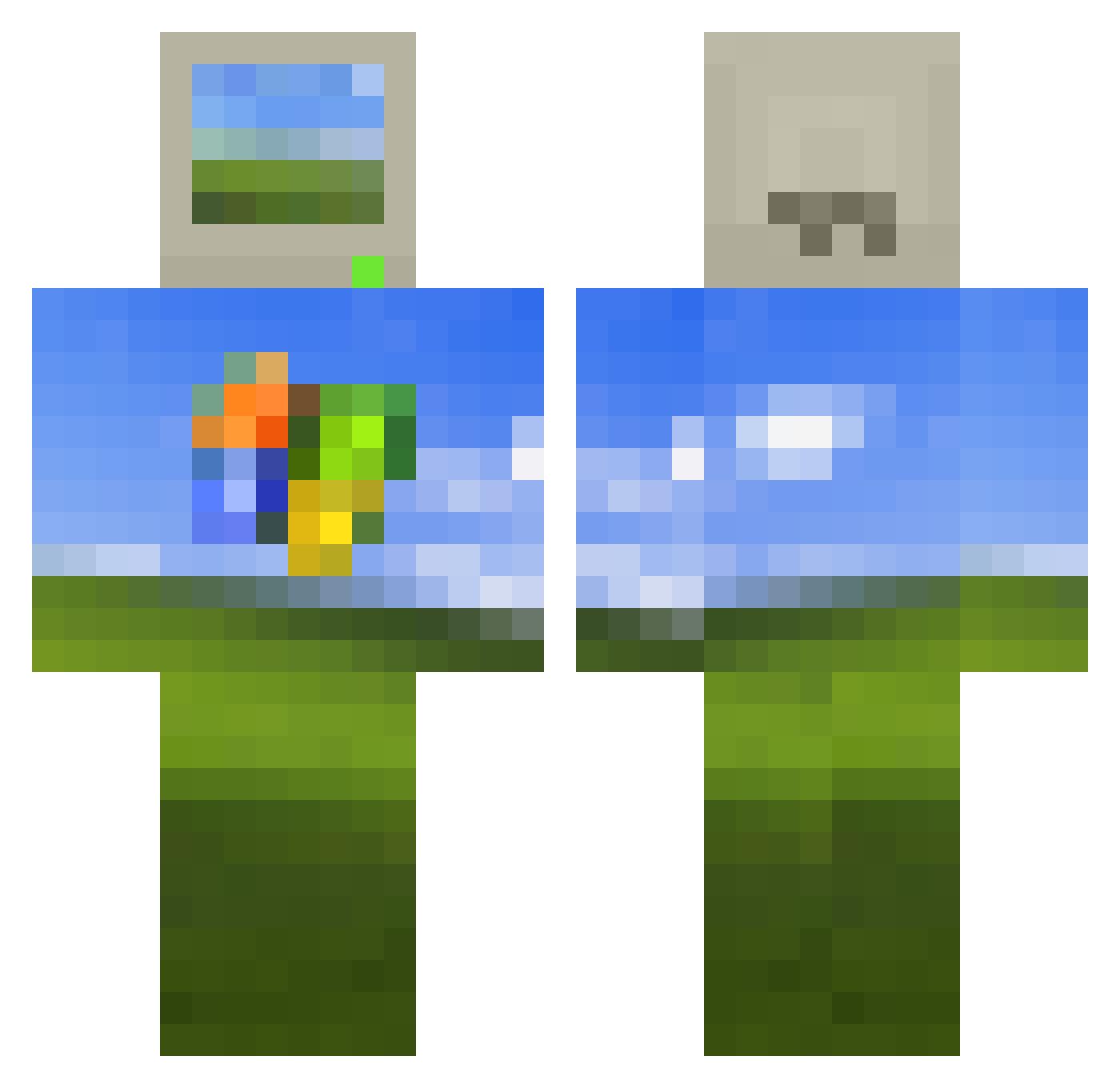
Current Minecraft skin of the player Leonidassz, loaded from the official Mojang API. Rotate the 3D model with your mouse or finger, then download the skin as a PNG file and use it in Minecraft: Bedrock Edition or Java Edition for free. When Leonidassz changes their skin, this page updates automatically and the old skin stays in the history below.
Other players with this skin (605)
Leonidassz was the 594th player we have seen with this skin, first spotted on 17.11.2026. The same skin was seen on these players. Open a nickname to see their current skin and skin history.
 Dubas69 normalplayar Jertis09 GLIZZYSHL0NG Boss_Chipmunk Densea FafinaXD BlueJasper2004 realmadrit32 brian2563 jdrocks999 Martijntb gaptrik MadSponge Logentruck HEX300 HouseholdKeeper weee6767 noobble Naad1997 jeromechoi MiiBombaclaat SSLizard NeoElRancio777 erdiinc talleyb antipersona yellowumbrella63 MrP33n Rafroo GK1644 pig_hamster Iosif_Stalone iRMonkey Raymom Pincher_ok KarkMozalek MattHiaS_2 Shermtheverm Falkensausage iGIad ManuZX6R Evo1111 sulsks HTF145 Genccx Spookieez64 felix152008 HCG662 MajesticSimbaTV ddysphoria SuperS_256 Sn1per10n SynicalStitch fr4bs JPishko UllBSrry Kinioshisa luccas2018 jsjzjz
More Bliss Minecraft skins
How to install the Leonidassz skin
- Press the Download button above to save the skin as a PNG file.
- Minecraft: Bedrock Edition (PE): open the Dressing Room from the main menu (or tap your character → Edit Character), go to Classic Skins → Owned, press the + (new skin) button, choose the downloaded PNG and pick the Classic (Steve) model. Works on PC and mobile; consoles cannot import custom skins.
- Minecraft: Java Edition: open the Minecraft Launcher, go to the Skins tab, click New Skin, load the PNG, pick the Classic (Steve) model and press Save & Use. You can also upload it at minecraft.net → Profile → Change Skin.
The skin does not show up after import - what should I do?
Restart Minecraft and open the Dressing Room again - imported skins sometimes appear only after a restart. Also make sure you selected the imported skin and picked the Classic (Steve) model.
Which model should I choose, Classic or Slim?
This skin is designed for the Classic (Steve) model. If you pick the wrong model, the arms of the skin will look stretched or squeezed.
Is the skin of Leonidassz free to download?
Yes. Press Download, save the PNG file and use it in Minecraft: Bedrock Edition or Java Edition - no payment or registration needed. The skin also works on multiplayer servers and Realms.
More skins
Looking for more? Go back to all Minecraft skins and check the top skins of the week, month and all time, or find any player's skin by nickname.