
Leo_Li_1996 - Minecraft Skins & Skin History
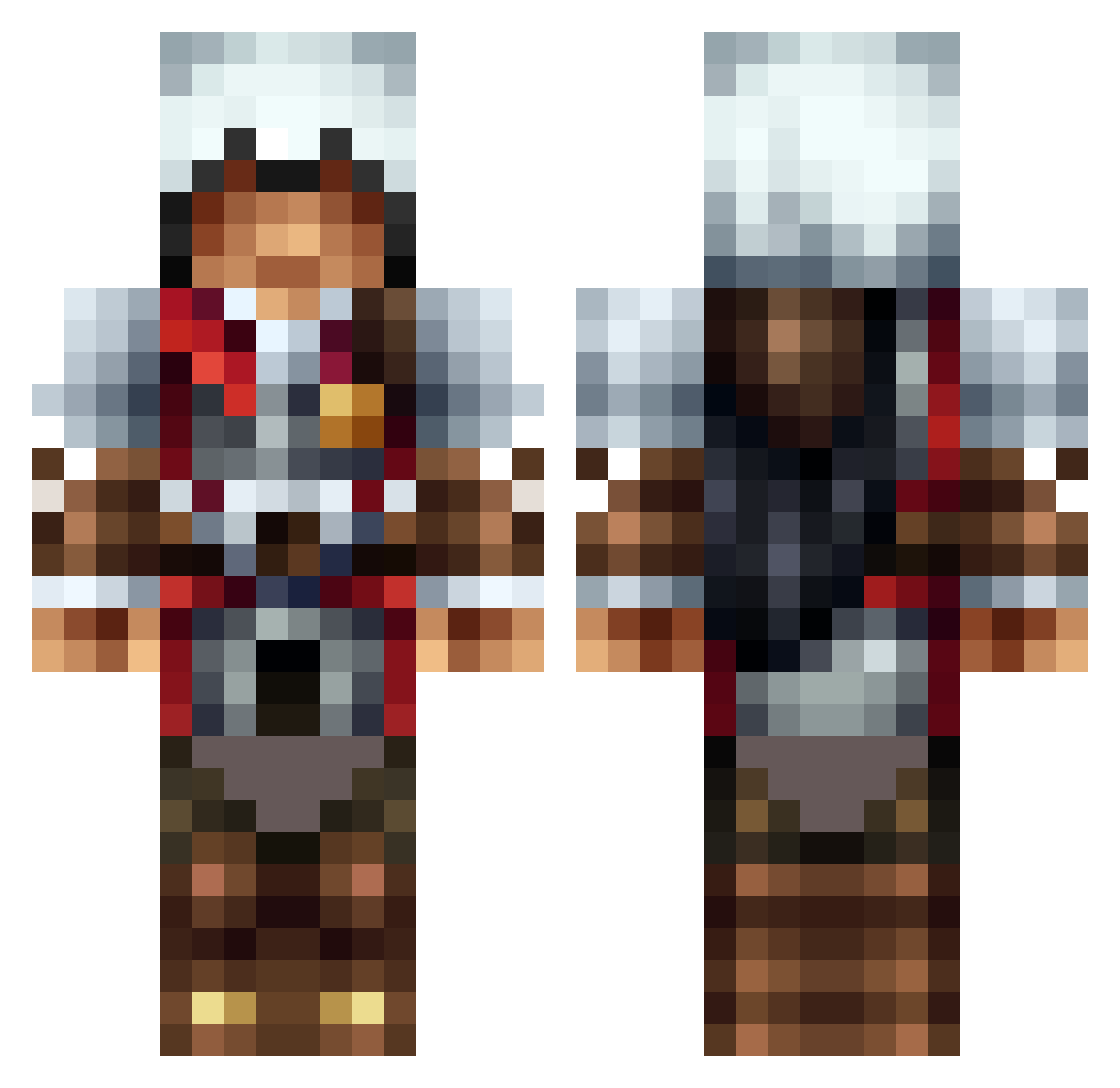
Current Minecraft skin of the player Leo_Li_1996, loaded from the official Mojang API. Rotate the 3D model with your mouse or finger, then download the skin as a PNG file and use it in Minecraft: Bedrock Edition or Java Edition for free. When Leo_Li_1996 changes their skin, this page updates automatically and the old skin stays in the history below.
Other players with this skin (1317)
Leo_Li_1996 was the 639th player we have seen with this skin, first spotted on 21.09.2026. The same skin was seen on these players. Open a nickname to see their current skin and skin history.
 AerusXD AnimatedWard bigchungustyron ZacMan_69 Jzge Wolf_Tamer105 Ghostwalker007 Wid_ger TaNgO_BoY HZertz neonterminator adv241 Flare425 Mdrizzle3 dplourenco Grendel915 Andre0511 LeEcH_NOR Cuendilar charl1e04 REDRIDER123456 JoelMaja Big_Bob126 jast0n Wingdom02 Mike_N_ice GuilhermeRisso SWEGBRO peolpe RanchMan08 MrB0mp JoeBazinga mcnultybeast6 tedyman12 ventilateurs Etzel_E laneconner Proytox ECarter2003 Jayspur12 Tom_Da_Bomb2978 CptWiggles CaseyLeonard CR3AT0R_ mewshew ChromeJailer Elzydos bobsta90 TomtenOscar KillCreepers182 Ezio2232 Snakeyj0903 SOMERANDOMGUY2 Maxii_Boss 12cypok21 Mr_P1bb Davenport12505 SecretScar Blootooth95 Donut_Pirate
More Altair Minecraft skins
How to install the Leo_Li_1996 skin
- Press the Download button above to save the skin as a PNG file.
- Minecraft: Bedrock Edition (PE): open the Dressing Room from the main menu (or tap your character → Edit Character), go to Classic Skins → Owned, press the + (new skin) button, choose the downloaded PNG and pick the Classic (Steve) model. Works on PC and mobile; consoles cannot import custom skins.
- Minecraft: Java Edition: open the Minecraft Launcher, go to the Skins tab, click New Skin, load the PNG, pick the Classic (Steve) model and press Save & Use. You can also upload it at minecraft.net → Profile → Change Skin.
The skin does not show up after import - what should I do?
Restart Minecraft and open the Dressing Room again - imported skins sometimes appear only after a restart. Also make sure you selected the imported skin and picked the Classic (Steve) model.
Which model should I choose, Classic or Slim?
This skin is designed for the Classic (Steve) model. If you pick the wrong model, the arms of the skin will look stretched or squeezed.
Is the skin of Leo_Li_1996 free to download?
Yes. Press Download, save the PNG file and use it in Minecraft: Bedrock Edition or Java Edition - no payment or registration needed. The skin also works on multiplayer servers and Realms.
More skins
Looking for more? Go back to all Minecraft skins and check the top skins of the week, month and all time, or find any player's skin by nickname.