
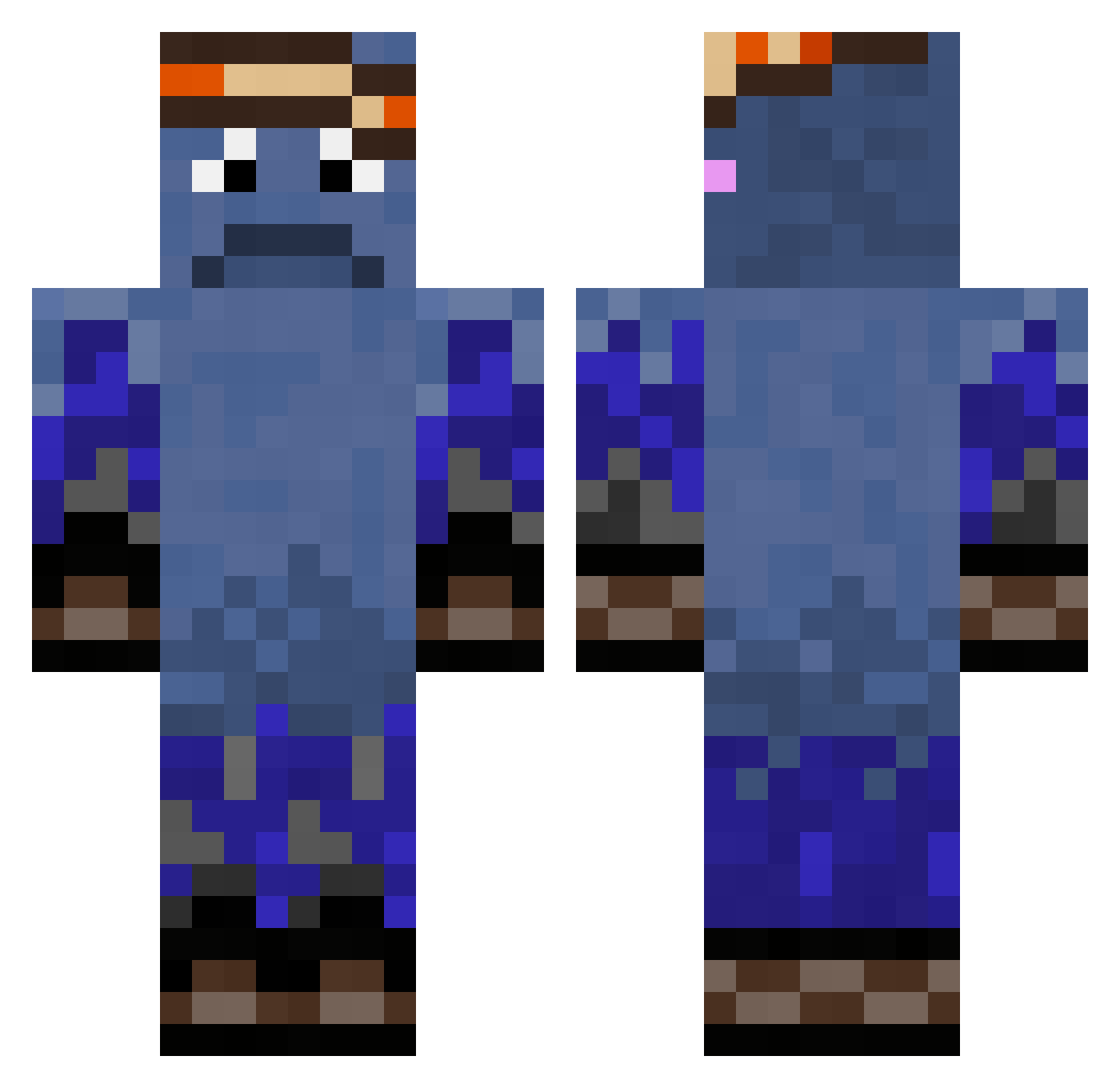
Current Minecraft skin of the player LeoRN6, loaded from the official Mojang API. Rotate the 3D model with your mouse or finger, then download the skin as a PNG file and use it in Minecraft: Bedrock Edition or Java Edition for free. When LeoRN6 changes their skin, this page updates automatically and the old skin stays in the history below.
Other players with this skin (262)
LeoRN6 was the 102nd player we have seen with this skin, first spotted on 26.08.2026. The same skin was seen on these players. Open a nickname to see their current skin and skin history.
 LilSushi3231 zadokiaks CocaSenpai PreDisionZ Sylenibrad ZAPINGSI formalin7878 Elpotento palo_t AidanVader201211 FEN1907 Tellezinho Thorpg fabricindograu05 itsmelol ProdragonUser Dznni higorlindao MatangoOS J3sTor kitnat0 Vampuro_82
 Airwavesx Semenchiq Dijar3x ayddnn lokidar7 zebbeInJeNek AZERTY21 KWgaming16 Opt1crex Edouble0 lucineitor miaa1994 Zquid_Squid BetterThanYou17 reece8188 zypto1x ntaeh DevClassicc 1Bob__ AbelSimms2010 droedsa chongchong456 bananaking987645 CrystallineWave Gringots4 imzeek Papa_squeeely king_wallace_ Nik2201 SLO_DON ming1115 DeziHasCrabs amrjon JoshWick007 Junpens dingur Lost123223 Abood_29k
How to install the LeoRN6 skin
- Press the Download button above to save the skin as a PNG file.
- Minecraft: Bedrock Edition (PE): open the Dressing Room from the main menu (or tap your character → Edit Character), go to Classic Skins → Owned, press the + (new skin) button, choose the downloaded PNG and pick the Classic (Steve) model. Works on PC and mobile; consoles cannot import custom skins.
- Minecraft: Java Edition: open the Minecraft Launcher, go to the Skins tab, click New Skin, load the PNG, pick the Classic (Steve) model and press Save & Use. You can also upload it at minecraft.net → Profile → Change Skin.
The skin does not show up after import - what should I do?
Restart Minecraft and open the Dressing Room again - imported skins sometimes appear only after a restart. Also make sure you selected the imported skin and picked the Classic (Steve) model.
Which model should I choose, Classic or Slim?
This skin is designed for the Classic (Steve) model. If you pick the wrong model, the arms of the skin will look stretched or squeezed.
Is the skin of LeoRN6 free to download?
Yes. Press Download, save the PNG file and use it in Minecraft: Bedrock Edition or Java Edition - no payment or registration needed. The skin also works on multiplayer servers and Realms.
More skins
Looking for more? Go back to all Minecraft skins and check the top skins of the week, month and all time, or find any player's skin by nickname.