
Leo18009 - Minecraft Skins & Skin History
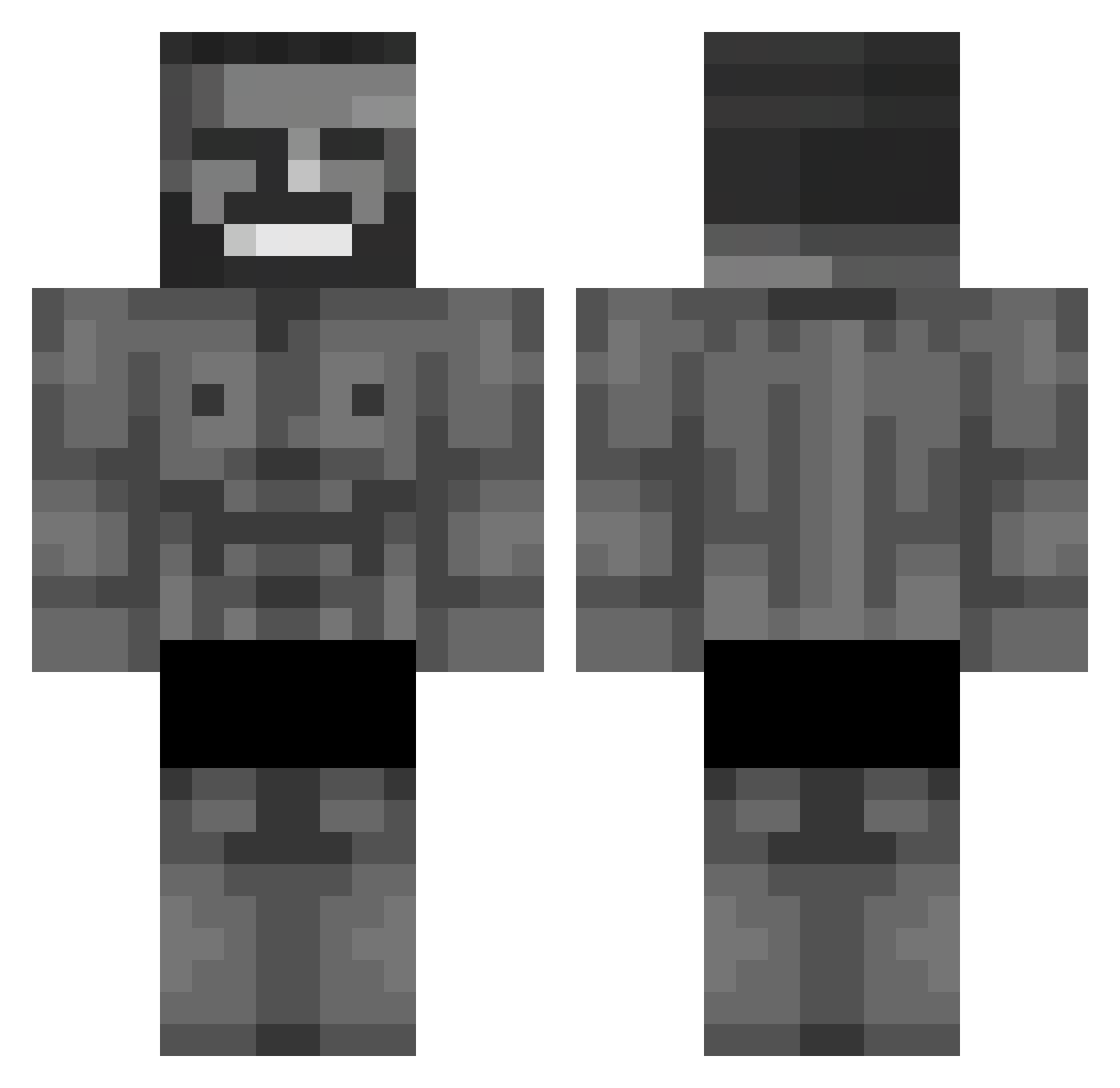
Current Minecraft skin of the player Leo18009, loaded from the official Mojang API. Rotate the 3D model with your mouse or finger, then download the skin as a PNG file and use it in Minecraft: Bedrock Edition or Java Edition for free. When Leo18009 changes their skin, this page updates automatically and the old skin stays in the history below.
Other players with this skin (653)
Leo18009 was the 212th player we have seen with this skin, first spotted on 29.08.2026. The same skin was seen on these players. Open a nickname to see their current skin and skin history.
 AL_BKSH CasseyJones poyraz0101 YT_ENIX ReuxKaan Pumajist AlexFlex38 xao93 Qyuuu115 O5O5O Boyo35 Fliper Nrwin
 FSO_polonezcaro Holdonz jjun0628 TypedNicer pinqow zeyl__ PaynBringer53 TR_Roflor otusaY kakarim Apexze Synest07 Serhat29 thehrezahtrev2 hutao_vkFli_0913 R_Mythes Spaissy BrenoGaiz efes0 _WWJB_ Govennn CroFeX FriGame
 Maphis_2217 mmdzl TheMaia28 Flopper228 misterairfryer Ryzeni Kotaario Goos45 Itz_Steve_good
 mastidrak007 Bluewonn ShrimpDiqq Wojatus CyloneDuels Sirocopor ElderWaffles Mrtoasty69 Jogadorlocks PortalPath34651 sturxz __KaWaII666__ PinkGuy69420 LushDread794559 Livering
More Gigachad Minecraft skins
How to install the Leo18009 skin
- Press the Download button above to save the skin as a PNG file.
- Minecraft: Bedrock Edition (PE): open the Dressing Room from the main menu (or tap your character → Edit Character), go to Classic Skins → Owned, press the + (new skin) button, choose the downloaded PNG and pick the Classic (Steve) model. Works on PC and mobile; consoles cannot import custom skins.
- Minecraft: Java Edition: open the Minecraft Launcher, go to the Skins tab, click New Skin, load the PNG, pick the Classic (Steve) model and press Save & Use. You can also upload it at minecraft.net → Profile → Change Skin.
The skin does not show up after import - what should I do?
Restart Minecraft and open the Dressing Room again - imported skins sometimes appear only after a restart. Also make sure you selected the imported skin and picked the Classic (Steve) model.
Which model should I choose, Classic or Slim?
This skin is designed for the Classic (Steve) model. If you pick the wrong model, the arms of the skin will look stretched or squeezed.
Is the skin of Leo18009 free to download?
Yes. Press Download, save the PNG file and use it in Minecraft: Bedrock Edition or Java Edition - no payment or registration needed. The skin also works on multiplayer servers and Realms.
More skins
Looking for more? Go back to all Minecraft skins and check the top skins of the week, month and all time, or find any player's skin by nickname.