
Lenfellow - Minecraft Skins & Skin History
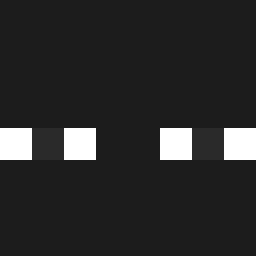
Current Minecraft skin of the player Lenfellow, loaded from the official Mojang API. Rotate the 3D model with your mouse or finger, then download the skin as a PNG file and use it in Minecraft: Bedrock Edition or Java Edition for free. When Lenfellow changes their skin, this page updates automatically and the old skin stays in the history below.

Other players with this skin (1416)
Lenfellow was the 1238th player we have seen with this skin, first spotted on 04.11.2026. The same skin was seen on these players. Open a nickname to see their current skin and skin history.
 Galnado gianminecrafrt12 Callinico_ labiin Dzebo Dushes27 vAilun TheFrancis777 xberlinn eth_mont Eternal4y so__ri SharkKid234 LorenzoLx_ TwitterSlut Diastinn lklkl2323 Yares_Bears __Kabu Noah_the_great52 mully2222 Znalien_Znalien DioguitoPalito L0CX3K EibarAC theonlyeletik gallgers SKnnnY packstyle xXnutriaXx8 sanghyeoni07 shuijiao8 kjh28800 kendou_g MAGUISTICO ape_in_diguise YingyingX jat6__ NightmareGear0 Rozzzyy_ Alexander_Maxim flamydust C0SMAY WanYagami woodenman SwishyX4 ND_Quicker Jude715blue Icelime24 Miracle_Man14 siftwo Rdmguy0 rusticthread O_voidd Black7985 nnnnbckhnb __Skrills__ xXalegmXx Fontoura_Juninho Kdrat
How to install the Lenfellow skin
- Press the Download button above to save the skin as a PNG file.
- Minecraft: Bedrock Edition (PE): open the Dressing Room from the main menu (or tap your character → Edit Character), go to Classic Skins → Owned, press the + (new skin) button, choose the downloaded PNG and pick the Classic (Steve) model. Works on PC and mobile; consoles cannot import custom skins.
- Minecraft: Java Edition: open the Minecraft Launcher, go to the Skins tab, click New Skin, load the PNG, pick the Classic (Steve) model and press Save & Use. You can also upload it at minecraft.net → Profile → Change Skin.
The skin does not show up after import - what should I do?
Restart Minecraft and open the Dressing Room again - imported skins sometimes appear only after a restart. Also make sure you selected the imported skin and picked the Classic (Steve) model.
Which model should I choose, Classic or Slim?
This skin is designed for the Classic (Steve) model. If you pick the wrong model, the arms of the skin will look stretched or squeezed.
Is the skin of Lenfellow free to download?
Yes. Press Download, save the PNG file and use it in Minecraft: Bedrock Edition or Java Edition - no payment or registration needed. The skin also works on multiplayer servers and Realms.
More skins
Looking for more? Go back to all Minecraft skins and check the top skins of the week, month and all time, or find any player's skin by nickname.