
LeneLama - Minecraft Skins & Skin History
Current Minecraft skin of the player LeneLama, loaded from the official Mojang API. Rotate the 3D model with your mouse or finger, then download the skin as a PNG file and use it in Minecraft: Bedrock Edition or Java Edition for free. When LeneLama changes their skin, this page updates automatically and the old skin stays in the history below.
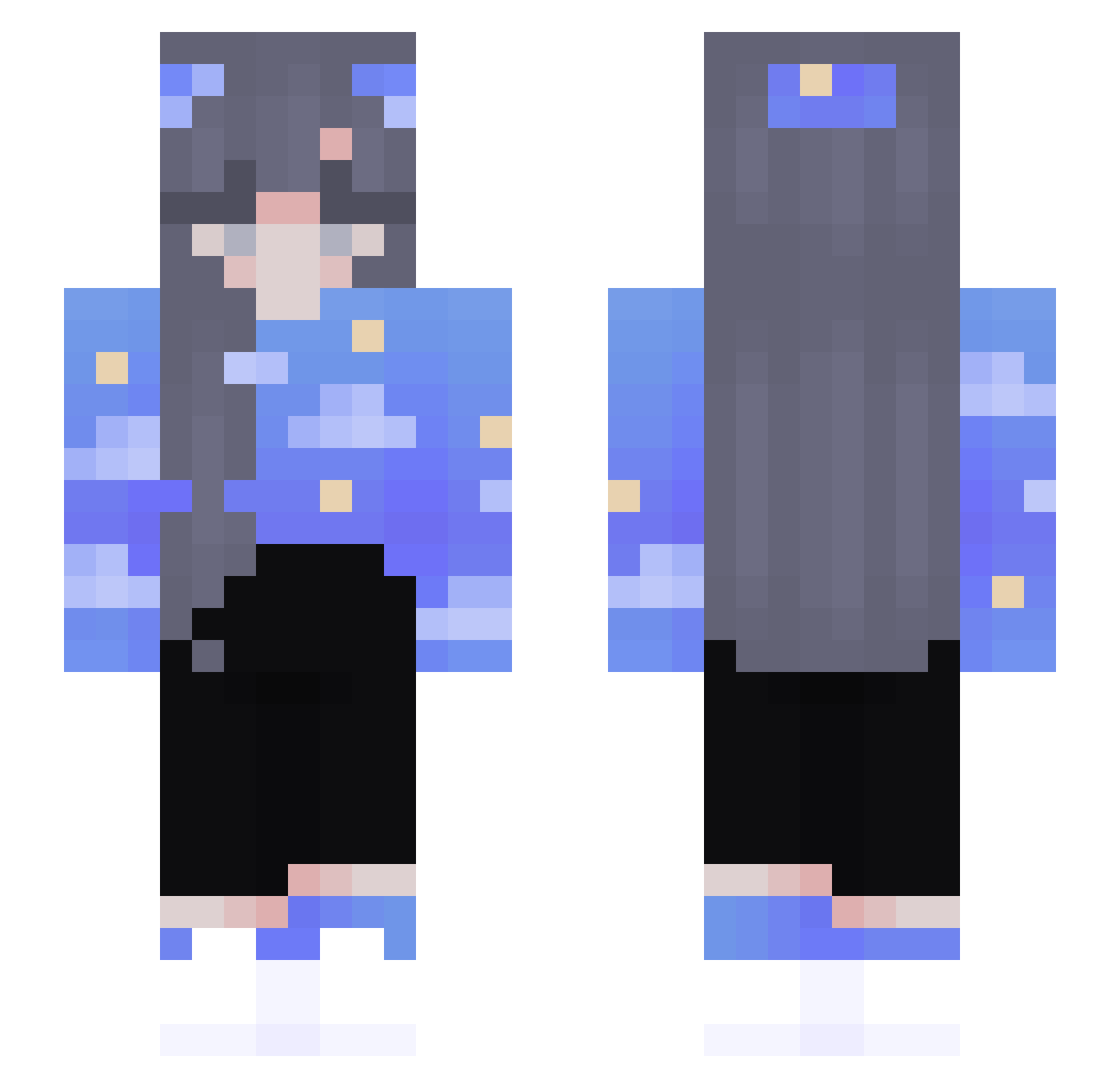
Other players with this skin (132)
LeneLama was the 65th player we have seen with this skin, first spotted on 10.09.2026. The same skin was seen on these players. Open a nickname to see their current skin and skin history.
 fishing4pisces feliciasophie03 Floryaaa nxnchen sbserendipity rPo3HbIu_CoCoK EriNaNa15 Lesmy Nienna_25 Hornti IanZo Bonbelf xinahouse SmexyEgirl Aidrew KraapzY TinaDay Steal013 CanetaLazuli DOS_1 Nabila13 AssassinPlayer YoungM_ Homare51 cosmobuy1 abbeyaru CresentMoon64 _EcoWithC InfinityX2 Jayden_228 LeSlipDeNemo dusixia Norrica LightPanda27 JimboHvH_NN Antxnellaaaa Mangotangoo13 MrsMoonLight_ AcTT2225 JulieBaka PizzaObsessed ANGEL_LIKA oziilowa disslike Tristy_Boss Shokoladka1 pistastic ShadowSlayer2622 MiXsis lulwaalkuwari Mox272 s0rah_ BabyGiraffe20 Ravengirl_1702 Sofiea2005 L_4700 Godventi GoldenBadgerr xisa2xx songuri
More Sky Minecraft skins
How to install the LeneLama skin
- Press the Download button above to save the skin as a PNG file.
- Minecraft: Bedrock Edition (PE): open the Dressing Room from the main menu (or tap your character → Edit Character), go to Classic Skins → Owned, press the + (new skin) button, choose the downloaded PNG and pick the Slim (Alex) model. Works on PC and mobile; consoles cannot import custom skins.
- Minecraft: Java Edition: open the Minecraft Launcher, go to the Skins tab, click New Skin, load the PNG, pick the Slim (Alex) model and press Save & Use. You can also upload it at minecraft.net → Profile → Change Skin.
The skin does not show up after import - what should I do?
Restart Minecraft and open the Dressing Room again - imported skins sometimes appear only after a restart. Also make sure you selected the imported skin and picked the Slim (Alex) model.
Which model should I choose, Classic or Slim?
This skin is designed for the Slim (Alex) model. If you pick the wrong model, the arms of the skin will look stretched or squeezed.
Is the skin of LeneLama free to download?
Yes. Press Download, save the PNG file and use it in Minecraft: Bedrock Edition or Java Edition - no payment or registration needed. The skin also works on multiplayer servers and Realms.
More skins
Looking for more? Go back to all Minecraft skins and check the top skins of the week, month and all time, or find any player's skin by nickname.