
Lenacha - Minecraft Skins & Skin History
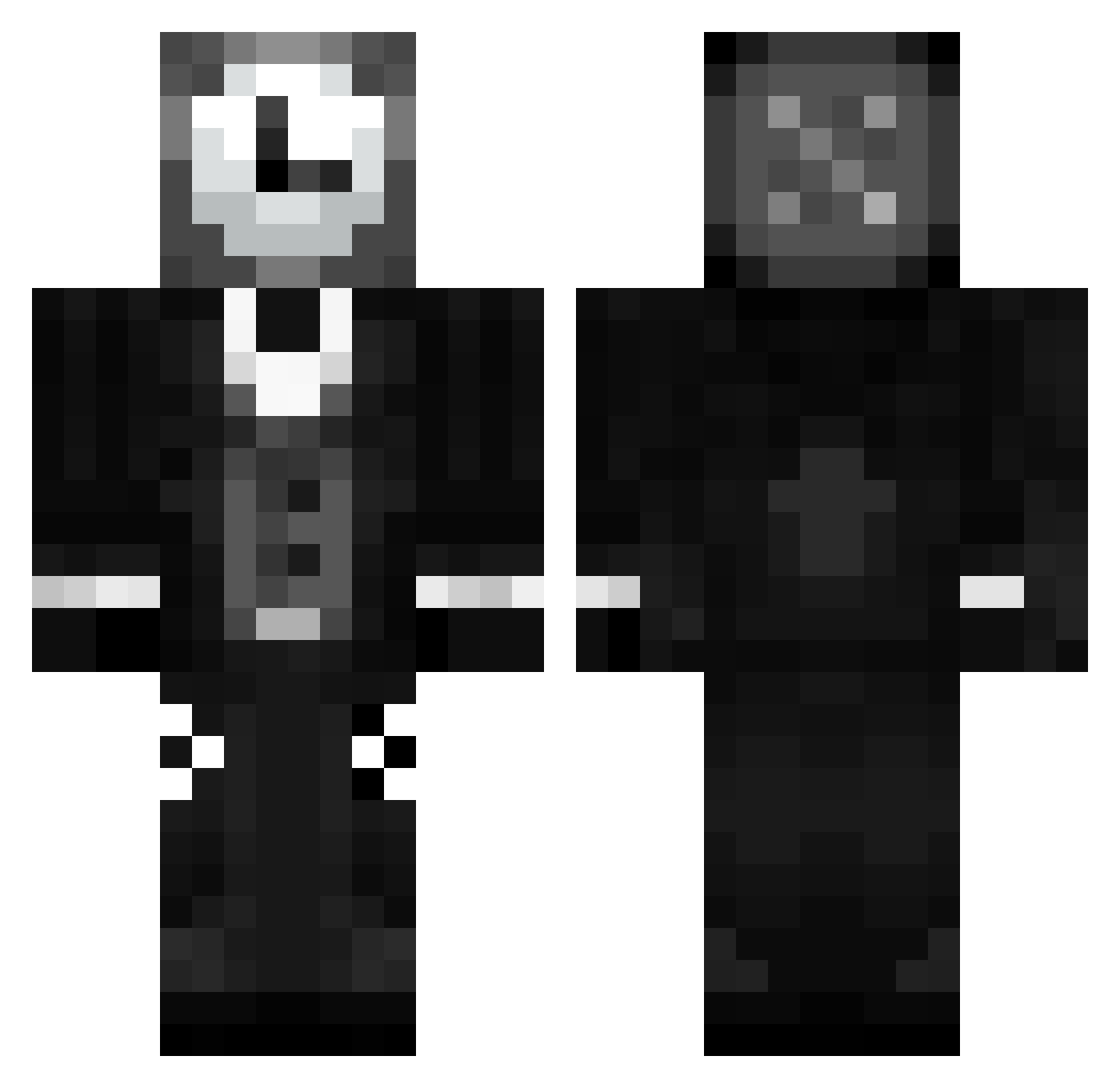
Current Minecraft skin of the player Lenacha, loaded from the official Mojang API. Rotate the 3D model with your mouse or finger, then download the skin as a PNG file and use it in Minecraft: Bedrock Edition or Java Edition for free. When Lenacha changes their skin, this page updates automatically and the old skin stays in the history below.
Other players with this skin (111)
Lenacha was the 55th player we have seen with this skin, first spotted on 15.09.2026. The same skin was seen on these players. Open a nickname to see their current skin and skin history.
 Recker0203 Novakhi monocrow_0121 SrChroma Kaito455 ZOCI3TY ShiWonWan Yveris Eagle4678 Pretoriancz5828 JohnRagebait LordUltron DarkNightXd LuchoTobi shark10158 Drose1723 stardew2444 CathyYao magicgiran NotMocha_ liloppi8 lowkey_crazy MrTime16 Immortal_Strike Althread mustard_yum LegacyDTA RBlanket
 mrdp06 mrgecko4076 Bursny MasterGoodDeluxe Fidrux The_Potato4 Shadow_x99 DeOldBritGamer Melonness Paxorus_ Bcrimsix Segil 4xse WitherOG XVoid977 JustOreoHere MatEZ_777 UrClips Astravionis SirWawann morgan1024 javi2473
 OSeuMano7 MervillesSon Fotij MadBoi_Brian Will_247 is54 Malthepsg reigaa_2112 HALO2475744
 QwertyKeyboarts
More Clock Head Minecraft skins
How to install the Lenacha skin
- Press the Download button above to save the skin as a PNG file.
- Minecraft: Bedrock Edition (PE): open the Dressing Room from the main menu (or tap your character → Edit Character), go to Classic Skins → Owned, press the + (new skin) button, choose the downloaded PNG and pick the Classic (Steve) model. Works on PC and mobile; consoles cannot import custom skins.
- Minecraft: Java Edition: open the Minecraft Launcher, go to the Skins tab, click New Skin, load the PNG, pick the Classic (Steve) model and press Save & Use. You can also upload it at minecraft.net → Profile → Change Skin.
The skin does not show up after import - what should I do?
Restart Minecraft and open the Dressing Room again - imported skins sometimes appear only after a restart. Also make sure you selected the imported skin and picked the Classic (Steve) model.
Which model should I choose, Classic or Slim?
This skin is designed for the Classic (Steve) model. If you pick the wrong model, the arms of the skin will look stretched or squeezed.
Is the skin of Lenacha free to download?
Yes. Press Download, save the PNG file and use it in Minecraft: Bedrock Edition or Java Edition - no payment or registration needed. The skin also works on multiplayer servers and Realms.
More skins
Looking for more? Go back to all Minecraft skins and check the top skins of the week, month and all time, or find any player's skin by nickname.