
LenMc - Minecraft Skins & Skin History
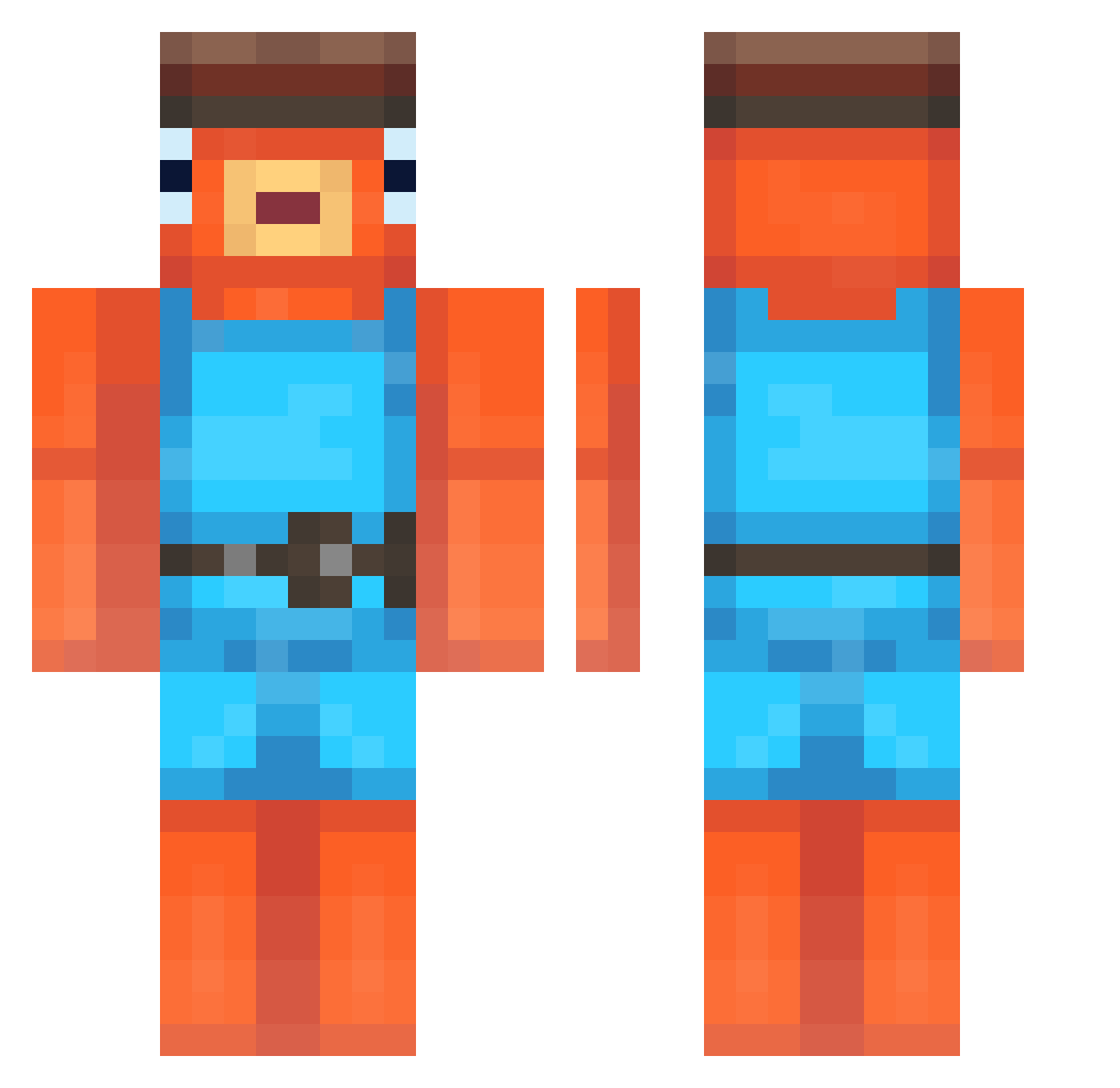
Current Minecraft skin of the player LenMc, loaded from the official Mojang API. Rotate the 3D model with your mouse or finger, then download the skin as a PNG file and use it in Minecraft: Bedrock Edition or Java Edition for free. When LenMc changes their skin, this page updates automatically and the old skin stays in the history below.
Other players with this skin (248)
LenMc was the 229th player we have seen with this skin, first spotted on 25.10.2026. The same skin was seen on these players. Open a nickname to see their current skin and skin history.
 nopenopenopenoah ZSIER Justux08 JCB_SK1 duhurensoh Arse_non Tanerku23 Zenziee Milo1827 zwooty Awesomefcyt Anthill69 IchEsseNudeln FAZE_botABC123 KUKE124 slakie00 FoxxBorg Sawyer2Cold fufuss vinticit LucasVire Litrius5 igotw Gamirer GaseousWave6151 LugaMD Jhune_ Benno242 _snow_fish_ Bryx_1x Juelpod Scout_is_cool Bluestar_99 vibingakifree Yacoub_LeBg ToonyIsShort Niclas2007 Fr3d___ Stov3ee Jerryharry46 fishy_4812 MidouZz Smithso11 Aspectttt1212 TraitorMatt moru_moru10 Equilibrious M0TH_MA5TER_DAN B1gB3an Shamxful SaberWado your_m0m06 Fishyman1 Littlestjeff111 Tpebor TREVNZ GusTheGroundhog eyaldeby spasi_konik discountfish191
More Fishstick Minecraft skins
How to install the LenMc skin
- Press the Download button above to save the skin as a PNG file.
- Minecraft: Bedrock Edition (PE): open the Dressing Room from the main menu (or tap your character → Edit Character), go to Classic Skins → Owned, press the + (new skin) button, choose the downloaded PNG and pick the Classic (Steve) model. Works on PC and mobile; consoles cannot import custom skins.
- Minecraft: Java Edition: open the Minecraft Launcher, go to the Skins tab, click New Skin, load the PNG, pick the Classic (Steve) model and press Save & Use. You can also upload it at minecraft.net → Profile → Change Skin.
The skin does not show up after import - what should I do?
Restart Minecraft and open the Dressing Room again - imported skins sometimes appear only after a restart. Also make sure you selected the imported skin and picked the Classic (Steve) model.
Which model should I choose, Classic or Slim?
This skin is designed for the Classic (Steve) model. If you pick the wrong model, the arms of the skin will look stretched or squeezed.
Is the skin of LenMc free to download?
Yes. Press Download, save the PNG file and use it in Minecraft: Bedrock Edition or Java Edition - no payment or registration needed. The skin also works on multiplayer servers and Realms.
More skins
Looking for more? Go back to all Minecraft skins and check the top skins of the week, month and all time, or find any player's skin by nickname.