
Lehm_von_Wald - Minecraft Skins & Skin History
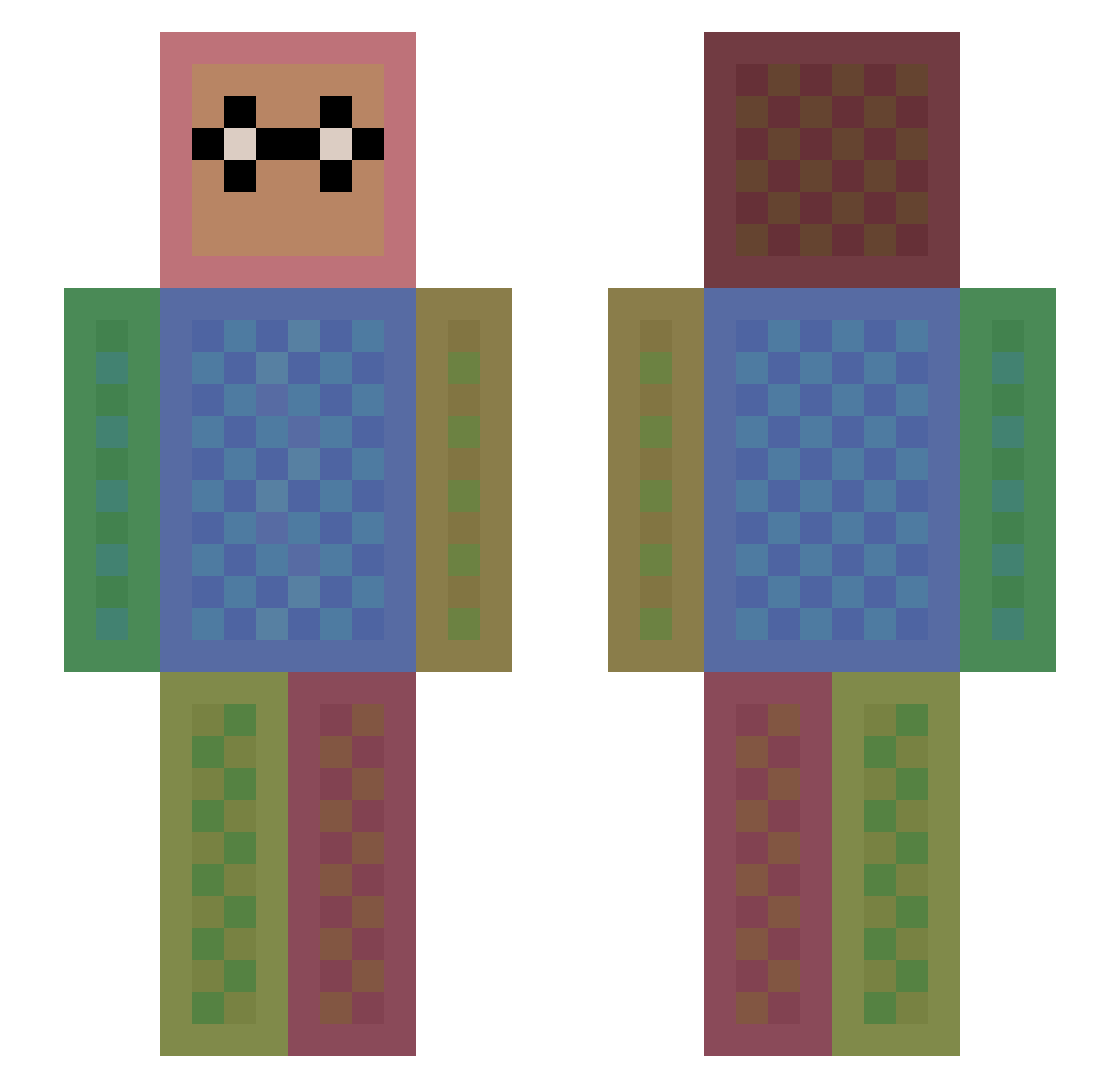
Current Minecraft skin of the player Lehm_von_Wald, loaded from the official Mojang API. Rotate the 3D model with your mouse or finger, then download the skin as a PNG file and use it in Minecraft: Bedrock Edition or Java Edition for free. When Lehm_von_Wald changes their skin, this page updates automatically and the old skin stays in the history below.
Other players with this skin (1475)
Lehm_von_Wald was the 1114th player we have seen with this skin, first spotted on 18.10.2026. The same skin was seen on these players. Open a nickname to see their current skin and skin history.
 LiviandJayda ahmad_alazmi Enguerrand33 firered2206 Maxi2go jacimmellow Mistacut starbarry Araton99 Rascooool misterpok_ StillOnTheAir ganginoutvv Branchetti fryzi12 Dadoug CoolManJoe2008 nixcheck emojiprincess MWboss CHALLANGER10000 wweextreme10 UniversalCorn Robbie224 Mitrelda Seapower4 CaptainBatman09 GVCoolKid caden0164 Tobba123 Floby11 Theminecra AlexanderBustos fedorp bloedie ilovejango swagpie2005 vodnevmisha Stonehead1208 PyroBoy1000 RPhLoh Prilm tntman_2018 BlueShoe866 olleCR7 DOHYUN2009 EMILY1007 Space_Wulf Jax0920 soya__ azukikmmjp thinkx601 crescent3110 leve99 devinecraft22 minecraft183 mamochop KISINBOOX TimChicken28 STATIC_GAMING
How to install the Lehm_von_Wald skin
- Press the Download button above to save the skin as a PNG file.
- Minecraft: Bedrock Edition (PE): open the Dressing Room from the main menu (or tap your character → Edit Character), go to Classic Skins → Owned, press the + (new skin) button, choose the downloaded PNG and pick the Slim (Alex) model. Works on PC and mobile; consoles cannot import custom skins.
- Minecraft: Java Edition: open the Minecraft Launcher, go to the Skins tab, click New Skin, load the PNG, pick the Slim (Alex) model and press Save & Use. You can also upload it at minecraft.net → Profile → Change Skin.
The skin does not show up after import - what should I do?
Restart Minecraft and open the Dressing Room again - imported skins sometimes appear only after a restart. Also make sure you selected the imported skin and picked the Slim (Alex) model.
Which model should I choose, Classic or Slim?
This skin is designed for the Slim (Alex) model. If you pick the wrong model, the arms of the skin will look stretched or squeezed.
Is the skin of Lehm_von_Wald free to download?
Yes. Press Download, save the PNG file and use it in Minecraft: Bedrock Edition or Java Edition - no payment or registration needed. The skin also works on multiplayer servers and Realms.
More skins
Looking for more? Go back to all Minecraft skins and check the top skins of the week, month and all time, or find any player's skin by nickname.