
Legionvr - Minecraft Skins & Skin History
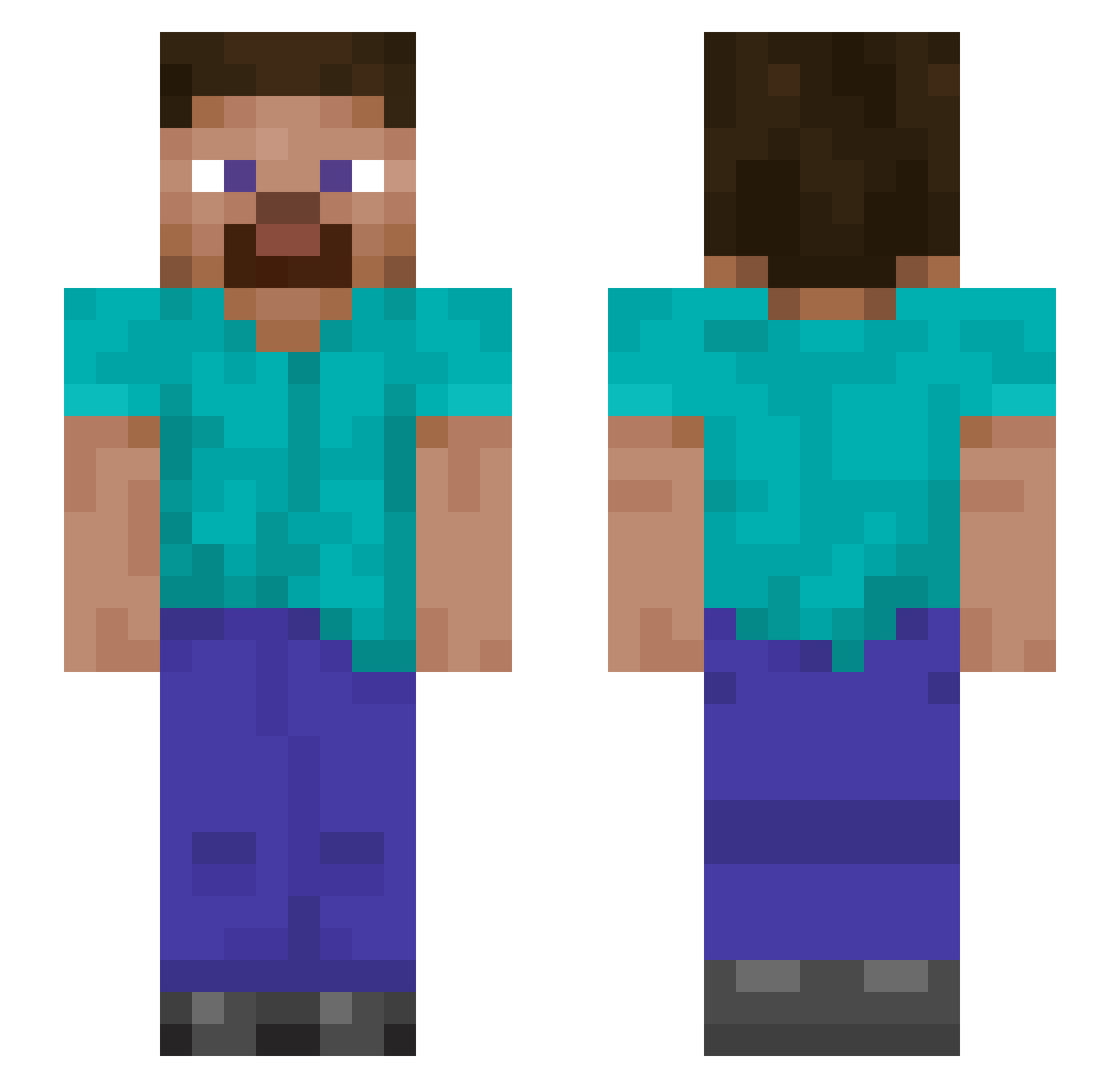
Current Minecraft skin of the player Legionvr, loaded from the official Mojang API. Rotate the 3D model with your mouse or finger, then download the skin as a PNG file and use it in Minecraft: Bedrock Edition or Java Edition for free. When Legionvr changes their skin, this page updates automatically and the old skin stays in the history below.
Other players with this skin (1276)
Legionvr was the 1252nd player we have seen with this skin, first spotted on 18.11.2026. The same skin was seen on these players. Open a nickname to see their current skin and skin history.
 Von1910 slaforce MAMROCIK Kentominecraft2 Gaeliito33 TheDr0t logtechno HeartbreakJake TecnoTofi DavidDobric IMH314 Ghosstling karolek21371 notchqwp CRAFTERbro123846 Semrig FrostlessIce skyfairy7 CamTheMan999 Enederman ZZZZXW 2yea Badboybirch6 ZygardeZz drwj Peregrine2012 Mert04 inevitable767 Azagog69 LUFF211 wucccc Jonny00107 KripplaKahn Nachtigall_07 SecretAgentRhys LightningTank Zephrflux joe0090 GodeBr krbon GarTzeS MongGuSS 03220322 Pandorious TheTrueSpud Demented_Panda FaZeKid82 Brodiehross KenshiRaian PhoenixBLaKe1218 Elijah0001 HugoCCT GUNSforlife SuiYe_233 yairgr15 qd213 Radiation_Joe PZF910 deampman MineFox6
How to install the Legionvr skin
- Press the Download button above to save the skin as a PNG file.
- Minecraft: Bedrock Edition (PE): open the Dressing Room from the main menu (or tap your character → Edit Character), go to Classic Skins → Owned, press the + (new skin) button, choose the downloaded PNG and pick the Slim (Alex) model. Works on PC and mobile; consoles cannot import custom skins.
- Minecraft: Java Edition: open the Minecraft Launcher, go to the Skins tab, click New Skin, load the PNG, pick the Slim (Alex) model and press Save & Use. You can also upload it at minecraft.net → Profile → Change Skin.
The skin does not show up after import - what should I do?
Restart Minecraft and open the Dressing Room again - imported skins sometimes appear only after a restart. Also make sure you selected the imported skin and picked the Slim (Alex) model.
Which model should I choose, Classic or Slim?
This skin is designed for the Slim (Alex) model. If you pick the wrong model, the arms of the skin will look stretched or squeezed.
Is the skin of Legionvr free to download?
Yes. Press Download, save the PNG file and use it in Minecraft: Bedrock Edition or Java Edition - no payment or registration needed. The skin also works on multiplayer servers and Realms.
More skins
Looking for more? Go back to all Minecraft skins and check the top skins of the week, month and all time, or find any player's skin by nickname.