
LeftEast - Minecraft Skins & Skin History
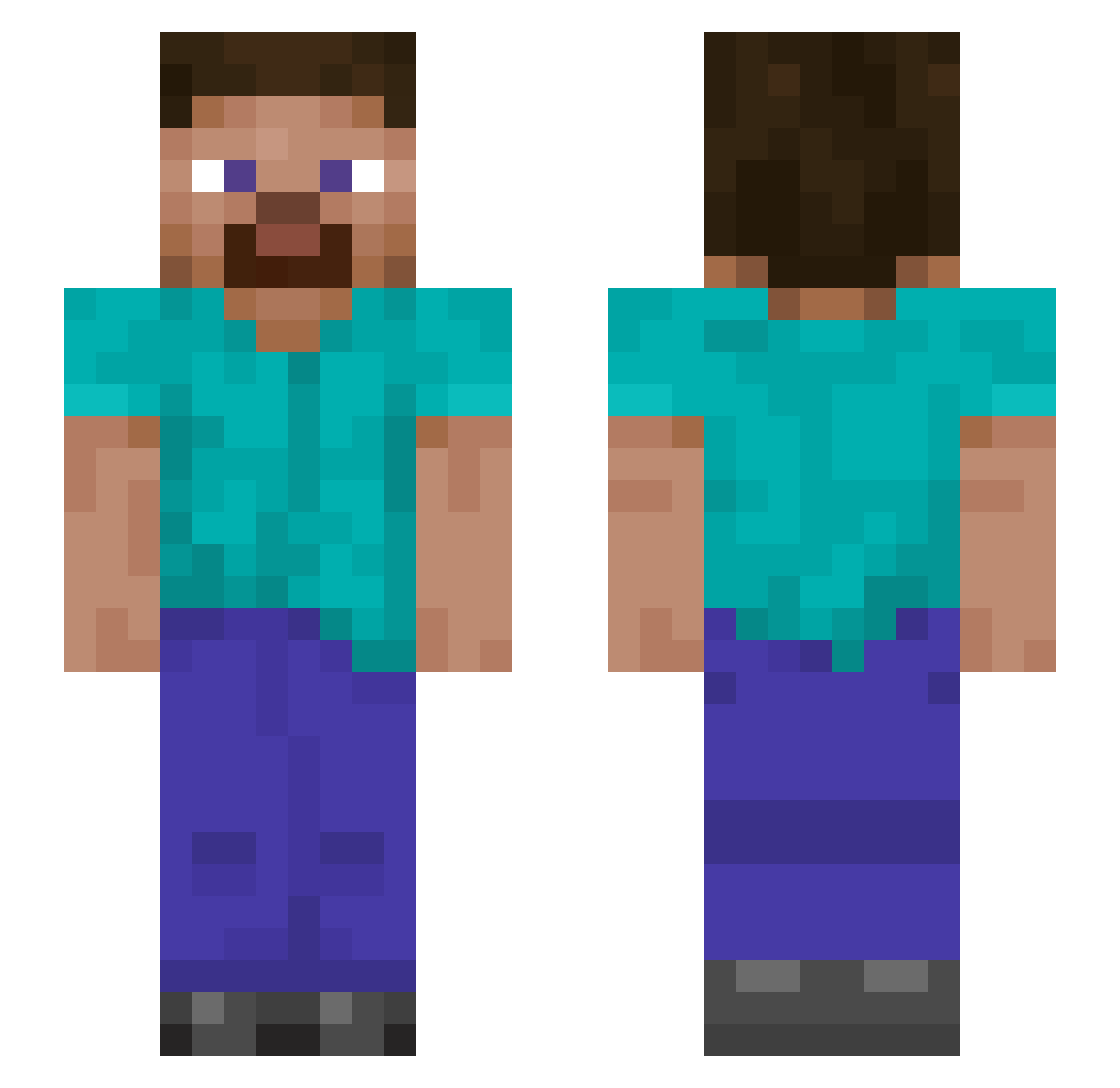
Current Minecraft skin of the player LeftEast, loaded from the official Mojang API. Rotate the 3D model with your mouse or finger, then download the skin as a PNG file and use it in Minecraft: Bedrock Edition or Java Edition for free. When LeftEast changes their skin, this page updates automatically and the old skin stays in the history below.
Other players with this skin (892)
LeftEast was the 295th player we have seen with this skin, first spotted on 25.08.2026. The same skin was seen on these players. Open a nickname to see their current skin and skin history.
 RoseyBubble blueboy5550 Seth5935 EthanExtra ppppppppppppkkkk YerrBadd ilvuitri Rockypiggy UnlicensedGuide Jerry_scotti_ Frzeemoon Gaddis101Cody MILTIM66 Halgar1 TrumanFR Milerbolt MaybeLYJ No906 odind0g IABLONI Bretserra TNXrayz grimrichman Beebno Baltoglu watwcsh
 darelsita Kazami117 Spytrem Erlsamurai xKingCraft_x WindChill324 Lambo2932 Fitz518 Esbont NatDas JonjoShelvey8 Kilojuul Brammyboi1 Comboxiii BlackHatSlacker harrisjr byipek jesscons Zavalonga NimmaNL tlyonator Hermes200112 AngryWarrior665 Kaiser_Rektor kurtwrench slydogg65 backhando lee0110 LukicalHQ baixinomaislindo Sythixe marginalx11 AbbotandCostello cowking76
How to install the LeftEast skin
- Press the Download button above to save the skin as a PNG file.
- Minecraft: Bedrock Edition (PE): open the Dressing Room from the main menu (or tap your character → Edit Character), go to Classic Skins → Owned, press the + (new skin) button, choose the downloaded PNG and pick the Slim (Alex) model. Works on PC and mobile; consoles cannot import custom skins.
- Minecraft: Java Edition: open the Minecraft Launcher, go to the Skins tab, click New Skin, load the PNG, pick the Slim (Alex) model and press Save & Use. You can also upload it at minecraft.net → Profile → Change Skin.
The skin does not show up after import - what should I do?
Restart Minecraft and open the Dressing Room again - imported skins sometimes appear only after a restart. Also make sure you selected the imported skin and picked the Slim (Alex) model.
Which model should I choose, Classic or Slim?
This skin is designed for the Slim (Alex) model. If you pick the wrong model, the arms of the skin will look stretched or squeezed.
Is the skin of LeftEast free to download?
Yes. Press Download, save the PNG file and use it in Minecraft: Bedrock Edition or Java Edition - no payment or registration needed. The skin also works on multiplayer servers and Realms.
More skins
Looking for more? Go back to all Minecraft skins and check the top skins of the week, month and all time, or find any player's skin by nickname.