
Learto123 - Minecraft Skins & Skin History
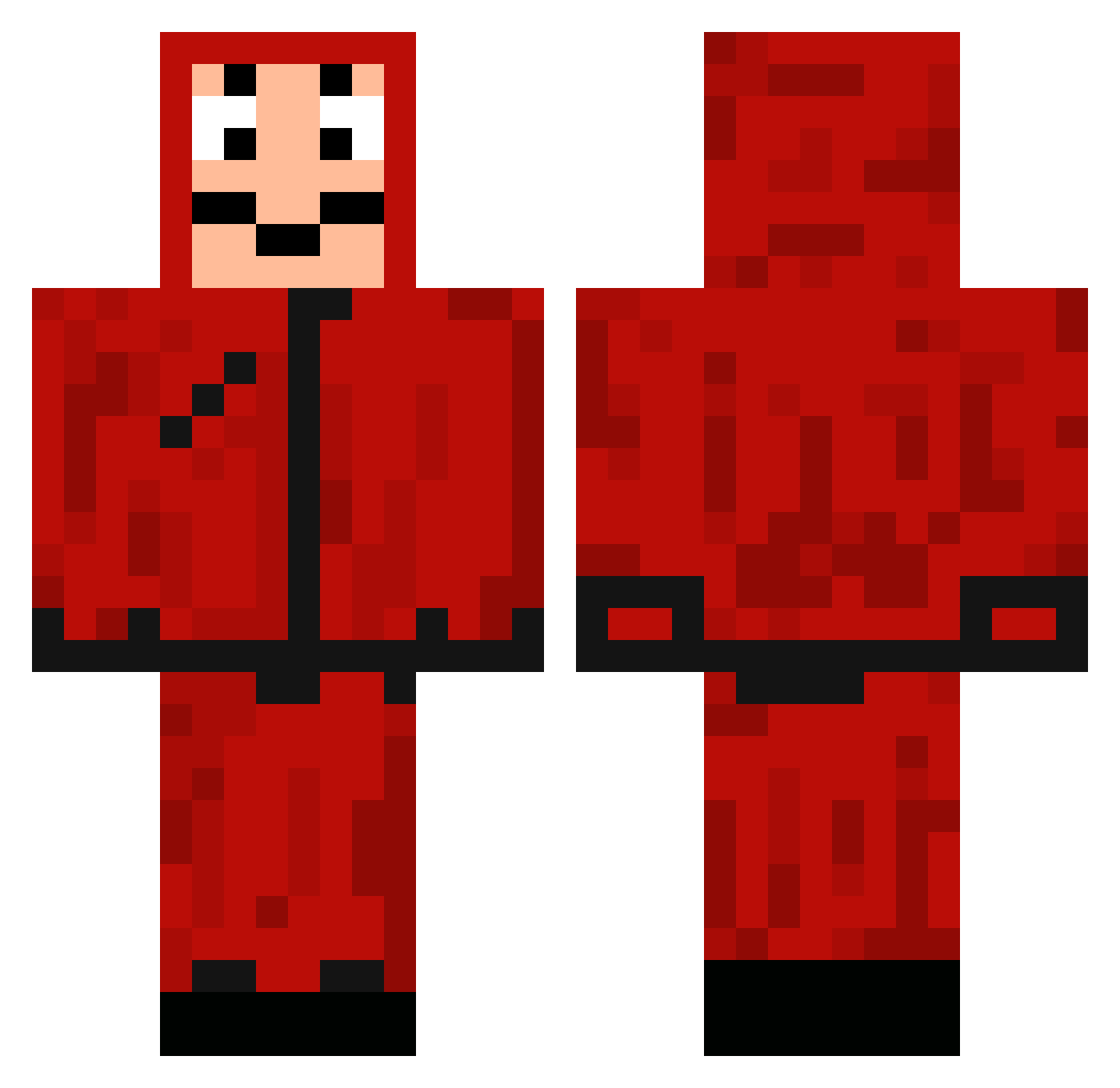
Current Minecraft skin of the player Learto123, loaded from the official Mojang API. Rotate the 3D model with your mouse or finger, then download the skin as a PNG file and use it in Minecraft: Bedrock Edition or Java Edition for free. When Learto123 changes their skin, this page updates automatically and the old skin stays in the history below.
Other players with this skin (106)
Learto123 was the 49th player we have seen with this skin, first spotted on 03.09.2026. The same skin was seen on these players. Open a nickname to see their current skin and skin history.
 Semvanbussel023 BrunoSteglich SAKAI_64 Alex17_08 zorkley007 RagnaRY LemonTaste97 mazen_o CypriMDR Plesaty Farghlyy 0zzil Boqqen gameskiller495 PROJECTreLax Not_Dash fairlymarry Benni5786 P4ND1N chien_le_daramy Handsomedust AMGD giordyclap SpaceMonkey1897 Slipou31 eu_como_batata DrChoripan Markote11 Emixam_DL SavageRiot PtE_Gucci Leandre_l __DirectRock__ BassieP RNSslayer LoulouKrash zgeng00 thecodegold Nasser1122 AC_Lucas tenDersnow SupeR_BocK_ Kilvens Ryuk0911 ThiagoCaldasBuss KeNaNisTan nabetto xRawny tinho69 lShenZhenl nicorcs amitt2008 Inwereth MATTIADJ Mr_Mono Mousques TewFast Helorean666 Loukyys Fedey
More Dali Mask Minecraft skins
How to install the Learto123 skin
- Press the Download button above to save the skin as a PNG file.
- Minecraft: Bedrock Edition (PE): open the Dressing Room from the main menu (or tap your character → Edit Character), go to Classic Skins → Owned, press the + (new skin) button, choose the downloaded PNG and pick the Classic (Steve) model. Works on PC and mobile; consoles cannot import custom skins.
- Minecraft: Java Edition: open the Minecraft Launcher, go to the Skins tab, click New Skin, load the PNG, pick the Classic (Steve) model and press Save & Use. You can also upload it at minecraft.net → Profile → Change Skin.
The skin does not show up after import - what should I do?
Restart Minecraft and open the Dressing Room again - imported skins sometimes appear only after a restart. Also make sure you selected the imported skin and picked the Classic (Steve) model.
Which model should I choose, Classic or Slim?
This skin is designed for the Classic (Steve) model. If you pick the wrong model, the arms of the skin will look stretched or squeezed.
Is the skin of Learto123 free to download?
Yes. Press Download, save the PNG file and use it in Minecraft: Bedrock Edition or Java Edition - no payment or registration needed. The skin also works on multiplayer servers and Realms.
More skins
Looking for more? Go back to all Minecraft skins and check the top skins of the week, month and all time, or find any player's skin by nickname.