
Le_Robz - Minecraft Skins & Skin History
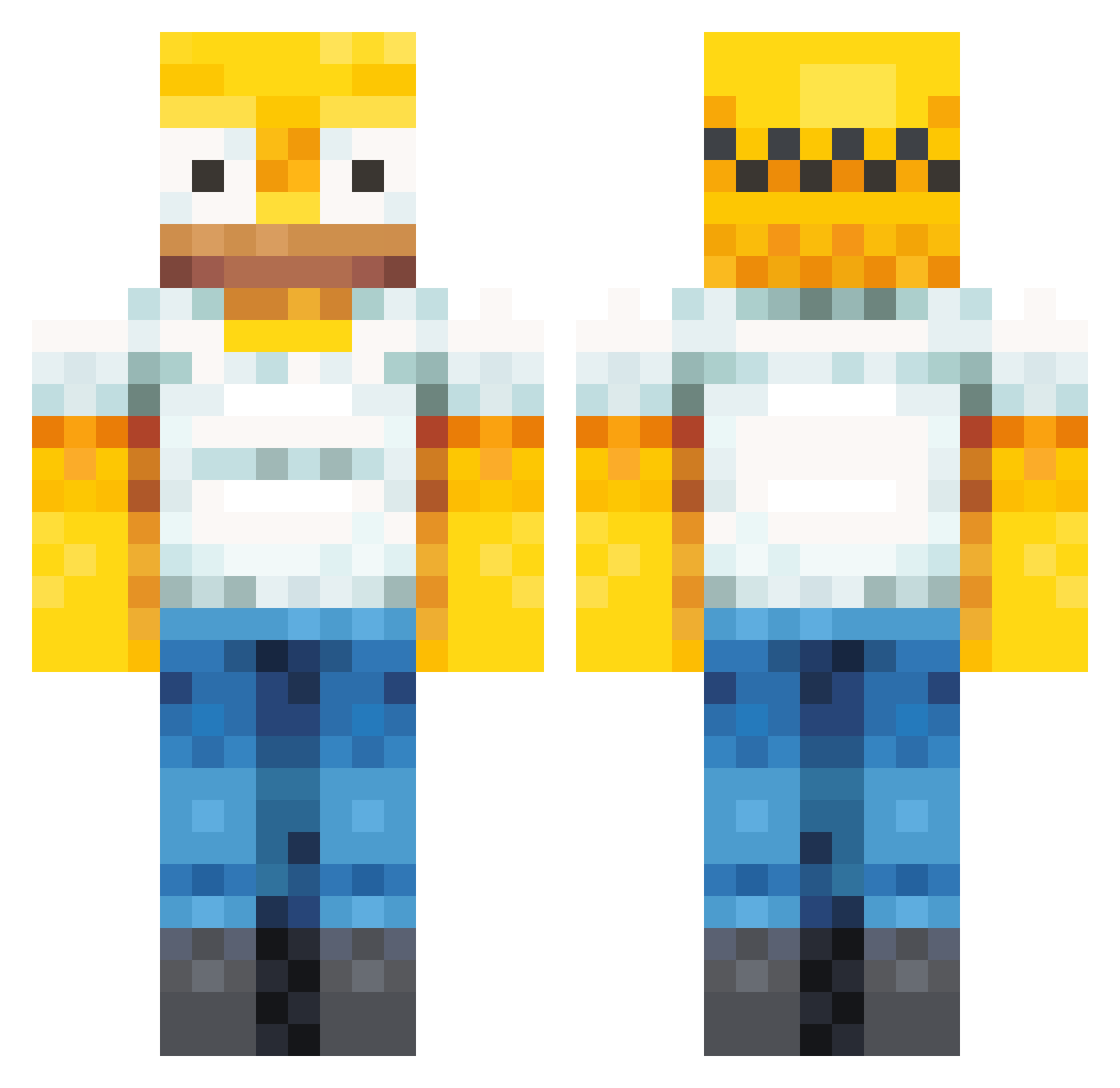
Current Minecraft skin of the player Le_Robz, loaded from the official Mojang API. Rotate the 3D model with your mouse or finger, then download the skin as a PNG file and use it in Minecraft: Bedrock Edition or Java Edition for free. When Le_Robz changes their skin, this page updates automatically and the old skin stays in the history below.
Other players with this skin (358)
Le_Robz was the 138th player we have seen with this skin, first spotted on 28.08.2026. The same skin was seen on these players. Open a nickname to see their current skin and skin history.
 BandoJoe97 CMDsquared98 9LAX CaldAshby Not_Mini_ Osaka_KENTA thy_barto Spheryc terpchirp yaboiaffan TilmansMama CowboyRagean ikhebhonger69 dormioMC GuiSeco mess591 daniboi4552 ELEV11S David0z2 CMXMineBlaster fatboyjerry3 rguz27 ZomZag GOOSE_BILL AoTheBeast MugiShow SeppiaPigra77 C0NEEEE dutrois182 illacent TripShoes pockadite LeoAraya22 xNuno spool6621 Tojasahne OMGgamer951 juf13 SjonnieTapper KampfKeksL Stressfrei64exe EdgeDaddy bootaycheeks SwaLaste MackyOwo Slikkoh BaggonicXx ham0023 eqkco BADeany CLM5Y Keagan_Fr CoStArIcAJJ TomatenKopf3000 Cloverrrrr_ MinouTOTO _ThePainkiller Chgameryay GravyTub ArroWnegaN
More Homer Simpson Minecraft skins
See all 284 Homer Simpson skins
How to install the Le_Robz skin
- Press the Download button above to save the skin as a PNG file.
- Minecraft: Bedrock Edition (PE): open the Dressing Room from the main menu (or tap your character → Edit Character), go to Classic Skins → Owned, press the + (new skin) button, choose the downloaded PNG and pick the Classic (Steve) model. Works on PC and mobile; consoles cannot import custom skins.
- Minecraft: Java Edition: open the Minecraft Launcher, go to the Skins tab, click New Skin, load the PNG, pick the Classic (Steve) model and press Save & Use. You can also upload it at minecraft.net → Profile → Change Skin.
The skin does not show up after import - what should I do?
Restart Minecraft and open the Dressing Room again - imported skins sometimes appear only after a restart. Also make sure you selected the imported skin and picked the Classic (Steve) model.
Which model should I choose, Classic or Slim?
This skin is designed for the Classic (Steve) model. If you pick the wrong model, the arms of the skin will look stretched or squeezed.
Is the skin of Le_Robz free to download?
Yes. Press Download, save the PNG file and use it in Minecraft: Bedrock Edition or Java Edition - no payment or registration needed. The skin also works on multiplayer servers and Realms.
More skins
Looking for more? Go back to all Minecraft skins and check the top skins of the week, month and all time, or find any player's skin by nickname.