
LeSAMMARI - Minecraft Skins & Skin History
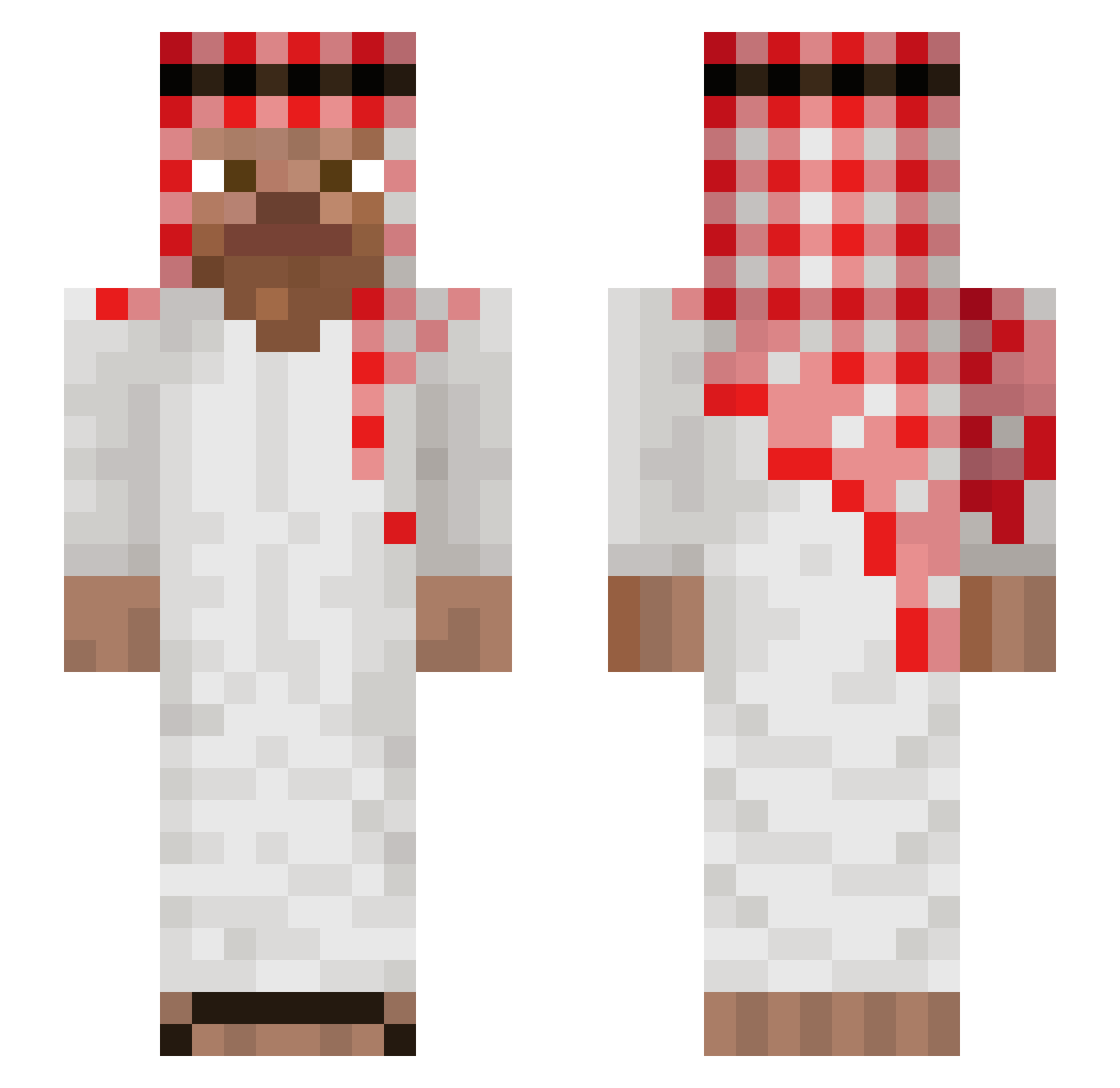
Current Minecraft skin of the player LeSAMMARI, loaded from the official Mojang API. Rotate the 3D model with your mouse or finger, then download the skin as a PNG file and use it in Minecraft: Bedrock Edition or Java Edition for free. When LeSAMMARI changes their skin, this page updates automatically and the old skin stays in the history below.
Other players with this skin (1042)
LeSAMMARI was the 645th player we have seen with this skin, first spotted on 01.10.2026. The same skin was seen on these players. Open a nickname to see their current skin and skin history.
 Jonny_311 Calumeum Juratox motitadecalle Kuyyaimak_Pat54m 1Fernando Sneaxyy_ R9422 Denizzi Cla3uudde_x_ 00ktavian sw3rv0h MuntherMj Brunciiik Clear_Ice Ruffen1030 phantome33 SteveLenchanteur momoKca juejue1234 DedeX2977 HubiShusi5773 FopBob Samppa342 Bewya Parraxz Cereale_Avant hch0822 haliloglu31 Wisebroccolie ma537 ElEdush Levinnnnn GigaParuwa420 Igorr07 ToujeniZz Roniin777 HazemZockt Beuzetka Ivan2137 BoomHeadShotXD Shenyinnnn F4IlenGh0st45 papsiu8 mediibita camiloptlw allahuu TommyGLA Floconwyd trotru PoohCena13 jonyexe320 w0jt3qq Imran095 Sh1NqU blizarde Ilovenataliee nugeybear1 1Niksus Ciabbatta__
More Arabic Minecraft skins
How to install the LeSAMMARI skin
- Press the Download button above to save the skin as a PNG file.
- Minecraft: Bedrock Edition (PE): open the Dressing Room from the main menu (or tap your character → Edit Character), go to Classic Skins → Owned, press the + (new skin) button, choose the downloaded PNG and pick the Slim (Alex) model. Works on PC and mobile; consoles cannot import custom skins.
- Minecraft: Java Edition: open the Minecraft Launcher, go to the Skins tab, click New Skin, load the PNG, pick the Slim (Alex) model and press Save & Use. You can also upload it at minecraft.net → Profile → Change Skin.
The skin does not show up after import - what should I do?
Restart Minecraft and open the Dressing Room again - imported skins sometimes appear only after a restart. Also make sure you selected the imported skin and picked the Slim (Alex) model.
Which model should I choose, Classic or Slim?
This skin is designed for the Slim (Alex) model. If you pick the wrong model, the arms of the skin will look stretched or squeezed.
Is the skin of LeSAMMARI free to download?
Yes. Press Download, save the PNG file and use it in Minecraft: Bedrock Edition or Java Edition - no payment or registration needed. The skin also works on multiplayer servers and Realms.
More skins
Looking for more? Go back to all Minecraft skins and check the top skins of the week, month and all time, or find any player's skin by nickname.