
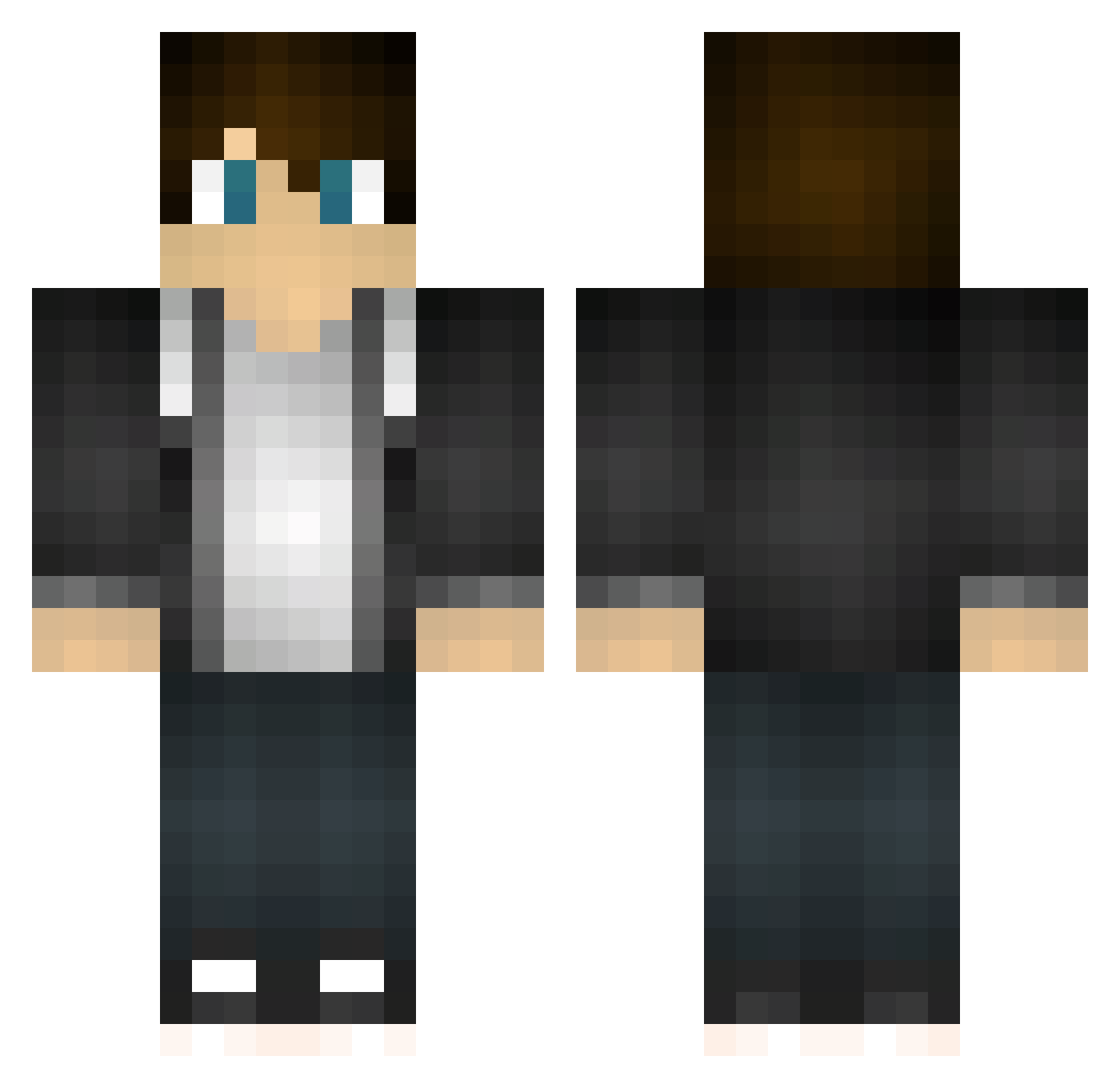
Current Minecraft skin of the player LeOPlaZ, loaded from the official Mojang API. Rotate the 3D model with your mouse or finger, then download the skin as a PNG file and use it in Minecraft: Bedrock Edition or Java Edition for free. When LeOPlaZ changes their skin, this page updates automatically and the old skin stays in the history below.
Other players with this skin (180)
The same skin was seen on these players. Open a nickname to see their current skin and skin history.
 KeetchyTheKing _yann enc9 TJZ_LP Aaronski07 BEASTPLAYA910 OmskYee Awesome_Guy818 isaacsharp147 ObsidianIdle jesuslovesus vlD4mi3n huiyao_ Whoops777 chowza456b EndlessDragon Thehuntsman9000 Cherrie48 Zaracain knuckles5700 TheGothinator97 jorgenkuli UnselfishZebra2 elstjes ThePantherHD Banane_Nick haydenzuazo MyNameIsZane MrLucaAngel DanGotSwag TimmyAnd STL00 Pepsi678 FearTheKittens ShadowG33RS Bakugan_Brawlers miner49er05 Eloblozz Zachattackabc123 Harry_Ben Fazzixx Bierbauch_HD Lucas190803 simenxxx LadenRain821977 Xenroethar Alzehein Modmaster1 Charly_X2 HeyImCal Mqtrix Pavski Kocist BensonYanger CollaMcP SanguineLord Sosvald benenatiTheGreyt MoroccoMole03 Lazlo0o
How to install the LeOPlaZ skin
- Press the Download button above to save the skin as a PNG file.
- Minecraft: Bedrock Edition (PE): open the Dressing Room from the main menu (or tap your character → Edit Character), go to Classic Skins → Owned, press the + (new skin) button, choose the downloaded PNG and pick the Classic (Steve) model. Works on PC and mobile; consoles cannot import custom skins.
- Minecraft: Java Edition: open the Minecraft Launcher, go to the Skins tab, click New Skin, load the PNG, pick the Classic (Steve) model and press Save & Use. You can also upload it at minecraft.net → Profile → Change Skin.
The skin does not show up after import - what should I do?
Restart Minecraft and open the Dressing Room again - imported skins sometimes appear only after a restart. Also make sure you selected the imported skin and picked the Classic (Steve) model.
Which model should I choose, Classic or Slim?
This skin is designed for the Classic (Steve) model. If you pick the wrong model, the arms of the skin will look stretched or squeezed.
Is the skin of LeOPlaZ free to download?
Yes. Press Download, save the PNG file and use it in Minecraft: Bedrock Edition or Java Edition - no payment or registration needed. The skin also works on multiplayer servers and Realms.
More skins
Looking for more? Go back to all Minecraft skins and check the top skins of the week, month and all time, or find any player's skin by nickname.