
Le0N2209 - Minecraft Skins & Skin History
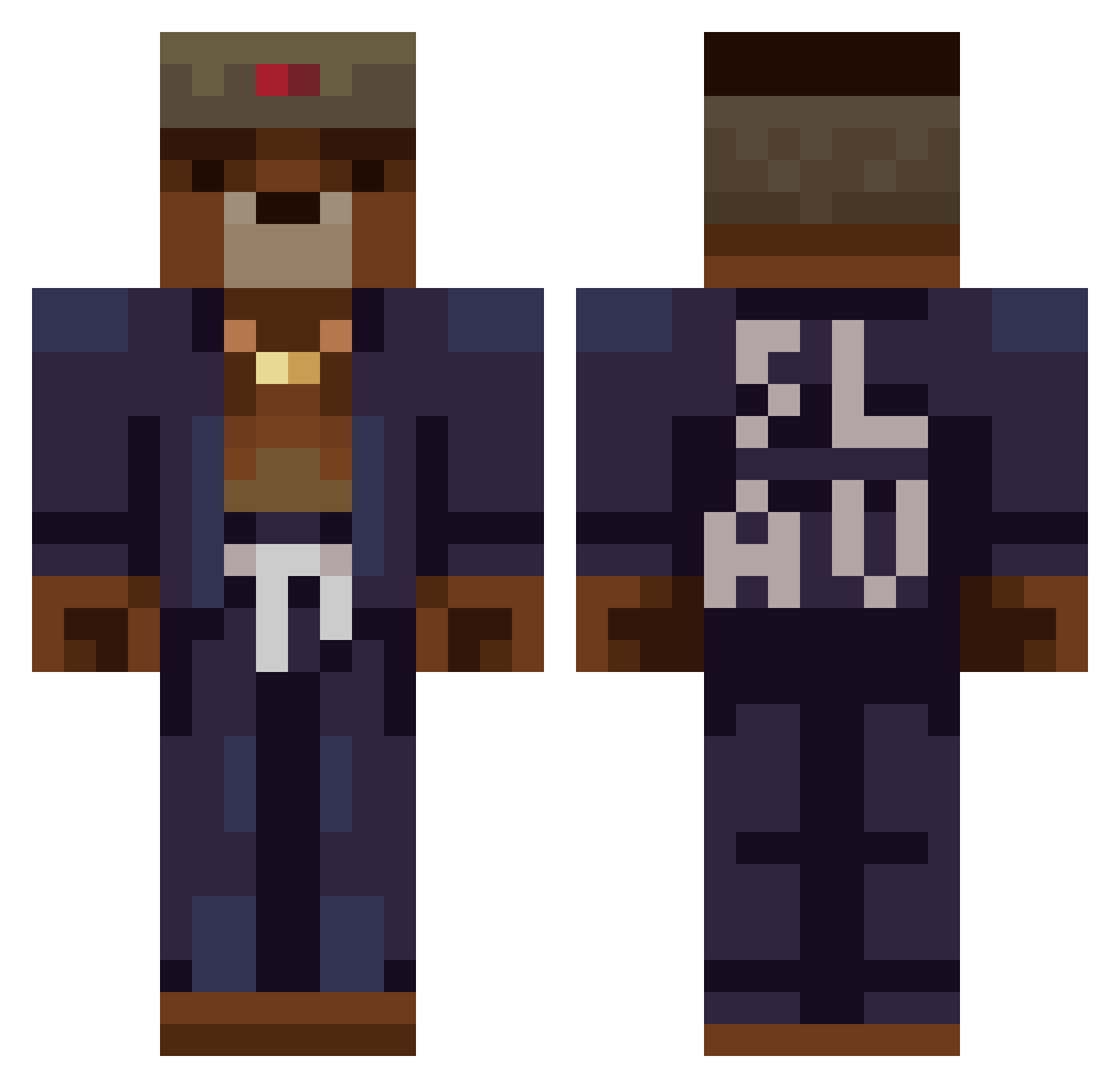
Current Minecraft skin of the player Le0N2209, loaded from the official Mojang API. Rotate the 3D model with your mouse or finger, then download the skin as a PNG file and use it in Minecraft: Bedrock Edition or Java Edition for free. When Le0N2209 changes their skin, this page updates automatically and the old skin stays in the history below.
Other players with this skin (368)
Le0N2209 was the 181st player we have seen with this skin, first spotted on 19.09.2026. The same skin was seen on these players. Open a nickname to see their current skin and skin history.
 Gogelsza Boban9504 XeLoN001 Halalbert Ghosties___ BIGisme12 FouurLeaf YoungJabba70 Danieljml Nainaipie CommissarZack Snoopy1106 Marladurden EfeKro55 TigerWhite01 ElYbarraMC FatCHeCK_HD OnJmexiQ B0kun Ealver BPICKS Firemaster61 Begravaren boriiss marcooooooo0 Zipper__Bear Acobek_ 1TaQ_OnTop25 Mega__XD MesKisss Jesux97 Talibok Antirealist BanzaFahra Gunklemunk MRAYI_ MagierVans imorbkids CharlyOtte breadbanana ComboZERA erik9712 AndrewHD Andrei019 toaddu38 Dennis1912 xOrrego Skuti75 Antisoocial EdiVen Zerlingist Magnus0n papagiorgio_ beano09 AurelienKrt MedvedGG777 Jhongamer86 SNTLSS Bagonfire Popsicklez
More Slav Minecraft skins
How to install the Le0N2209 skin
- Press the Download button above to save the skin as a PNG file.
- Minecraft: Bedrock Edition (PE): open the Dressing Room from the main menu (or tap your character → Edit Character), go to Classic Skins → Owned, press the + (new skin) button, choose the downloaded PNG and pick the Classic (Steve) model. Works on PC and mobile; consoles cannot import custom skins.
- Minecraft: Java Edition: open the Minecraft Launcher, go to the Skins tab, click New Skin, load the PNG, pick the Classic (Steve) model and press Save & Use. You can also upload it at minecraft.net → Profile → Change Skin.
The skin does not show up after import - what should I do?
Restart Minecraft and open the Dressing Room again - imported skins sometimes appear only after a restart. Also make sure you selected the imported skin and picked the Classic (Steve) model.
Which model should I choose, Classic or Slim?
This skin is designed for the Classic (Steve) model. If you pick the wrong model, the arms of the skin will look stretched or squeezed.
Is the skin of Le0N2209 free to download?
Yes. Press Download, save the PNG file and use it in Minecraft: Bedrock Edition or Java Edition - no payment or registration needed. The skin also works on multiplayer servers and Realms.
More skins
Looking for more? Go back to all Minecraft skins and check the top skins of the week, month and all time, or find any player's skin by nickname.