
Layzeee69 - Minecraft Skins & Skin History
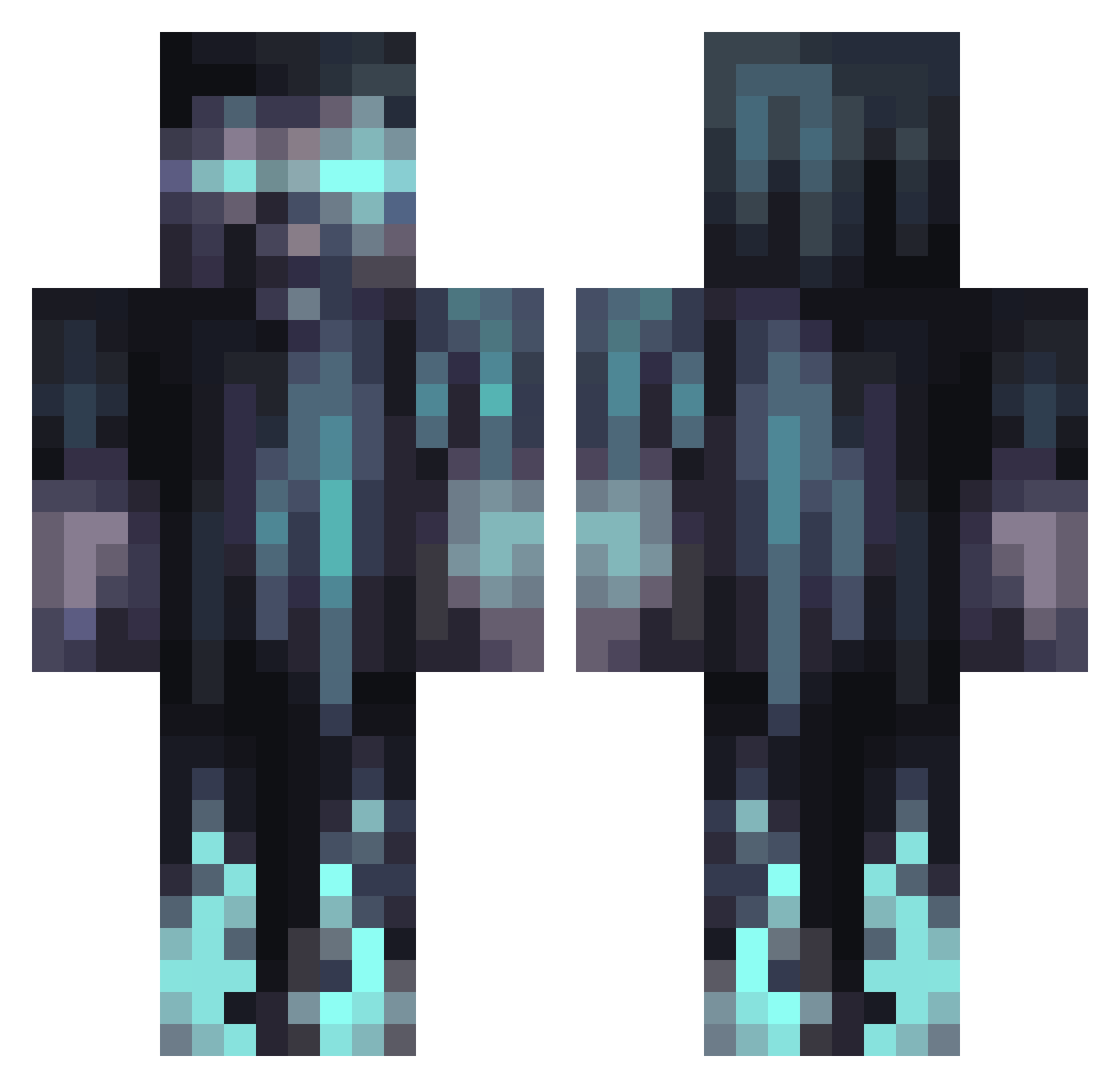
Current Minecraft skin of the player Layzeee69, loaded from the official Mojang API. Rotate the 3D model with your mouse or finger, then download the skin as a PNG file and use it in Minecraft: Bedrock Edition or Java Edition for free. When Layzeee69 changes their skin, this page updates automatically and the old skin stays in the history below.
Other players with this skin (1067)
Layzeee69 was the 761st player we have seen with this skin, first spotted on 07.10.2026. The same skin was seen on these players. Open a nickname to see their current skin and skin history.
 MonkeySmokes Djcamel999 FadingNine63209 craftzak8 TheBirdie009 YungTemper Xudo0 Tuurski olecho CasKen IWickdI ItsAppleJax Fitsoul abyrne058 ZeaCold Redd2501 joshyfigs15 VagabondVEVO Dookieshoes12 ZK99 Bensen229 uivian ShadowHunter803 Moorleiche2005 NewJojo Haktan2662 michaelG403 JuanroV2004 ItsNotMVP_ Galahad0122 PrettyNihilist Aftermxth arennut seeeBTV Mayo2014 MineTronic666 bassammc N1gersniper Doomagedon1 XTictac264X SickKittie SaberSquidHD 4pf_zy Stabp Kassu2202 CrimsonVenom60 S_S107 DEATHNOTE21 STARKX83 TheBrocage SDHamb03 Chrischnek Datboi217 The_Busky TyphoidDruid850 ALIENpocok Su9arD4ddy blurblur12 OleMarHag ms_king98
More Warden Minecraft skins
How to install the Layzeee69 skin
- Press the Download button above to save the skin as a PNG file.
- Minecraft: Bedrock Edition (PE): open the Dressing Room from the main menu (or tap your character → Edit Character), go to Classic Skins → Owned, press the + (new skin) button, choose the downloaded PNG and pick the Classic (Steve) model. Works on PC and mobile; consoles cannot import custom skins.
- Minecraft: Java Edition: open the Minecraft Launcher, go to the Skins tab, click New Skin, load the PNG, pick the Classic (Steve) model and press Save & Use. You can also upload it at minecraft.net → Profile → Change Skin.
The skin does not show up after import - what should I do?
Restart Minecraft and open the Dressing Room again - imported skins sometimes appear only after a restart. Also make sure you selected the imported skin and picked the Classic (Steve) model.
Which model should I choose, Classic or Slim?
This skin is designed for the Classic (Steve) model. If you pick the wrong model, the arms of the skin will look stretched or squeezed.
Is the skin of Layzeee69 free to download?
Yes. Press Download, save the PNG file and use it in Minecraft: Bedrock Edition or Java Edition - no payment or registration needed. The skin also works on multiplayer servers and Realms.
More skins
Looking for more? Go back to all Minecraft skins and check the top skins of the week, month and all time, or find any player's skin by nickname.