
Lauran16 - Minecraft Skins & Skin History
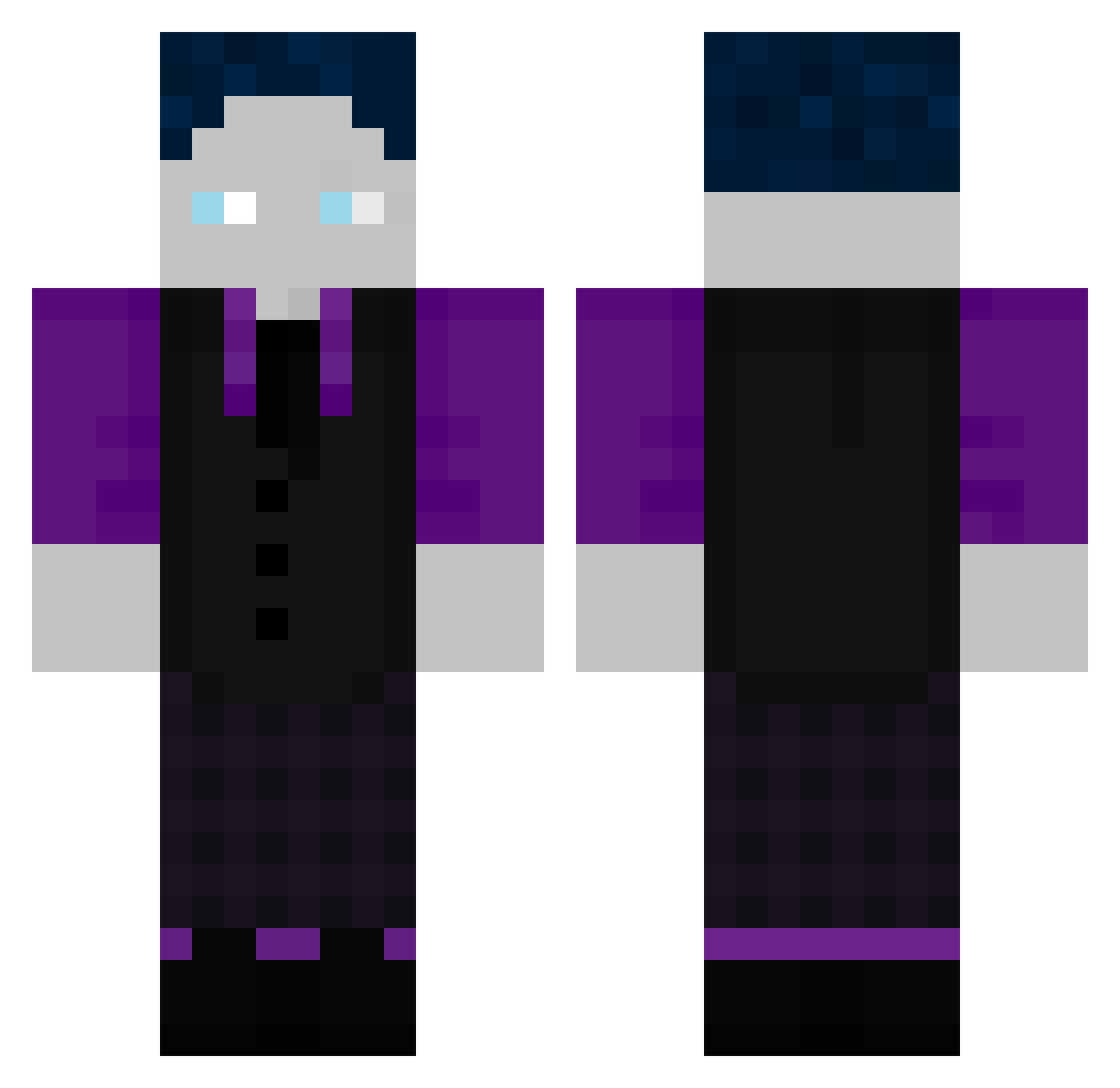
Current Minecraft skin of the player Lauran16, loaded from the official Mojang API. Rotate the 3D model with your mouse or finger, then download the skin as a PNG file and use it in Minecraft: Bedrock Edition or Java Edition for free. When Lauran16 changes their skin, this page updates automatically and the old skin stays in the history below.
Other players with this skin (184)
Lauran16 was the 123rd player we have seen with this skin, first spotted on 07.10.2026. The same skin was seen on these players. Open a nickname to see their current skin and skin history.
 Jaki_der_Saki yxnnick_2008 Lumich0907 puuki1008 DerShredder06 EMilGHG Avaiz6705_On_DC Robin12555 Coolskinyt LeviGHG11 LL_Loewe BastiGGHGGGG StarLord223344 nice00713 HuaJicow_yzrt5uh JoBaLo14 TxR1k74 Sport_10 FahdLionheart JarnoSchneemann Firepotato1 MrKxvn DEANOSO FreddyBaum Maik_HD SLYHZT Ender_GHG Ekkopf9999 DaftSkydiver852 Glubschio BadboyTony2006 Timon2023 No_Mercyxd CRRACKEED_ kalaxion FluffyCat0405 WJonaG DeMisch 911_JoJo MegaMomo3001 Ryan_908 Schlumpfenhausen lefre2010 Charleasy Eistee__Pfirsich tryo_187 karll098 Oergs The2joe CrowdedBonsai JAKANNTHE Lil_Peepp MangoFantaOG basti210704 AmjuCasual Wichtel087 crxn3_ BilinearCrown58 DaRentner DssdCNSPR
How to install the Lauran16 skin
- Press the Download button above to save the skin as a PNG file.
- Minecraft: Bedrock Edition (PE): open the Dressing Room from the main menu (or tap your character → Edit Character), go to Classic Skins → Owned, press the + (new skin) button, choose the downloaded PNG and pick the Classic (Steve) model. Works on PC and mobile; consoles cannot import custom skins.
- Minecraft: Java Edition: open the Minecraft Launcher, go to the Skins tab, click New Skin, load the PNG, pick the Classic (Steve) model and press Save & Use. You can also upload it at minecraft.net → Profile → Change Skin.
The skin does not show up after import - what should I do?
Restart Minecraft and open the Dressing Room again - imported skins sometimes appear only after a restart. Also make sure you selected the imported skin and picked the Classic (Steve) model.
Which model should I choose, Classic or Slim?
This skin is designed for the Classic (Steve) model. If you pick the wrong model, the arms of the skin will look stretched or squeezed.
Is the skin of Lauran16 free to download?
Yes. Press Download, save the PNG file and use it in Minecraft: Bedrock Edition or Java Edition - no payment or registration needed. The skin also works on multiplayer servers and Realms.
More skins
Looking for more? Go back to all Minecraft skins and check the top skins of the week, month and all time, or find any player's skin by nickname.