
Laulaurol - Minecraft Skins & Skin History
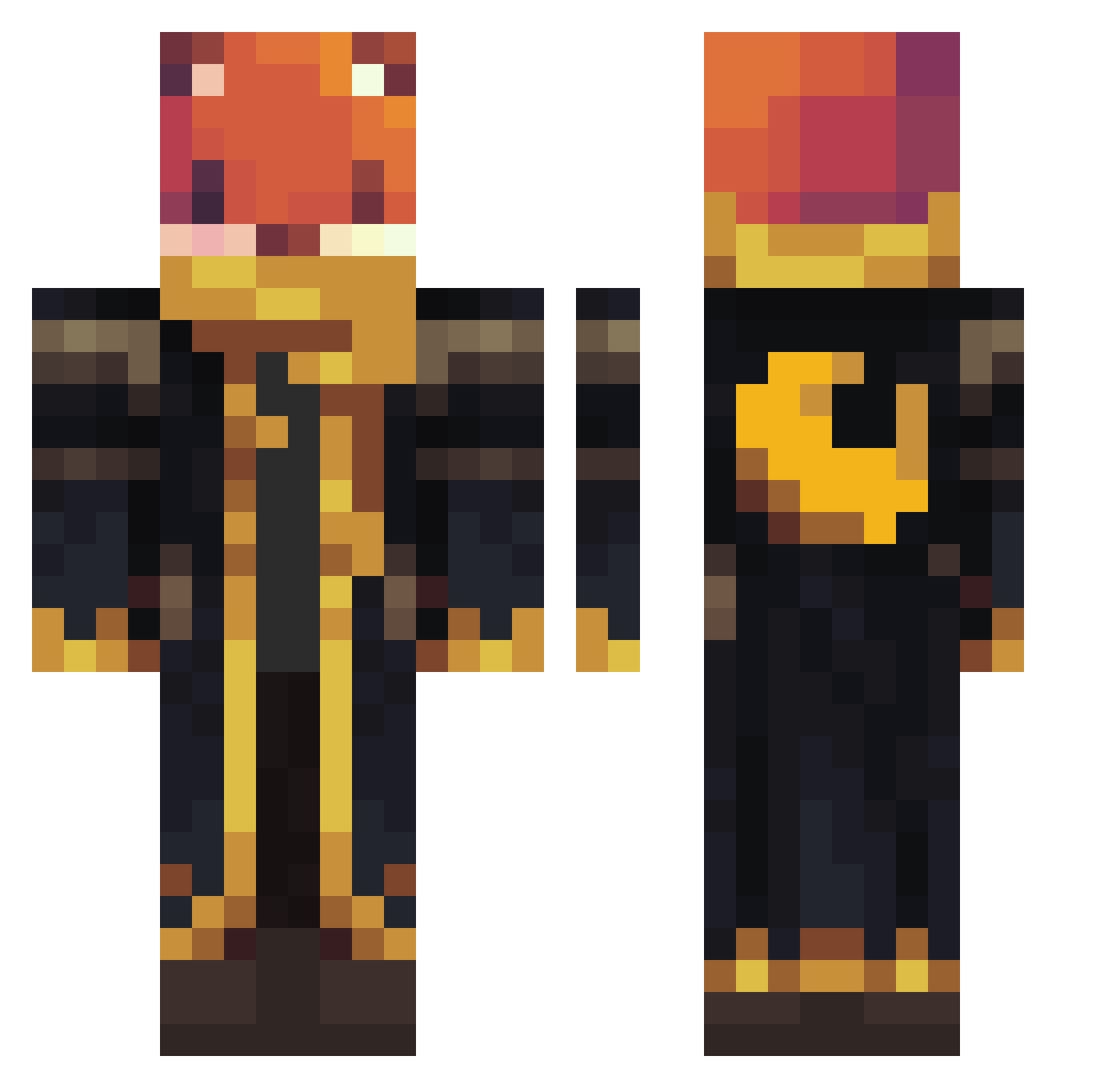
Current Minecraft skin of the player Laulaurol, loaded from the official Mojang API. Rotate the 3D model with your mouse or finger, then download the skin as a PNG file and use it in Minecraft: Bedrock Edition or Java Edition for free. When Laulaurol changes their skin, this page updates automatically and the old skin stays in the history below.
Other players with this skin (1062)
Laulaurol was the 523rd player we have seen with this skin, first spotted on 17.09.2026. The same skin was seen on these players. Open a nickname to see their current skin and skin history.
 edunarco47 EldritchEch0 8i3r evboyer Amanojaku445 Sparta_Sombrio samckemp FrancoDxD AerBraNag26 vapeking23 Charlyness Balls132 shades0301 sempaze CrazyBraydon1 luciantilly Endermei_OC I_AM_NOT_A_CAT _kespa_ brigola JetMagican3592 Aruniiiiii SheerGecko93928 Lolowerine DarkBlade2608 FiuqBoy GreatWhiteBelly meroboticsmc10 XDNoahCraft petus5627 Illumini SezexeBey choiyh11 yusei1205 AltVerseKdqEZSv2 Oscar13579 Hufnagels Trompona Maktmissbruk Kenluu SlitherKing111 mikecastle Ch4rlie1313 claudiovitorxd Daylighter11 Lenampre Less_sugar icicle375 DinyTheDino DramaTrama1 SternSpeck Lexaea Skippski PappaBatman MN0716 Zuulls Scooter1974 UnnoobSpirits arsyadi88 Bakuretsu_LaLa
More Crescent Moon Minecraft skins
See all 274 Crescent Moon skins
How to install the Laulaurol skin
- Press the Download button above to save the skin as a PNG file.
- Minecraft: Bedrock Edition (PE): open the Dressing Room from the main menu (or tap your character → Edit Character), go to Classic Skins → Owned, press the + (new skin) button, choose the downloaded PNG and pick the Classic (Steve) model. Works on PC and mobile; consoles cannot import custom skins.
- Minecraft: Java Edition: open the Minecraft Launcher, go to the Skins tab, click New Skin, load the PNG, pick the Classic (Steve) model and press Save & Use. You can also upload it at minecraft.net → Profile → Change Skin.
The skin does not show up after import - what should I do?
Restart Minecraft and open the Dressing Room again - imported skins sometimes appear only after a restart. Also make sure you selected the imported skin and picked the Classic (Steve) model.
Which model should I choose, Classic or Slim?
This skin is designed for the Classic (Steve) model. If you pick the wrong model, the arms of the skin will look stretched or squeezed.
Is the skin of Laulaurol free to download?
Yes. Press Download, save the PNG file and use it in Minecraft: Bedrock Edition or Java Edition - no payment or registration needed. The skin also works on multiplayer servers and Realms.
More skins
Looking for more? Go back to all Minecraft skins and check the top skins of the week, month and all time, or find any player's skin by nickname.