
Latro_ViS - Minecraft Skins & Skin History
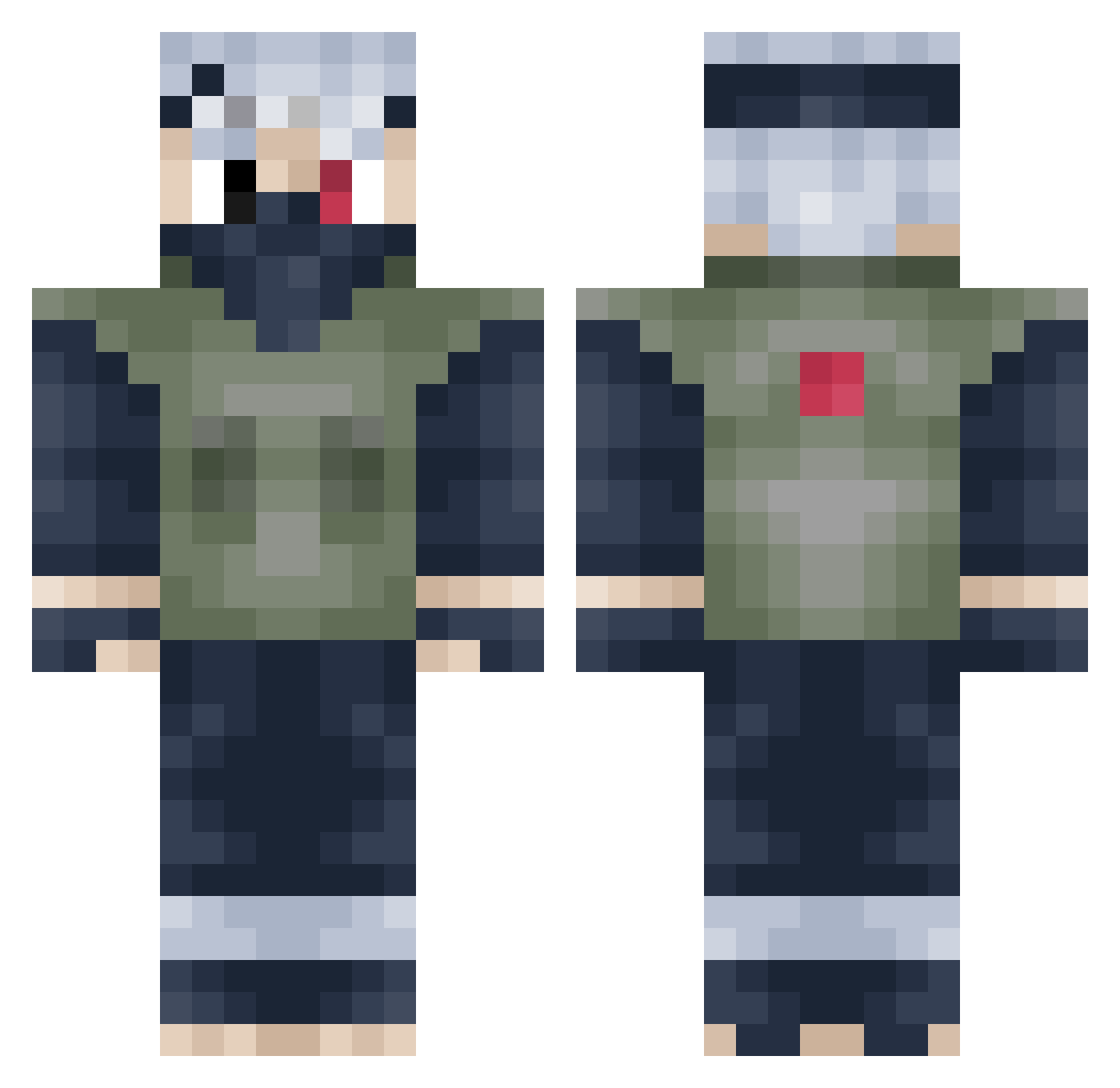
Current Minecraft skin of the player Latro_ViS, loaded from the official Mojang API. Rotate the 3D model with your mouse or finger, then download the skin as a PNG file and use it in Minecraft: Bedrock Edition or Java Edition for free. When Latro_ViS changes their skin, this page updates automatically and the old skin stays in the history below.
Other players with this skin (273)
Latro_ViS was the 93rd player we have seen with this skin, first spotted on 02.09.2026. The same skin was seen on these players. Open a nickname to see their current skin and skin history.
 dawnofwar69 TristanAlbers Urban_Chaos_619 beattie19 rbd_cartaya Smiez Total_Chaos6 Mannko Dewness MJSteak TeinDrifter Tyson1984 Melon1131 HavocCokes iiAbo robotninja28 Reaper1453 DragonMaster1014 jessel3 Toshiagari Mattikar Dubz0wnz xj9_333 TheWizardZ1 Juker54 ERwolf Volatilepeen E_Yaves AnthonyChau999 cartercherry viggopug Joshthecreater MuRkYTuBeR derGraubart devmeister ATown1228 ejdione briXANS grandbulls WizardofPlum Jackeymoon11 Recoverx TitaniumBirdman jordansmcl MadaMadaDaneee bynkk fullangel Insomnia89 EquinoxDragon98 TaayT SPURSSOLDIER GhostSoldierHD mellowhypeofwg Trikit vinny321 betterth Henvic SurvivalAxel23 DannyD986 GuppyKen
More Kakashi Hatake Minecraft skins
See all 471 Kakashi Hatake skins
How to install the Latro_ViS skin
- Press the Download button above to save the skin as a PNG file.
- Minecraft: Bedrock Edition (PE): open the Dressing Room from the main menu (or tap your character → Edit Character), go to Classic Skins → Owned, press the + (new skin) button, choose the downloaded PNG and pick the Classic (Steve) model. Works on PC and mobile; consoles cannot import custom skins.
- Minecraft: Java Edition: open the Minecraft Launcher, go to the Skins tab, click New Skin, load the PNG, pick the Classic (Steve) model and press Save & Use. You can also upload it at minecraft.net → Profile → Change Skin.
The skin does not show up after import - what should I do?
Restart Minecraft and open the Dressing Room again - imported skins sometimes appear only after a restart. Also make sure you selected the imported skin and picked the Classic (Steve) model.
Which model should I choose, Classic or Slim?
This skin is designed for the Classic (Steve) model. If you pick the wrong model, the arms of the skin will look stretched or squeezed.
Is the skin of Latro_ViS free to download?
Yes. Press Download, save the PNG file and use it in Minecraft: Bedrock Edition or Java Edition - no payment or registration needed. The skin also works on multiplayer servers and Realms.
More skins
Looking for more? Go back to all Minecraft skins and check the top skins of the week, month and all time, or find any player's skin by nickname.