
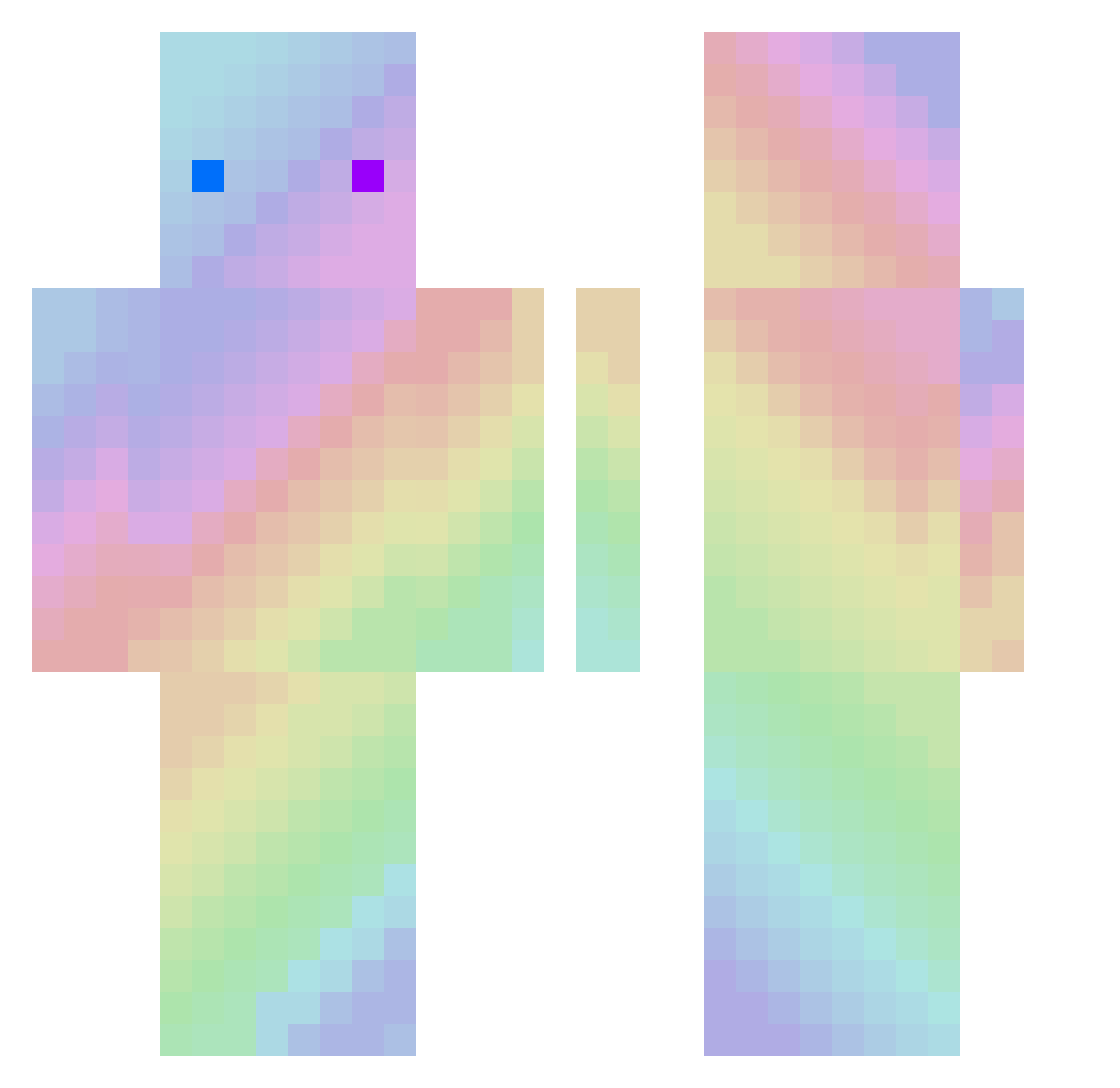
Current Minecraft skin of the player LastPS, loaded from the official Mojang API. Rotate the 3D model with your mouse or finger, then download the skin as a PNG file and use it in Minecraft: Bedrock Edition or Java Edition for free. When LastPS changes their skin, this page updates automatically and the old skin stays in the history below.
Other players with this skin (215)
LastPS was the 119th player we have seen with this skin, first spotted on 08.09.2026. The same skin was seen on these players. Open a nickname to see their current skin and skin history.
 Unseen233 KommisarJoe Kieff69 Kibashino MoodMaker Artyzt KoPa6JluK HyperOsa02 FQG_ Elcardozo Anson148007 Hhrathen jorge_sanguino09 lula_koszula Vackou 2ndlifedm LIMDDUK NoWayl33t pamova puhahaha12 lost4444 woogie84 wei0003 bangsy KRPOKET sheepfather qxqxna EliasN97 Shiningstarz 0rely1 Eason940704 x2FasT GodHandOF ItzzBoomer heltz33 _MTZ_ AyanCraft WhiteShark01 dkfwl ArthurDelhalle baketu6021 mmnnn rescuer135 MisterTom19 Tokyo15 Allergico DarkSoul_Z Ismith_0 Bluko_0 theoldgrilo diluxed luffyone68 ALWei advs216 Taebeom ActualSkill XiaoQingZi Banana_Jones_29 N2FreeVAS Zipleg
How to install the LastPS skin
- Press the Download button above to save the skin as a PNG file.
- Minecraft: Bedrock Edition (PE): open the Dressing Room from the main menu (or tap your character → Edit Character), go to Classic Skins → Owned, press the + (new skin) button, choose the downloaded PNG and pick the Classic (Steve) model. Works on PC and mobile; consoles cannot import custom skins.
- Minecraft: Java Edition: open the Minecraft Launcher, go to the Skins tab, click New Skin, load the PNG, pick the Classic (Steve) model and press Save & Use. You can also upload it at minecraft.net → Profile → Change Skin.
The skin does not show up after import - what should I do?
Restart Minecraft and open the Dressing Room again - imported skins sometimes appear only after a restart. Also make sure you selected the imported skin and picked the Classic (Steve) model.
Which model should I choose, Classic or Slim?
This skin is designed for the Classic (Steve) model. If you pick the wrong model, the arms of the skin will look stretched or squeezed.
Is the skin of LastPS free to download?
Yes. Press Download, save the PNG file and use it in Minecraft: Bedrock Edition or Java Edition - no payment or registration needed. The skin also works on multiplayer servers and Realms.
More skins
Looking for more? Go back to all Minecraft skins and check the top skins of the week, month and all time, or find any player's skin by nickname.