
Lapampadoura - Minecraft Skins & Skin History
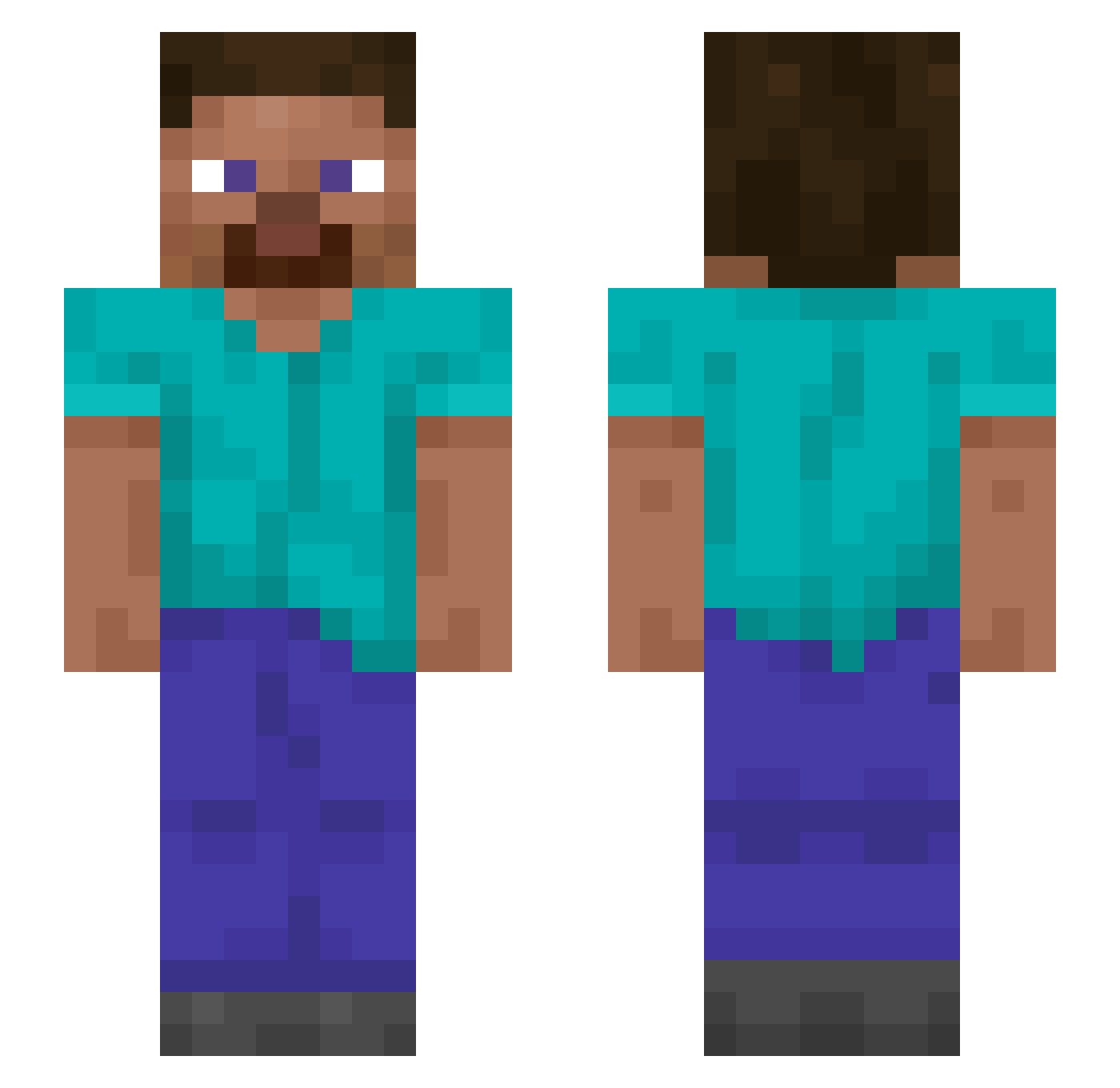
Current Minecraft skin of the player Lapampadoura, loaded from the official Mojang API. Rotate the 3D model with your mouse or finger, then download the skin as a PNG file and use it in Minecraft: Bedrock Edition or Java Edition for free. When Lapampadoura changes their skin, this page updates automatically and the old skin stays in the history below.
Other players with this skin (1103)
Lapampadoura was the 117th player we have seen with this skin, first spotted on 02.08.2026. The same skin was seen on these players. Open a nickname to see their current skin and skin history.
 quaestor Valerian Jaff22 iziorion
 Mudpuppies Impulse_Mclovin PAPATONIX AlexaGames69 Regrind Laimis
 Kallen3 Doragons suvupi MinerProblems Beachman SpookyTryhards
 FFdog91 Honed InterClub AkaAkai CrousTV jhjh99 Prxvacy GloomyatNight Synchronously Lithely MoonCreeper nonsensory IllIllIIlllI andreas anywhen SirBigEggs
 elPerlas Coluber MuhammedWin1 padus mxsaki jxczz JackOrSomething NotSp1dy_ Cyuza Scrublike Jnhehehe Rotifer GTFUZZZ Subcardinal StirFryTurkey BlackDragons948 Neeqe blakeyurk Ozcar07 kenji455 BIackMouse PioL2011 lil_tater arvij10 whitelime101GB Gurian Blightblaady WienerLicker
How to install the Lapampadoura skin
- Press the Download button above to save the skin as a PNG file.
- Minecraft: Bedrock Edition (PE): open the Dressing Room from the main menu (or tap your character → Edit Character), go to Classic Skins → Owned, press the + (new skin) button, choose the downloaded PNG and pick the Slim (Alex) model. Works on PC and mobile; consoles cannot import custom skins.
- Minecraft: Java Edition: open the Minecraft Launcher, go to the Skins tab, click New Skin, load the PNG, pick the Slim (Alex) model and press Save & Use. You can also upload it at minecraft.net → Profile → Change Skin.
The skin does not show up after import - what should I do?
Restart Minecraft and open the Dressing Room again - imported skins sometimes appear only after a restart. Also make sure you selected the imported skin and picked the Slim (Alex) model.
Which model should I choose, Classic or Slim?
This skin is designed for the Slim (Alex) model. If you pick the wrong model, the arms of the skin will look stretched or squeezed.
Is the skin of Lapampadoura free to download?
Yes. Press Download, save the PNG file and use it in Minecraft: Bedrock Edition or Java Edition - no payment or registration needed. The skin also works on multiplayer servers and Realms.
More skins
Looking for more? Go back to all Minecraft skins and check the top skins of the week, month and all time, or find any player's skin by nickname.