
LakiVozd - Minecraft Skins & Skin History
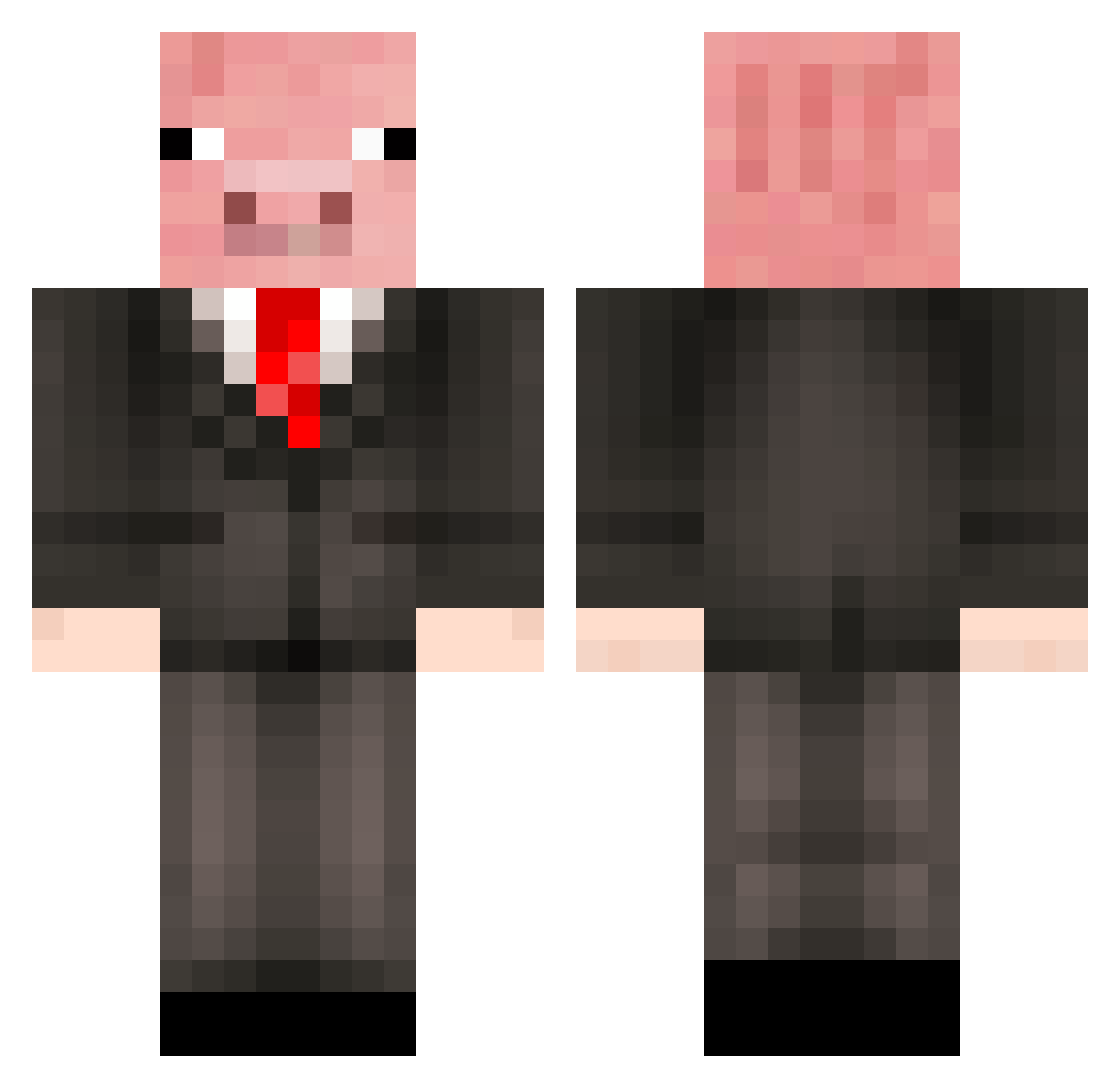
Current Minecraft skin of the player LakiVozd, loaded from the official Mojang API. Rotate the 3D model with your mouse or finger, then download the skin as a PNG file and use it in Minecraft: Bedrock Edition or Java Edition for free. When LakiVozd changes their skin, this page updates automatically and the old skin stays in the history below.
Other players with this skin (294)
LakiVozd was the 275th player we have seen with this skin, first spotted on 06.11.2026. The same skin was seen on these players. Open a nickname to see their current skin and skin history.
 ClamierSalmon Schweini_spielt Polarbearsrul3 shigure_41 pig_catch teedoopz lntrofaker sir_pig_a_lot_7 peoixx doc_timelesss NickDT12 cjxmada EliteFGC FaFa25 becon0014 Zeus156 hi0qz jaebuuu Piggyboy2010 Leleleleleni sonsoa gugu_king_of_fat MiaJane0110 Flunee Nakkivene18 qivespunkki Sawik1 Nardo999 Ximek_ regiakb Shatouilli znakdrogowy2 Hugh_Jaenus gianlucarph FlipTheFatPotato remussa goodpp Baaart58 MrSilly CookieMaster766 Muisey Kosevov kurt4ins ttiny4711 Lamleg __kebab___ Max334 Fumpermurf Bellakath69 Chiefmanatee700 souldragon25 JaredM8502 RocketFox101 Pangurr_ maisylol Gumpigs vveppo Ziranhe23 JackoBartlett PIGGYdemigod
More Pig Minecraft skins
How to install the LakiVozd skin
- Press the Download button above to save the skin as a PNG file.
- Minecraft: Bedrock Edition (PE): open the Dressing Room from the main menu (or tap your character → Edit Character), go to Classic Skins → Owned, press the + (new skin) button, choose the downloaded PNG and pick the Classic (Steve) model. Works on PC and mobile; consoles cannot import custom skins.
- Minecraft: Java Edition: open the Minecraft Launcher, go to the Skins tab, click New Skin, load the PNG, pick the Classic (Steve) model and press Save & Use. You can also upload it at minecraft.net → Profile → Change Skin.
The skin does not show up after import - what should I do?
Restart Minecraft and open the Dressing Room again - imported skins sometimes appear only after a restart. Also make sure you selected the imported skin and picked the Classic (Steve) model.
Which model should I choose, Classic or Slim?
This skin is designed for the Classic (Steve) model. If you pick the wrong model, the arms of the skin will look stretched or squeezed.
Is the skin of LakiVozd free to download?
Yes. Press Download, save the PNG file and use it in Minecraft: Bedrock Edition or Java Edition - no payment or registration needed. The skin also works on multiplayer servers and Realms.
More skins
Looking for more? Go back to all Minecraft skins and check the top skins of the week, month and all time, or find any player's skin by nickname.