
LaSpruca - Minecraft Skins & Skin History
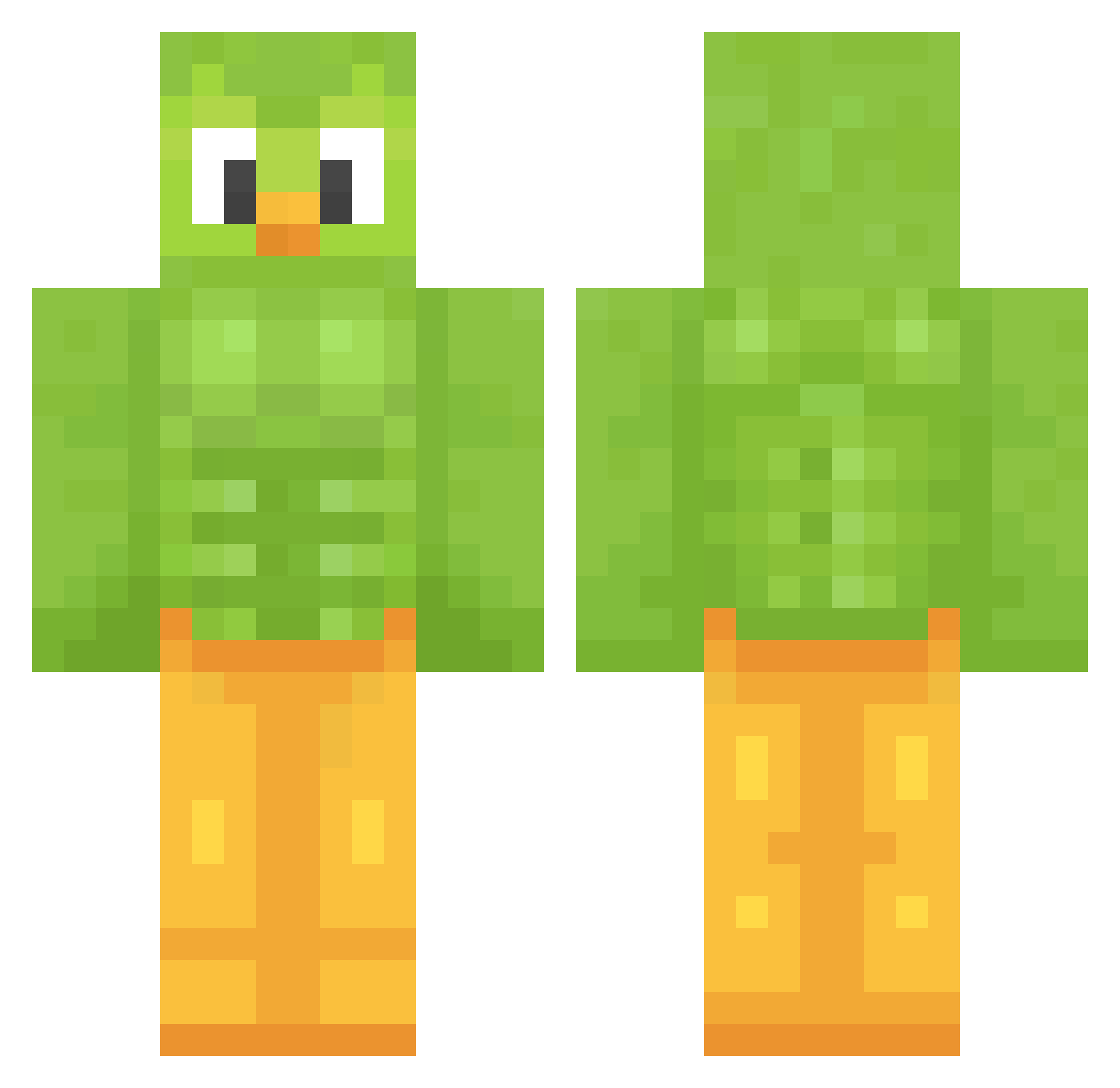
Current Minecraft skin of the player LaSpruca, loaded from the official Mojang API. Rotate the 3D model with your mouse or finger, then download the skin as a PNG file and use it in Minecraft: Bedrock Edition or Java Edition for free. When LaSpruca changes their skin, this page updates automatically and the old skin stays in the history below.
Other players with this skin (1208)
LaSpruca was the 693rd player we have seen with this skin, first spotted on 23.09.2026. The same skin was seen on these players. Open a nickname to see their current skin and skin history.
 Helkron Bvrtusx TeteuCraft55 Fischlika str0ve Pandarandaa Jestork Jajuuska leeeenut Kry_Vypr enderman192 apsovo bigfatl0ser RERE690 SlimShaddy21 Beorn1 xXJokerPlaysXx Juniorjuanito nastybetty GaLevy1 Grande_Kentaki K00Iaid novenopasajero 7oFu_ Tungmetall MemeLoZoR UmPaLu56 Ubersmake Kitano77 Espurvoa Dophaaa linle Swannosaur jname92 AloneLord123 leon081511 MovingAsh xRayflx2 Baphomethh Tommeuldijk gmlwns1213 CreeperzMC hypixelaltforme GalacticRabbit2 VKalash YRob19 dessapassap intr0wert0BOCCHI EricTSS THICCnSICK Cqshew monkq Reils7 resuorce Zznorty LapLandia Hailesito KingofSalem papuszka11 MasterAllyz
More Duo Minecraft skins
How to install the LaSpruca skin
- Press the Download button above to save the skin as a PNG file.
- Minecraft: Bedrock Edition (PE): open the Dressing Room from the main menu (or tap your character → Edit Character), go to Classic Skins → Owned, press the + (new skin) button, choose the downloaded PNG and pick the Classic (Steve) model. Works on PC and mobile; consoles cannot import custom skins.
- Minecraft: Java Edition: open the Minecraft Launcher, go to the Skins tab, click New Skin, load the PNG, pick the Classic (Steve) model and press Save & Use. You can also upload it at minecraft.net → Profile → Change Skin.
The skin does not show up after import - what should I do?
Restart Minecraft and open the Dressing Room again - imported skins sometimes appear only after a restart. Also make sure you selected the imported skin and picked the Classic (Steve) model.
Which model should I choose, Classic or Slim?
This skin is designed for the Classic (Steve) model. If you pick the wrong model, the arms of the skin will look stretched or squeezed.
Is the skin of LaSpruca free to download?
Yes. Press Download, save the PNG file and use it in Minecraft: Bedrock Edition or Java Edition - no payment or registration needed. The skin also works on multiplayer servers and Realms.
More skins
Looking for more? Go back to all Minecraft skins and check the top skins of the week, month and all time, or find any player's skin by nickname.