
LaM0DE - Minecraft Skins & Skin History
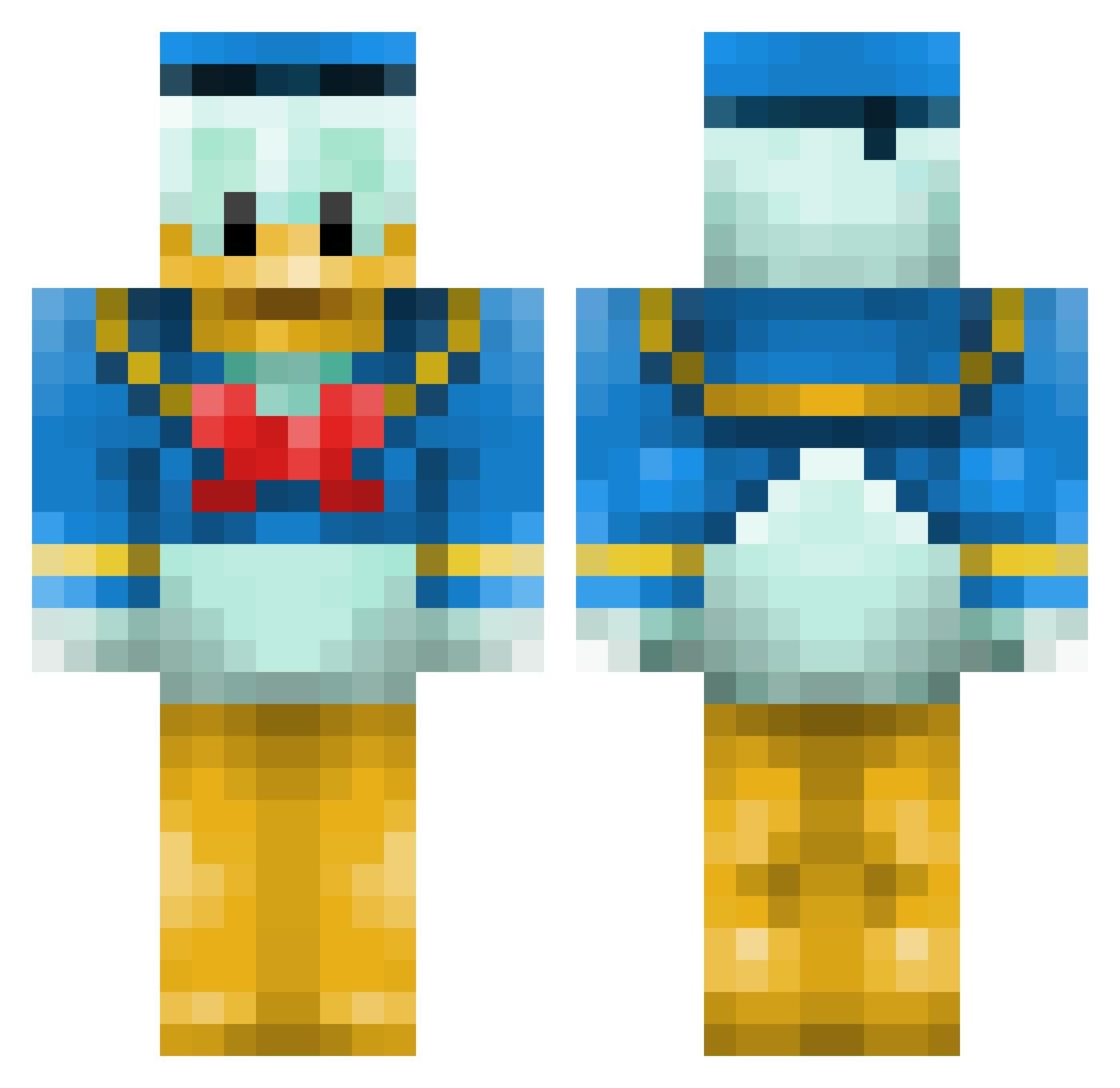
Current Minecraft skin of the player LaM0DE, loaded from the official Mojang API. Rotate the 3D model with your mouse or finger, then download the skin as a PNG file and use it in Minecraft: Bedrock Edition or Java Edition for free. When LaM0DE changes their skin, this page updates automatically and the old skin stays in the history below.
Other players with this skin (659)
LaM0DE was the 546th player we have seen with this skin, first spotted on 22.10.2026. The same skin was seen on these players. Open a nickname to see their current skin and skin history.
 wille311 gab1611 endoh42190 VersaceWizard jorgex666 OverdosePourpre Gelidox Aztren uyeda Duckcrafter27 etalonDuCuI tbone1337 oMazzy BrownCrayons Vespucci99 Happydude77 Senar1 3vee_evr_asher Lynart ZEZE_MTX Bambam200 IMFEELANLUCKY97 simppa6996 geezaEU Checker9985 PLESSIS Withdrew PrivateVault peanutcable itsrevolver LuckyOne26 iamchucho Juan_Miguel85 Tomaho_k TheGreatCalvino platuglen eurostar aws_abood ChayoBR KsiadzJanusz schnurtz NotMech MarcoElsie Uparoo TalBB2 RoRober Alaska300 Keyna mattlink40 nick7037 choi1992 Slappadebass magnum4400 Kevin_Jansen GrilledKenny Veelde Daggiman799 Voguerber KarlMarxBaby VinnyX5
More Donald Duck Minecraft skins
How to install the LaM0DE skin
- Press the Download button above to save the skin as a PNG file.
- Minecraft: Bedrock Edition (PE): open the Dressing Room from the main menu (or tap your character → Edit Character), go to Classic Skins → Owned, press the + (new skin) button, choose the downloaded PNG and pick the Classic (Steve) model. Works on PC and mobile; consoles cannot import custom skins.
- Minecraft: Java Edition: open the Minecraft Launcher, go to the Skins tab, click New Skin, load the PNG, pick the Classic (Steve) model and press Save & Use. You can also upload it at minecraft.net → Profile → Change Skin.
The skin does not show up after import - what should I do?
Restart Minecraft and open the Dressing Room again - imported skins sometimes appear only after a restart. Also make sure you selected the imported skin and picked the Classic (Steve) model.
Which model should I choose, Classic or Slim?
This skin is designed for the Classic (Steve) model. If you pick the wrong model, the arms of the skin will look stretched or squeezed.
Is the skin of LaM0DE free to download?
Yes. Press Download, save the PNG file and use it in Minecraft: Bedrock Edition or Java Edition - no payment or registration needed. The skin also works on multiplayer servers and Realms.
More skins
Looking for more? Go back to all Minecraft skins and check the top skins of the week, month and all time, or find any player's skin by nickname.