
La0361 - Minecraft Skins & Skin History
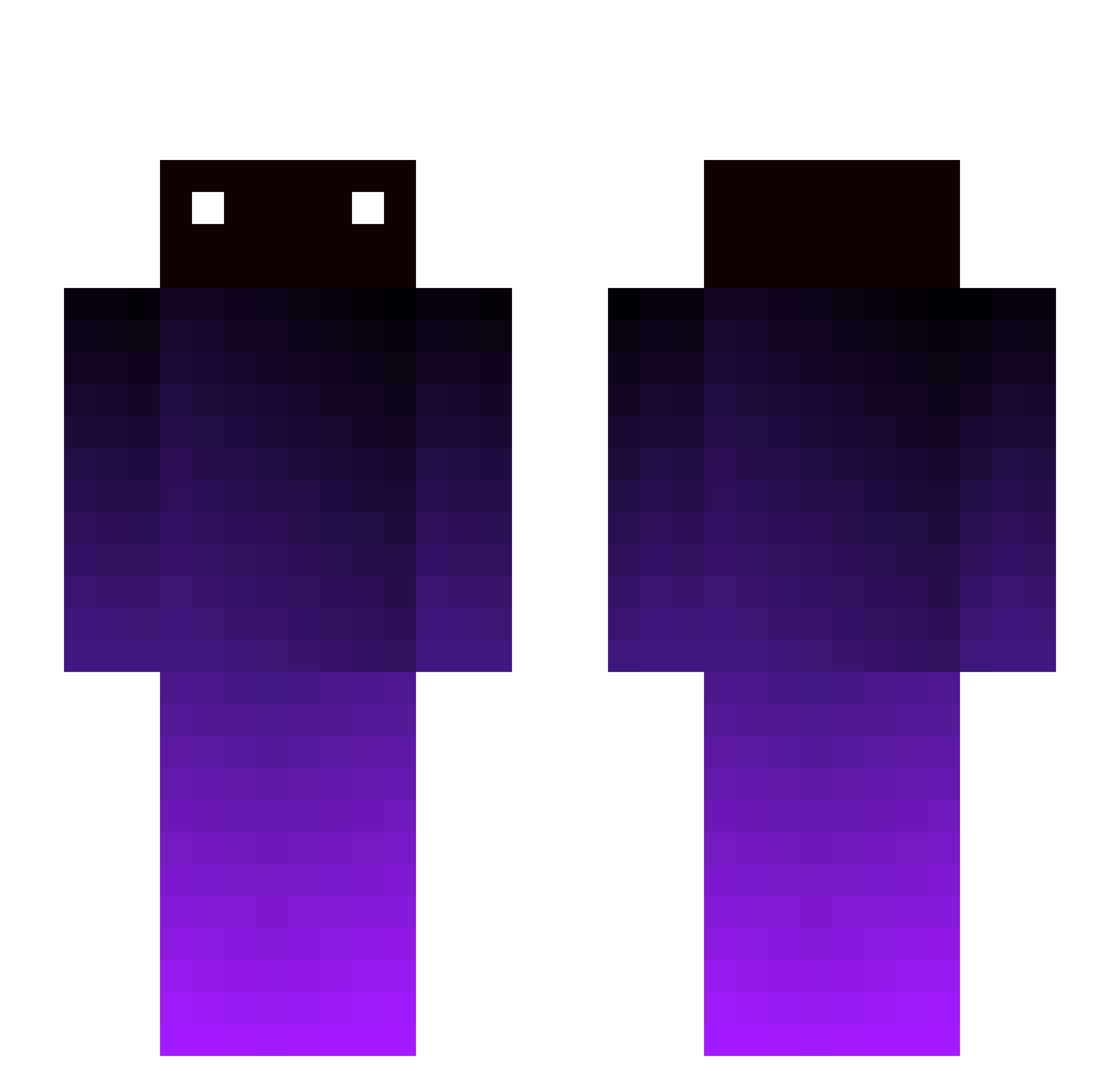
Current Minecraft skin of the player La0361, loaded from the official Mojang API. Rotate the 3D model with your mouse or finger, then download the skin as a PNG file and use it in Minecraft: Bedrock Edition or Java Edition for free. When La0361 changes their skin, this page updates automatically and the old skin stays in the history below.
Other players with this skin (279)
La0361 was the 168th player we have seen with this skin, first spotted on 26.09.2026. The same skin was seen on these players. Open a nickname to see their current skin and skin history.
 GGirang2834 RamuT4KE StoutGorgonFarts SaDrKp ImaSmallishBlob BboyJones PTVStorm juhlatang SuperGoulum Cupoooooooooooo _OliwierMaBana_ DrSaucy fantasia01 xiaolechi Fazito tangzzang super_and_cool bsau basedgodhayden Jump_Tiger Samzwet777 REALjamal godminsoo Kri_dav SrMaxi__ eulbo Oddwaffles97 TexterD_ rledm thedreamcall BrooklynBridge10 PapaPurp69 dummy_Potat0 Poussard24 Jsune nuller312 Luvwolf b1tlyte AshleighRN Artemiss20 qwuffle ElectusOne Joe_Papa420 Thekingyo HOLYplayerz Teemo7 Miaoji1 TheDongos nipkelvin Cybored soungzzi dreadfulnose frs0 Ananqi MCcCM Rusholocro Edites DuddiMacSutti HongJoooo Hershey_MC
How to install the La0361 skin
- Press the Download button above to save the skin as a PNG file.
- Minecraft: Bedrock Edition (PE): open the Dressing Room from the main menu (or tap your character → Edit Character), go to Classic Skins → Owned, press the + (new skin) button, choose the downloaded PNG and pick the Slim (Alex) model. Works on PC and mobile; consoles cannot import custom skins.
- Minecraft: Java Edition: open the Minecraft Launcher, go to the Skins tab, click New Skin, load the PNG, pick the Slim (Alex) model and press Save & Use. You can also upload it at minecraft.net → Profile → Change Skin.
The skin does not show up after import - what should I do?
Restart Minecraft and open the Dressing Room again - imported skins sometimes appear only after a restart. Also make sure you selected the imported skin and picked the Slim (Alex) model.
Which model should I choose, Classic or Slim?
This skin is designed for the Slim (Alex) model. If you pick the wrong model, the arms of the skin will look stretched or squeezed.
Is the skin of La0361 free to download?
Yes. Press Download, save the PNG file and use it in Minecraft: Bedrock Edition or Java Edition - no payment or registration needed. The skin also works on multiplayer servers and Realms.
More skins
Looking for more? Go back to all Minecraft skins and check the top skins of the week, month and all time, or find any player's skin by nickname.