
LW29 - Minecraft Skins & Skin History
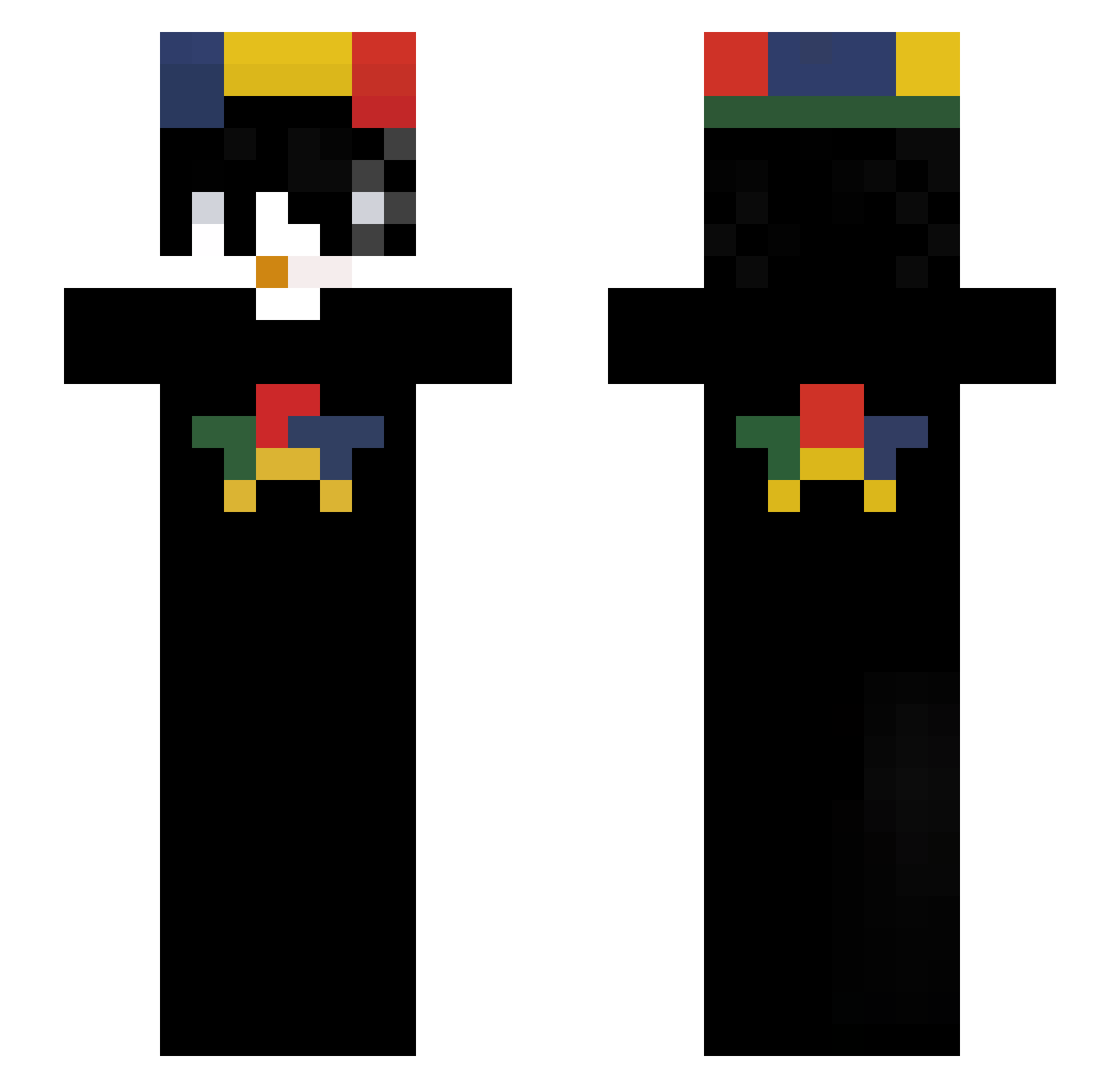
Current Minecraft skin of the player LW29, loaded from the official Mojang API. Rotate the 3D model with your mouse or finger, then download the skin as a PNG file and use it in Minecraft: Bedrock Edition or Java Edition for free. When LW29 changes their skin, this page updates automatically and the old skin stays in the history below.
Other players with this skin (90)
LW29 was the 53rd player we have seen with this skin, first spotted on 24.09.2026. The same skin was seen on these players. Open a nickname to see their current skin and skin history.
 _fazii PanJerzy DaniMGT MANUEL179YT Draco2025 Unqnevaz feit33 FaLLeN_nx gordoownn reis88 zimbiawe Arielbobby liled33 lianlang Eitv1z w9bo firefire0123 Void_47 iamyoungS2 plsbro gkswngh Aymn213_ Faelznf EdOneLove ant7clt AntiTrabajo _CERTZO_ Fantasmon_XD
 LeozadaTrem TheJimbau raticl Olaaa5678 cxrtier13 1_MINSEO_1 Padurii DeWoTD PeterLkm elaiboi wheellyDRIP exoclines Fynn7642 Yungdummy Flankos artempapochka coolkidstaz 3ToThePowerof3 BKXQ lucky_boy0917
 SparkyCPVP fanZyrex ChiKaira vSlyzz_ F1REN lovlyness
 jeongwoo_160108
 sl4by xMixerek Ze___Pato Virtual_Crimes itzz_maks
How to install the LW29 skin
- Press the Download button above to save the skin as a PNG file.
- Minecraft: Bedrock Edition (PE): open the Dressing Room from the main menu (or tap your character → Edit Character), go to Classic Skins → Owned, press the + (new skin) button, choose the downloaded PNG and pick the Slim (Alex) model. Works on PC and mobile; consoles cannot import custom skins.
- Minecraft: Java Edition: open the Minecraft Launcher, go to the Skins tab, click New Skin, load the PNG, pick the Slim (Alex) model and press Save & Use. You can also upload it at minecraft.net → Profile → Change Skin.
The skin does not show up after import - what should I do?
Restart Minecraft and open the Dressing Room again - imported skins sometimes appear only after a restart. Also make sure you selected the imported skin and picked the Slim (Alex) model.
Which model should I choose, Classic or Slim?
This skin is designed for the Slim (Alex) model. If you pick the wrong model, the arms of the skin will look stretched or squeezed.
Is the skin of LW29 free to download?
Yes. Press Download, save the PNG file and use it in Minecraft: Bedrock Edition or Java Edition - no payment or registration needed. The skin also works on multiplayer servers and Realms.
More skins
Looking for more? Go back to all Minecraft skins and check the top skins of the week, month and all time, or find any player's skin by nickname.