
LP44 - Minecraft Skins & Skin History
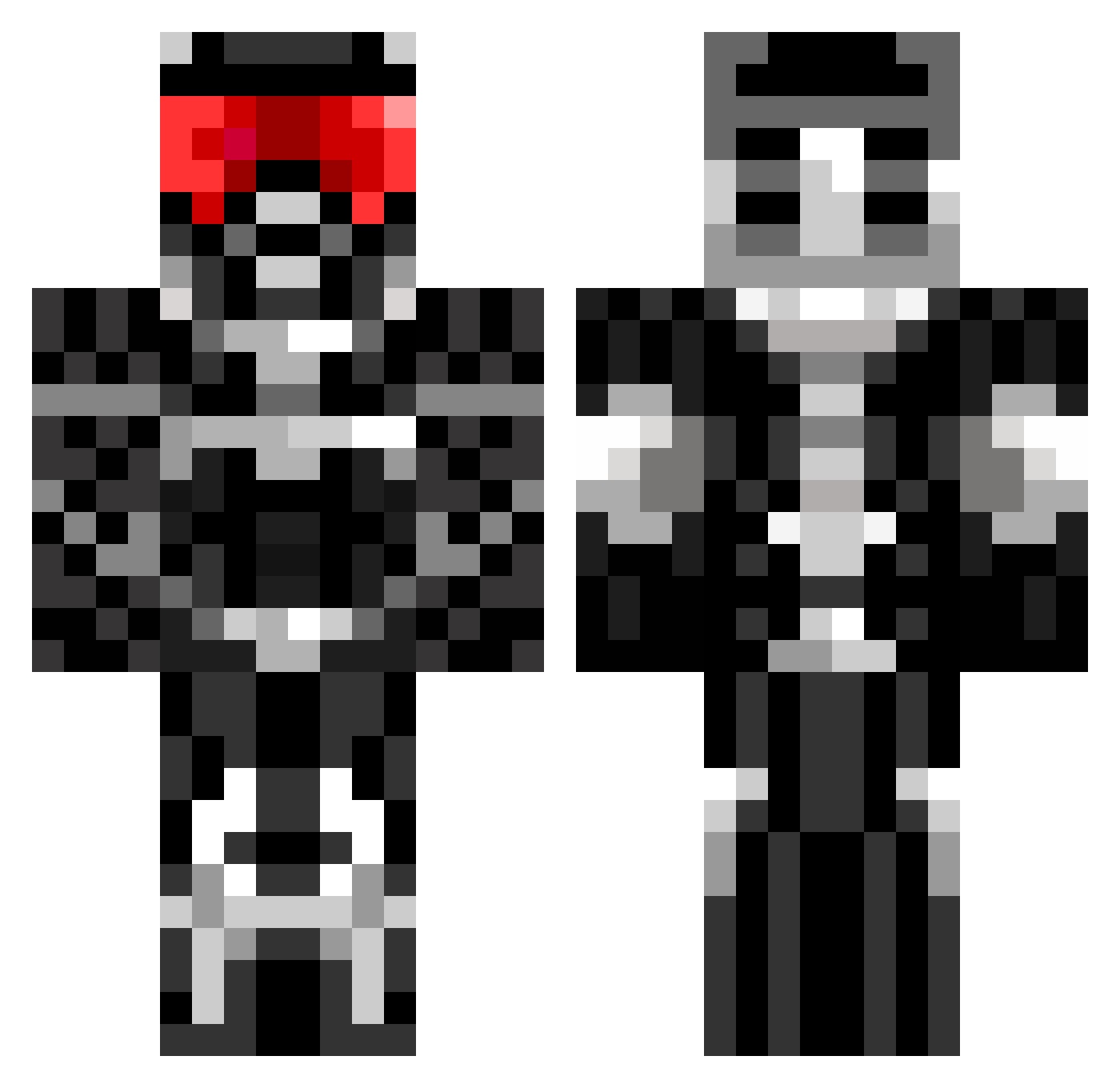
Current Minecraft skin of the player LP44, loaded from the official Mojang API. Rotate the 3D model with your mouse or finger, then download the skin as a PNG file and use it in Minecraft: Bedrock Edition or Java Edition for free. When LP44 changes their skin, this page updates automatically and the old skin stays in the history below.
Other players with this skin (675)
LP44 was the 254th player we have seen with this skin, first spotted on 07.09.2026. The same skin was seen on these players. Open a nickname to see their current skin and skin history.
 _cheesecake_ fuggy204 SAGETHEDESTROYER legecko237 99blades DudeThatsMyCar bluet123 Jordanfinding vassilie Akhan650 jonny3003 swines01 DJmirza midnightslash77 Magma_Crafter THB2308 Gavinat0r wafflefart122 lukec555 Rama88 Mc_ThunderShock general14 Oberon14 Static_Breed Tyler319 Zephrios ronv45 Kytharen speedrac17 nich4000 aduck55 JoeyDiamanti j0ker1997 militarydude33 Kruemel_Tier jhayes101 zalmanking Vengeance141 neekosal JudoGabe98 sheepman10 THEDARKOV3RL0RD jacewc ZuesSmells ischwartz Nullifics hikelik raul9972002 mashedpotatu CommanderZminz sw3g Theawesomeball HungerShotTeam ADDICT_G4M3R NilsK maxtriano FreakyGamer9427 kanloodjfsa slayer717 Shafez
More Sci Fi Armor Minecraft skins
How to install the LP44 skin
- Press the Download button above to save the skin as a PNG file.
- Minecraft: Bedrock Edition (PE): open the Dressing Room from the main menu (or tap your character → Edit Character), go to Classic Skins → Owned, press the + (new skin) button, choose the downloaded PNG and pick the Classic (Steve) model. Works on PC and mobile; consoles cannot import custom skins.
- Minecraft: Java Edition: open the Minecraft Launcher, go to the Skins tab, click New Skin, load the PNG, pick the Classic (Steve) model and press Save & Use. You can also upload it at minecraft.net → Profile → Change Skin.
The skin does not show up after import - what should I do?
Restart Minecraft and open the Dressing Room again - imported skins sometimes appear only after a restart. Also make sure you selected the imported skin and picked the Classic (Steve) model.
Which model should I choose, Classic or Slim?
This skin is designed for the Classic (Steve) model. If you pick the wrong model, the arms of the skin will look stretched or squeezed.
Is the skin of LP44 free to download?
Yes. Press Download, save the PNG file and use it in Minecraft: Bedrock Edition or Java Edition - no payment or registration needed. The skin also works on multiplayer servers and Realms.
More skins
Looking for more? Go back to all Minecraft skins and check the top skins of the week, month and all time, or find any player's skin by nickname.