
LOLLO_STUDIOS12 - Minecraft Skins & Skin History
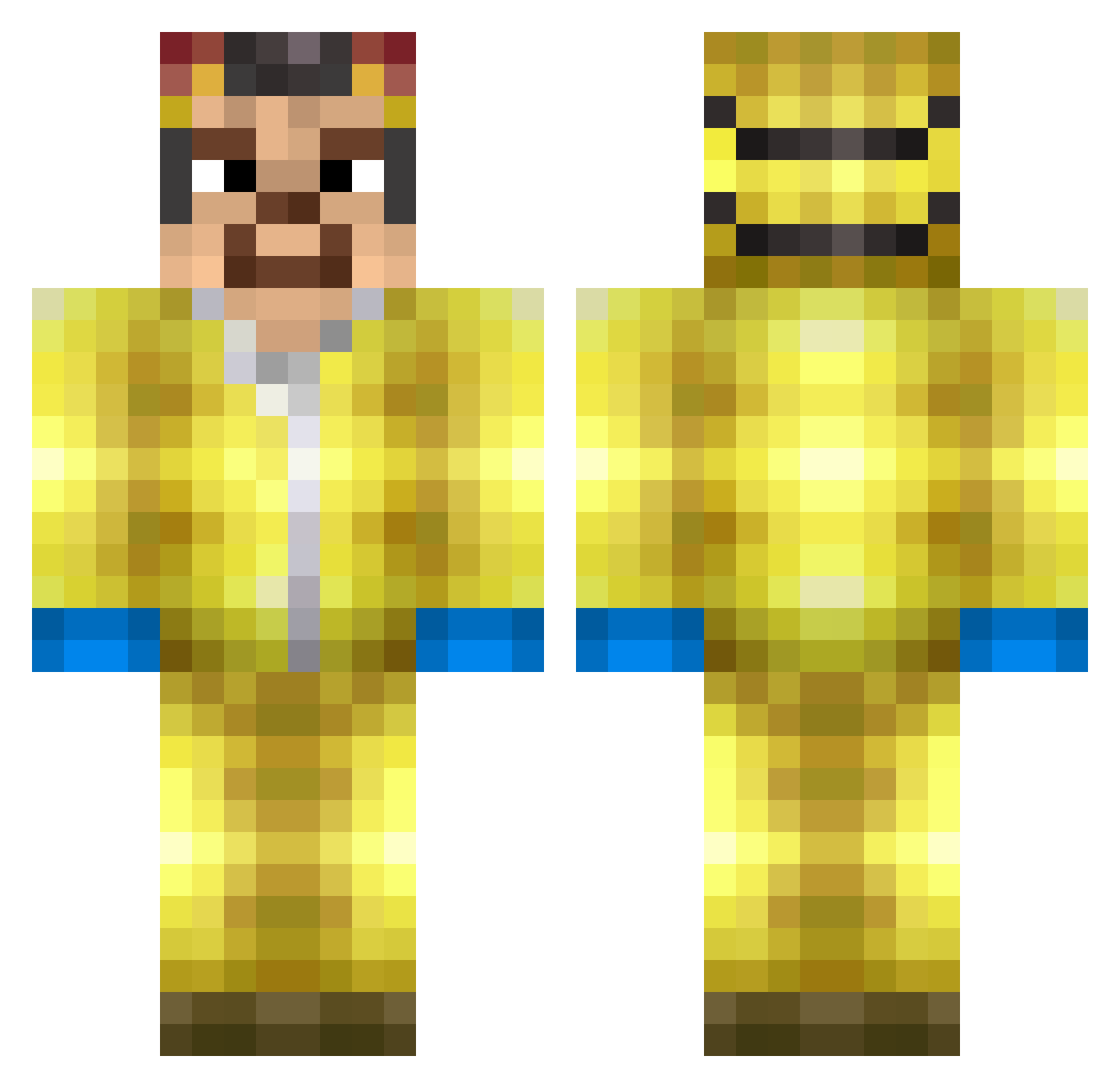
Current Minecraft skin of the player LOLLO_STUDIOS12, loaded from the official Mojang API. Rotate the 3D model with your mouse or finger, then download the skin as a PNG file and use it in Minecraft: Bedrock Edition or Java Edition for free. When LOLLO_STUDIOS12 changes their skin, this page updates automatically and the old skin stays in the history below.
Other players with this skin (300)
LOLLO_STUDIOS12 was the 44th player we have seen with this skin, first spotted on 05.08.2026. The same skin was seen on these players. Open a nickname to see their current skin and skin history.
 Monkey_soldier4 HenzouGT SaffronZulu3712 LordNatty Droxerek Expertistaken Bumbomakid YekT_ rodmhz SKIMMELTAART EngineerGMRP Ezeence dom306 vitotroxa mark1406
 ScarabMM cgna PePe321MC lalalaimasheep Silennt01 adree1337 Doctor_D45 MassoGoodman Torge1887HSV AlmightyMohammed AndrewBagpipe Clemo_123 stevenkeven52 sompwomp AcidVibezTikTok GenZ_Caesar frelubich MuriloGemaque ijvo
 it_bortnik eestyke F81z Stra1ghtUP WhippetQO Matsemitglatze Kareklas DeathTurtle123 noszetecha Vocetinho01253 tom_en_bas Deuceski comrade_spurdo Mastropiero6217 RedStax13 bialafeta 5fe EQ0N copperanck WAltErBlaCo N3GROIMMIGRAT LukesFishNChips SEBABOMBA24 FabiGuy CREAMS___ Chicken_Tendie
More Walter White Minecraft skins
See all 568 Walter White skins
How to install the LOLLO_STUDIOS12 skin
- Press the Download button above to save the skin as a PNG file.
- Minecraft: Bedrock Edition (PE): open the Dressing Room from the main menu (or tap your character → Edit Character), go to Classic Skins → Owned, press the + (new skin) button, choose the downloaded PNG and pick the Classic (Steve) model. Works on PC and mobile; consoles cannot import custom skins.
- Minecraft: Java Edition: open the Minecraft Launcher, go to the Skins tab, click New Skin, load the PNG, pick the Classic (Steve) model and press Save & Use. You can also upload it at minecraft.net → Profile → Change Skin.
The skin does not show up after import - what should I do?
Restart Minecraft and open the Dressing Room again - imported skins sometimes appear only after a restart. Also make sure you selected the imported skin and picked the Classic (Steve) model.
Which model should I choose, Classic or Slim?
This skin is designed for the Classic (Steve) model. If you pick the wrong model, the arms of the skin will look stretched or squeezed.
Is the skin of LOLLO_STUDIOS12 free to download?
Yes. Press Download, save the PNG file and use it in Minecraft: Bedrock Edition or Java Edition - no payment or registration needed. The skin also works on multiplayer servers and Realms.
More skins
Looking for more? Go back to all Minecraft skins and check the top skins of the week, month and all time, or find any player's skin by nickname.