
LISPENARDSTREET - Minecraft Skins & Skin History
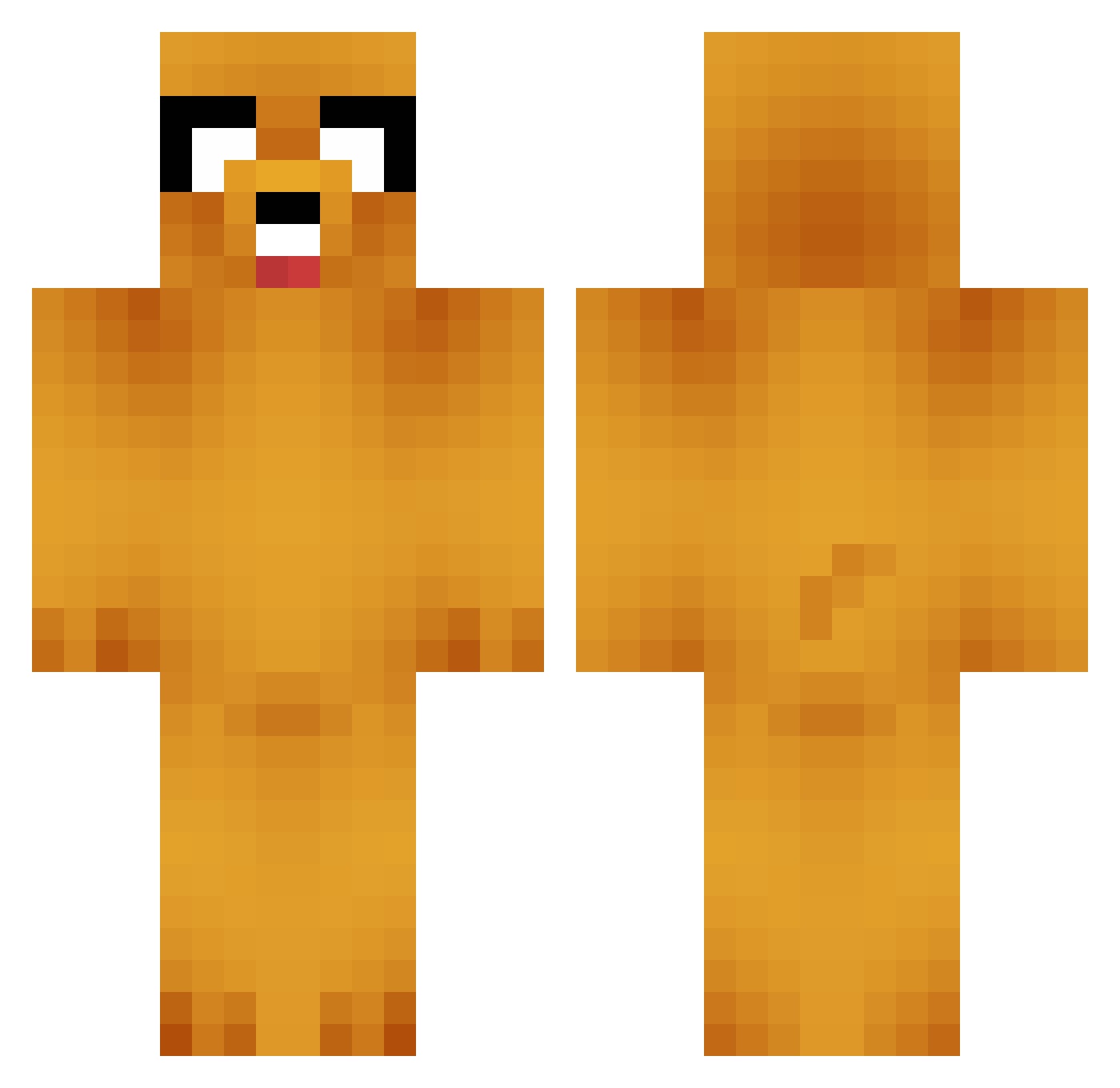
Current Minecraft skin of the player LISPENARDSTREET, loaded from the official Mojang API. Rotate the 3D model with your mouse or finger, then download the skin as a PNG file and use it in Minecraft: Bedrock Edition or Java Edition for free. When LISPENARDSTREET changes their skin, this page updates automatically and the old skin stays in the history below.
Other players with this skin (664)
LISPENARDSTREET was the 605th player we have seen with this skin, first spotted on 14.10.2026. The same skin was seen on these players. Open a nickname to see their current skin and skin history.
 Paolero Kimwookjae Aryan_999 sexydora WiktoriX_X AdyCaros GoodDong1 dopelasoul AlexOnJa Chicken_angel vockey niwxde UmGyong AdzOnTheMap Ruben_Yo_Yo JustPrime27 julzzz_03 Lucid0120 tyjuanxo Dimona666 catisyaong GudnX bong_jae poopiedspoopie Jaehwan26 RafaelRL74 Ege102 LordBarnis TinyForkk Maru17WG AntiFeminist1 Jallazarr tonykark Haoooooooooo Chuan_U chopping18 Bielzeraa05 Savigny030 BasedCurry JoyAsian M1lfD4n moltisanti90210 FeebleFingers Mcjuicy1 Vendetta3352 BOBAHJAE Artist_bibib1 Mayyr KyumaOK ITZGuRuyt kimhyea18 Splxshier SdMuller SavageSchnizel Jmoo0 galinh0_o LF_Powerlace _Wump frontyy03 Maniacbrother
More Jake Minecraft skins
How to install the LISPENARDSTREET skin
- Press the Download button above to save the skin as a PNG file.
- Minecraft: Bedrock Edition (PE): open the Dressing Room from the main menu (or tap your character → Edit Character), go to Classic Skins → Owned, press the + (new skin) button, choose the downloaded PNG and pick the Classic (Steve) model. Works on PC and mobile; consoles cannot import custom skins.
- Minecraft: Java Edition: open the Minecraft Launcher, go to the Skins tab, click New Skin, load the PNG, pick the Classic (Steve) model and press Save & Use. You can also upload it at minecraft.net → Profile → Change Skin.
The skin does not show up after import - what should I do?
Restart Minecraft and open the Dressing Room again - imported skins sometimes appear only after a restart. Also make sure you selected the imported skin and picked the Classic (Steve) model.
Which model should I choose, Classic or Slim?
This skin is designed for the Classic (Steve) model. If you pick the wrong model, the arms of the skin will look stretched or squeezed.
Is the skin of LISPENARDSTREET free to download?
Yes. Press Download, save the PNG file and use it in Minecraft: Bedrock Edition or Java Edition - no payment or registration needed. The skin also works on multiplayer servers and Realms.
More skins
Looking for more? Go back to all Minecraft skins and check the top skins of the week, month and all time, or find any player's skin by nickname.